D
The battery heats up
During charging or recording, the battery pack
heatsup.Thisiscaused by energy thathasbeen
generated and a chemical change that has
occurred inside the battery pack. This is not
cause for concern and is normal.
Battery pack care
• Remove the battery pack from the
camcorder after using it, and keep it in a cool
place. When the battery pack is installed to the
camcorder, a small amount of current flows to
the camcorder even if the POWER switch is set
to OFF. This shortens batter), life.
• The battery pack is always discharging even
when it is not in use after charging. Therefore,
you should charge the battery right before
using the camcorder.
How to use the switch on the battery
pack
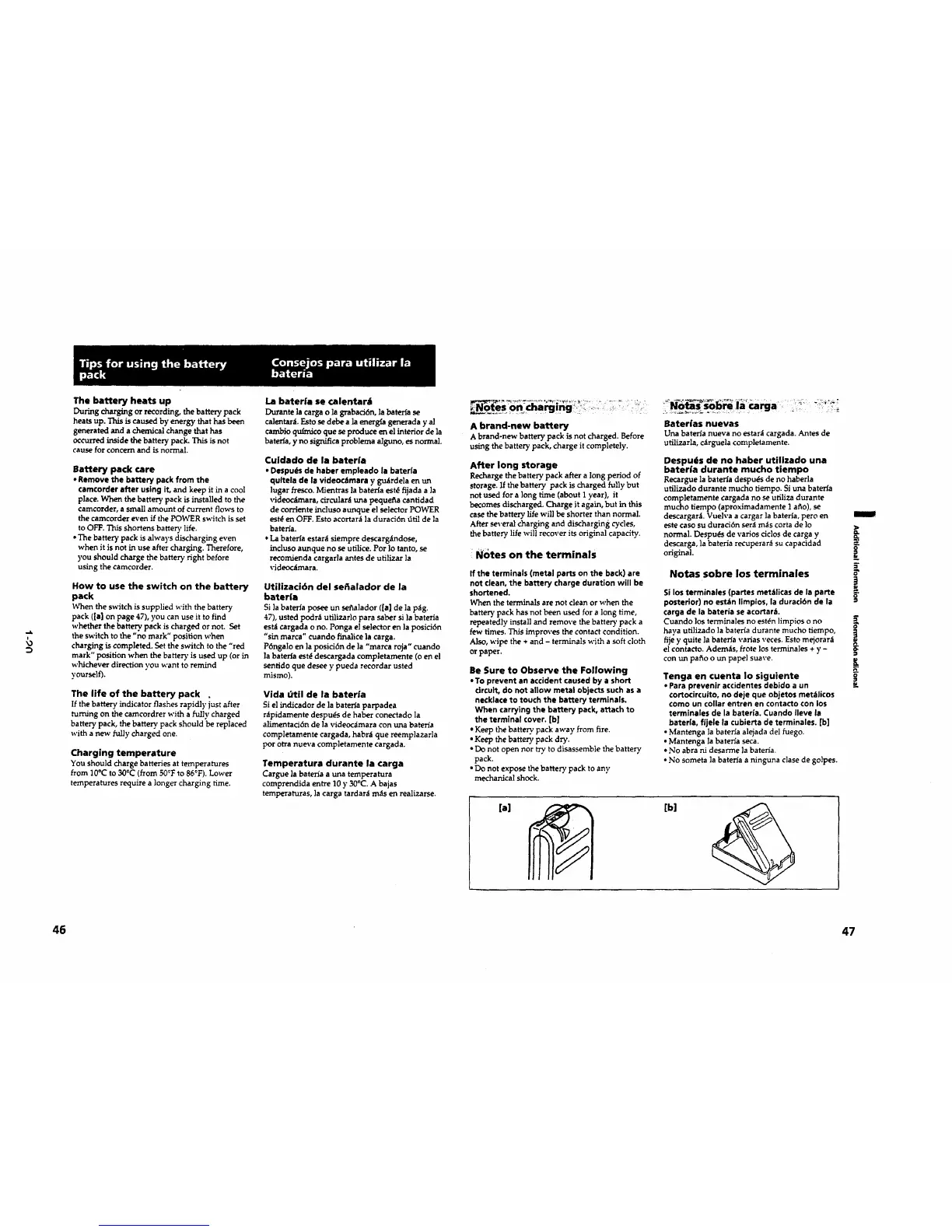
When the switch is supplied with the battery
pack ([a] on page 47), you can use it to find
whether the battery, pack is charged or not. Set
the switch to the "no mark" position when
charging is completed. Set the switch to the "red
mark" position when the batte D" is used up (or in
whichever direction you want to remind
yourself).
The life of the battery pack .
If the battery indicator flashes rapidly just after
turning on the camcordrer with a fully charged
battery pack, the battery, pack should be replaced
with a new fully charged one.
Charging temperature
You should charge batteries at temperatures
from ]0°C to 30cC (from 50_'Fto 86°F). Lower
temperatures require a longer charging time.
La baterfa se calentarJ
Durantelacargao lagrabaci6n,labaleffase
calentarAEstosedebe a laenerg_ageneraday al
cambio qufrnicoque seproduce en elinteriorde la
baterla,y no significaproblema alguno,esnormal.
Cuidado de la baterfa
• Despu#s de haber empleado la baterla
qultela de |a videoc_imara y gu_rdela en un
]ugar fresco. Mientras ]a bateHa estdfijada a ]a
videoc_mara,circularauna pequefla cantidad
de corriente incluso aunque el selector POWER
estd en OFF. Esto acortar_t la duraci6n dtil de la
bateria.
*La bateffa estar_l siempre descargandose,
incluso aunque no se utilice. Por ]o tanto, se
recomienda cargarla antes de utilizar ]a
videoc_imara.
Otilizaci6n del sefialador de la
baterfa
Si ]abateHa posee un se_a]ador ([a] de ]a p_g.
47), usted pc)dr:; utilizarlo para saber si la bateria
est_ cargada o no. Ponga el selector en la posici6n
"sin marca" cuando finallce ]a carga.
Pdngalo en la posici6n de la "marca roja" cuando
la bateHa est_ descargada completamente (o en el
senfido que desee y pueda recordar usted
rrdsmo).
Vida dtil de la bater|a
Si el indicador de la bateda parpadea
ntpidamente despu_s de haber conectado la
allmentad6n de la videoc_imara con una bateria
completamente cargada, habr_i que reemplazarla
pot otra nueva completamente cargada.
Temperatura durante la carga
Cargue la bateria a una temperatura
comprendida entre 10 y 30°C.A bajas
temperaturas,lacarga tardar_im_s en reallzarse.
A brand-new battery
A brand-new battery pack is not charged. Before
using the battery pack, charge it completely.
After long storage
Recharge thebatterypack aftera longperiodof
storage.Ifthebatterypack ischargedfullybut
notused fora longtime (aboutI year),it
becomes discharged.Charge itagain,but inthis
casethebatterylifewillbe shorterthannormal.
Afterseveralchargingand dischargingcycles,
thebatterylifewillrecoveritsoriginalcapacity.
Notes on the terminals
If the terminals (metal parts on the back) are
not clean, the battery charge duration will be
shortened.
When the terminals are not clean or when the
battery pack has not been used for a long time,
repeatedly install and remove the battery pack a
few times. This improves the contact condition.
Also, wipe the + and - terminals with a soft cloth
or paper.
Be Sure to Observe the Following
• To prevent an accident caused by a short
circuit, do not allow metal objects such as a
necklace to touch the battery terminals.
When carrying the battery pack, attach to
the terminal cover. [b]
• Keep the battery pack away from fire.
• Keep the battery pack dry.
• Do not open nor try to disassemble the battery
pack.
• Do not expose the battery pack to any
mechanical shock.
Baterias nuevas
Una bateria nueva no estara cargada. Antes de
utilizarla, c;_rguela completamente.
Despu6s de no haber utilizado una
baterla durante mucho tiempo
Recargue la bateda despuds de no haberla
ufillzado durante mucho tiempo. Si una bateHa
completamente cargada no se utillza durante
mucho tiempo (aproximadamente 1 a_o), se
descargarA Vuelva a cargar ]abateria, peru en
este caso su duraci6n ser;t m_s corta de 1o
normal. Despu_ de varJos ciclos de carga y
descarga, la baterla recuperar_ su capacidad
original.
Notas sobre los terminales
Si los terminales (partes met_tlicas de la parte
posterior) no estln Ilmpios, la duraci6n de la
carga de la bateria se acortar -_,.
Cuando los terminales no estdn ]impios o no
haya utilizado ]a bateria durante mucho tiempo,
fije y quite ]a baterfa \,arias veces. Esto mejorar;t
el contacto. Adem_ts, frote los terminales + y -
con un patio o un pape] suave.
Tenga en cuenta Io siguiente
• Para prevenir accidentes debido a un
¢ortocircuito, no deje que objetos met_licos
€omo un collar entren en contacto con los
terminales de la bateria. Cuando Ileve la
baterla, fijele la cubierta de terminales. [b)
• Mantenga la bateria alejada del fuego.
• Mantenga la bater_a seca.
• No abra ni desarme ]a bateria.
• No someta ]a bater_a a ninguna clase de golpes.
[a] [b]
m
o.
w
46 47



 To Next Page
 Loading...