EasyManua.ls Logo

Sony HP-179A - Page 2

Sony HP-179A
59 pages
Print Icon
To Next Page IconTo Next Page
To Previous Page IconTo Previous Page
Loading...
os
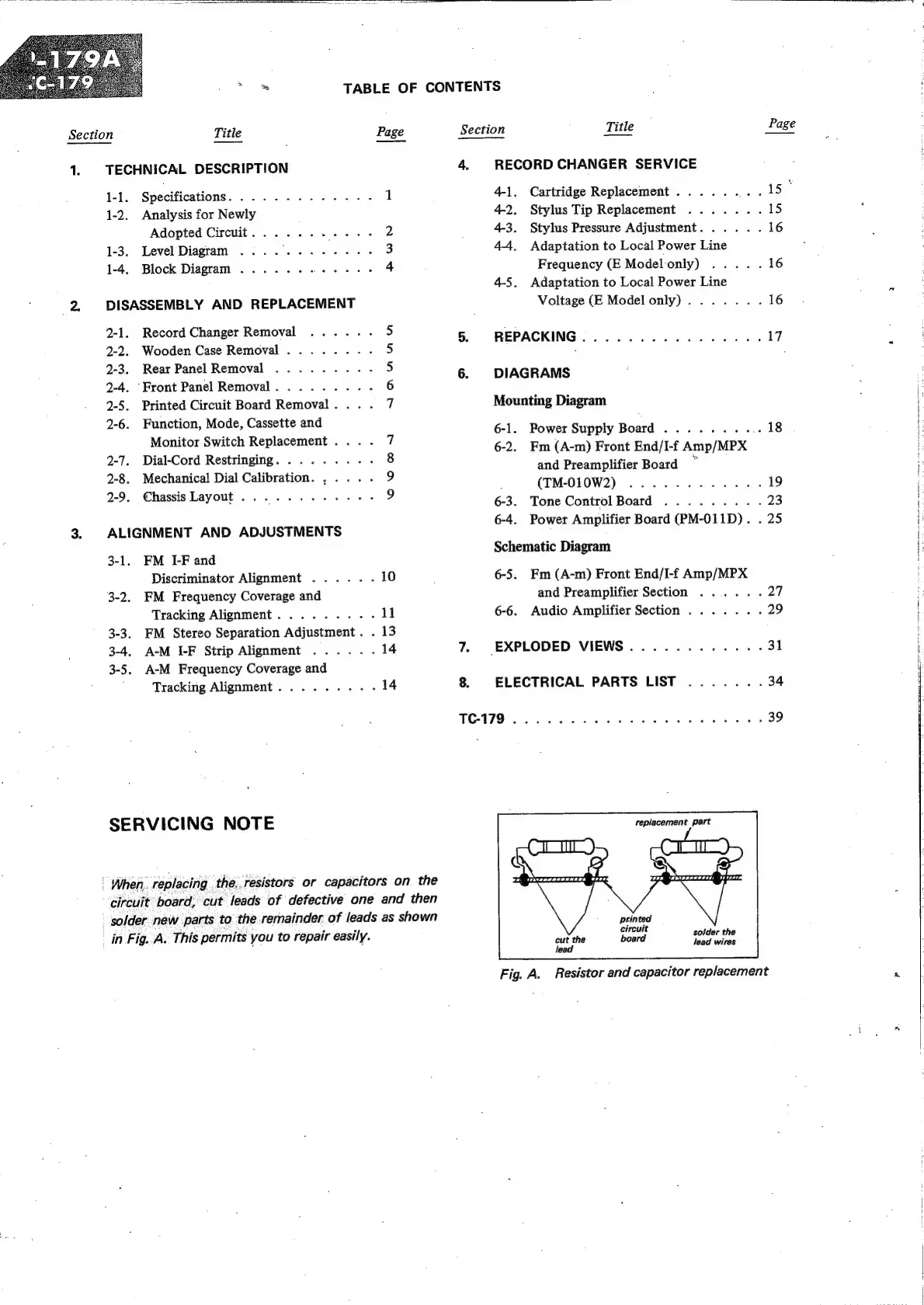
TABLE
OF
CONTENTS
6-4.
Power
Amplifier
Board
(PM-011D).
.
25
Section
Title
Page
Section
Title
Page
1.
TECHNICAL
DESCRIPTION
4.
RECORD
CHANGER
SERVICE
1-1.
Specifications.
..........--
1
4-1.
Cartridge
Replacement
......
eee
1-2.
Analysis
for
Newly
42.
Stylus
Tip
Replacement
.......
15
Adopted
Circuit...
....
Vet
hee
2
4-3.
Stylus
Pressure
Adjustment.
.....
16
1-3.
Level
Diagram
.......-..-.
3
44,
Adaptation
to
Local
Power
Line
1-4.
Block
Diagram
..........-.--
4
Frequency
(E
Modelonly)
.....
16
4-5.
Adaptation
to
Local
Power
Line
2
=
DISASSEMBLY
AND
REPLACEMENT
Voltage
(E
Modelonly).......
16
2-1.
Record
Changer
Removal
.....
5
5.
REPACKING................
17
2-2.
Wooden
Case
Removal
........
5
:
.
2-3.
.
Rear
Panel
Removal
.........
5
6.
DIAGRAMS
2-4.
Front
Panel
Removal.
........-
6
2-5.
Printed
Circuit
Board
Removal...
.
7
Mounting
Diagram
2-6.
pele
Rae
sree
ae
7
6-1.
Power
Supply
Board
........
18
F
OO
a
aren
gre
sre
ance
6-2.
Fm
(A-m)
Front
End/I-f
Amp/MPX
'
2-7.
Dial-Cord
Restringing.
........
8
set
_
:
:
Same
and
Preamplifier
Board
,
2-8.
Mechanical
Dial
Calibration.
,....
9
(TM-010W2)
19
Rope
Sebasals
TAY
OME
ect
Bate
ae
ae
2
6-3.
Tone
Control
Board
.........
23
1
|
3.
ALIGNMENT
AND
ADJUSTMENTS
54
ant
pena
Schematic
Diagram
FE
Discriminator
Alignment
......
10
6-5.
Fm
(A-m)
Front
End/I-f
Amp/MPX
3-2.
FM
Frequency
Coverage
and
and
Preamplifier
Section
......
27
G
Tracking
Alignment.
........
11
6-6.
Audio
Amplifier
Section
.......
29
3-3.
FM
Stereo
Separation
Adjustment.
.
13
3-4.
A-M
I-F
Strip
Alignment
......
14
7.
EXPLODED
VIEWS............
31
:
3-5.
A-M
Frequency
Coverage
and
"
Tracking
Alignment.........
14
8.
ELECTRICAL
PARTS
LIST
.......
34
i
Oty
A:
Ce
ee
ae
39
SE
RV
Icl
NG
NOT
E
replacement
part
When.
replacing
the.
resistors
or
capacitors
on
the
circuit
board,
cut
leads
of
defective
one
and
then
solder
new
parts
to
the
remainder.
of
leads
as
shown
in
Fig.
A.
This
permits
you
to
repair
easily.
ens
solder
the
:
lead
wires
Fig.
A.
Resistor
and
capacitor
replacement

Related product manuals