Help Guide
Sound Bar
HT-A3000
Bar Speaker
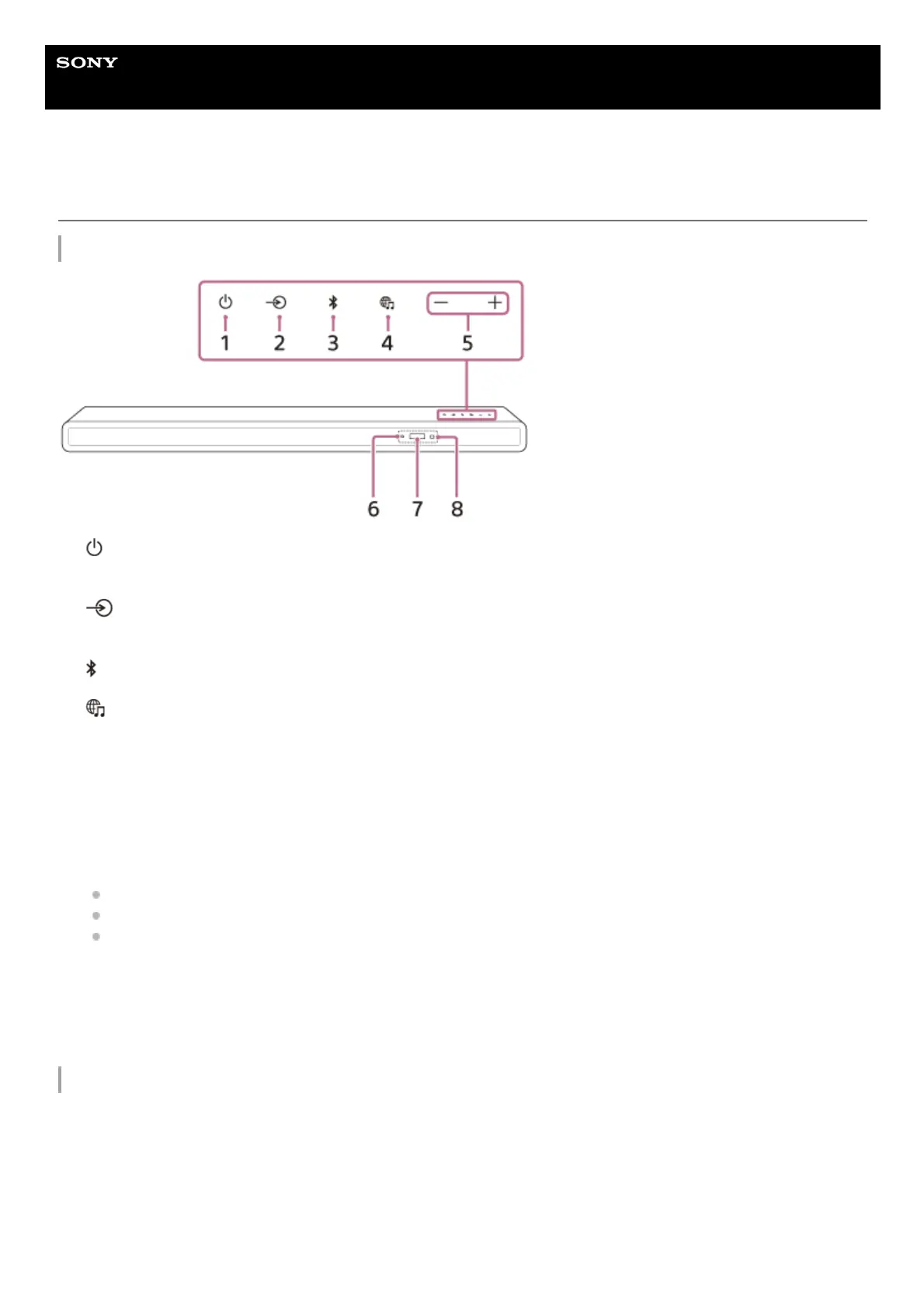
Front
Rear
(power) button
Turns on the speaker system or sets it to standby mode.
1.
(input select) button
Selects the input for playback on the speaker system.
2.
(BLUETOOTH) button3.
(MUSIC SERVICE) button
If you have previously played music on Spotify on the speaker system, you can resume playback by pressing this
button.
This button may not be available in some countries/regions.
4.
+/– (volume) buttons5.
BLUETOOTH indicator
Flashes quickly in blue: During pairing standby status
Flashes in blue: BLUETOOTH connection is being attempted.
Lights in blue: BLUETOOTH connection has been established.
6.
Front panel display7.
Remote control sensor
Point the remote control at the remote control sensor to operate the speaker system.
8.


 To Next Page
 Loading...













