24
US
Operating the system
using the supplied
remote control
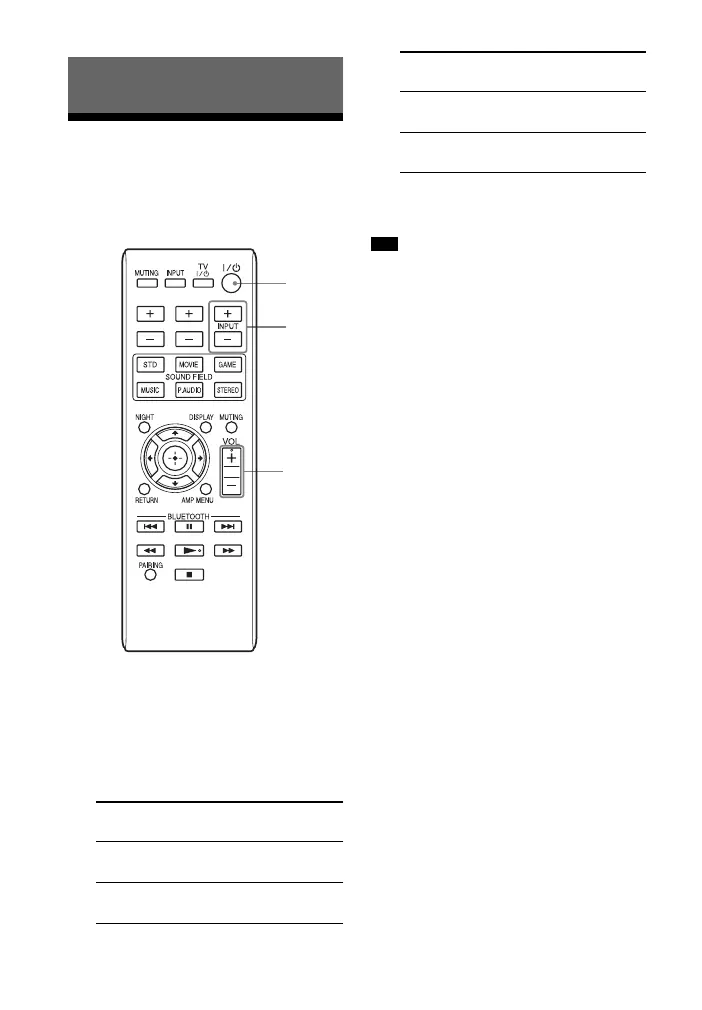
1
Turn on the system.
2 Press INPUT +/– to display the
input source on the front panel
display of the Sound Bar.
3 Adjust the volume by pressing
VOL +/–.
• The sound may be output from the TV’s
speaker. In this case, turn the volume of the
TV’s speaker down to minimum.
Playback Options
Input
source
Playable equipment
OPTICAL Device connected to the
OPTICAL jack
COAXIAL Device connected to the
COAXIAL jack
TV VOL TV CH
?/1
INPUT
+/–
VOL +/–
ANALOG Device connected to the
ANALOG jack
BT AU Device connected with
the Bluetooth
Tip
Input
source
Playable equipment



 To Next Page