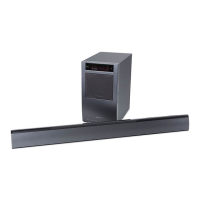
Front
panel
display
(subwoofer)
[jJ
POWER/ACTIVE STANDBY indicator
[4]
SLEEP (page 51)
Lights as follows:
Flashes when the sleep timer is active.
Green:
The system is turned on.
[ID
HDMI (page 23)
Amber: Only
HDMI
parts
of
the system
Lights up when HDMI components are
are on (The Control for HDMI
being used
or
when an ARC signal is being
function is working).
input to the system while TV is selected as
No light: The system is turned off.
the input source.
mmI
[ID
COAx/OPT
•
The
amber
light
turns
off
30
seconds
after
you
Light up according to the cable which you
tum
off
the
TV.
However,
if
you
set
"PASS
are using.
THRU"
to
"ON"
in
the
AMP
menu,
the
indicator
[I]
TUNED (page 34)
stays
amber
even if
you
tum
off
the
TV.
Lights up when tuned to a station.
[g]
Audio format indicators
[ID
ST (page 34)
Light up according to the audio format that
Lights up when a stereo program is
is being input to the system.
received.
rnD:
Dolby Digital
[ID
MUTING
rn
PLII: Dolby Pro Logic II
Lights up when the sound is turned off.
LPCM: Linear PCM
DTS
11m
Remote
sensor.
~
NIGHT (page 50)
!11l
Message display area
Lights up in
NIGHT
MODE.
Displays volume, selected input source,
audio input signal, etc.
continued-----
29
us


 To Next Page