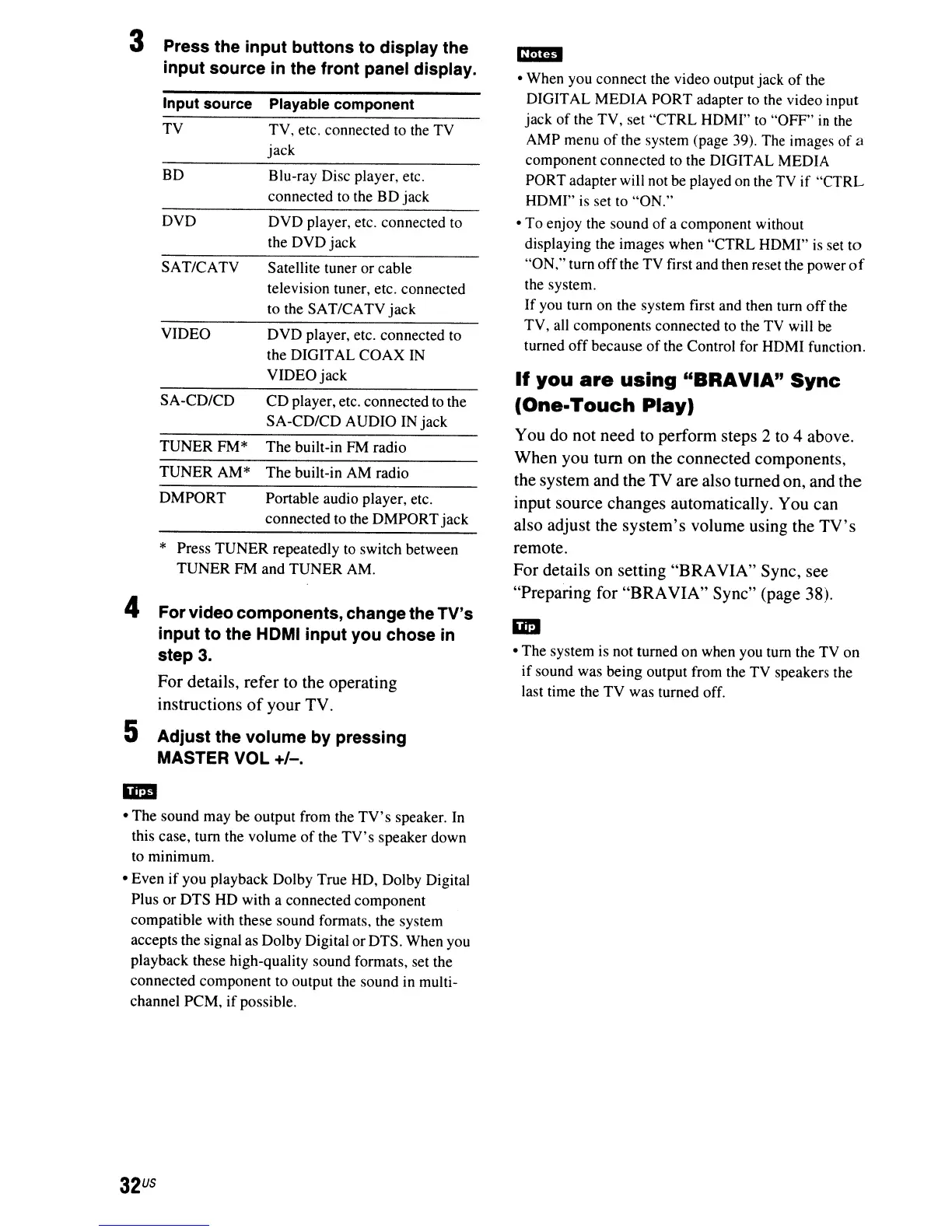
3 Press the
input
buttons
to
display the
input
source in the front panel display.
Input
source
Playable component
TV
TV,
etc. connected to the TV
jack
BD
Blu-ray Disc player, etc.
connected to the
BD
jack
DVD
DVD
player, etc. connected to
the DVD
jack
SAT/CATV
Satellite tuner
or
cable
television tuner, etc. connected
to the SAT/CATV
jack
VIDEO
DVD
player, etc. connected to
the DIGITAL
COAX
IN
VIDEO
jack
SA-CD/CD
CD
player, etc. connected to the
SA-CD/CD AUDIO IN jack
TUNERFM*
The
built-in FM radio
TUNERAM*
The
built-in AM radio
DMPORT
Portable audio player, etc.
connected to the
DMPORT
jack
* Press
TUNER
repeatedly to switch between
TUNER
FM and
TUNER
AM.
4
Forvideo components, change the TV's
input
to
the HOMI
input
you chose in
step
3.
For details, refer to the operating
instructions
of
your TV.
5
Adjust
the volume by pressing
MASTER VOL
+/-.
• The sound may be output from the
TV's
speaker. In
this case, tum the volume
of
the
TV's
speaker down
to minimum.
• Even
if
you playback Dolby True HD, Dolby Digital
Plus
or
DTS
HD with a connected component
compatible with these sound formats, the system
accepts the signal as Dolby Digital or DTS. When you
playback these high-quality sound formats, set the
connected component to output the sound in multi-
channel PCM,
if
possible.
32
US
• When you connect the video output jack
of
the
DIGITAL MEDIA
PORT
adapter to the video input
jack
of
the TV, set
"CTRL
HDM!" to "OFF"
in
the
AMP menu
of
the system (page 39). The images
of
a
component connected to the DIGITAL MEDIA
PORT adapter will not be played on the TV
if
"CTRL
HDMI" is set to
"ON."
•
To
enjoy the sound
of
a component without
displaying the images when
"CTRL
HDMI" is set
to
"ON," turn
off
the TV first and then reset the power
of
the system.
If you turn on the system first and then tum
off
the
TV, all components connected to the TV will be
turned
off
because
of
the Control for HDMI function.
If
you
are
using
"BRAYIA"
Sync
(One-Touch
Play)
You do not need to perform steps 2 to 4 above.
When you turn on the connected components,
the system and the TV are also turned on, and the
input source changes automatically. You can
also adjust the system's volume using the
TV's
remote,
For details on setting "BRAVIA" Sync, see
"Preparing for "BRAVIA" Sync" (page 38).
• The system is not turned on when you tum the TV on
if
sound was being output from the TV speakers the
last time the TV was turned off.



 To Next Page