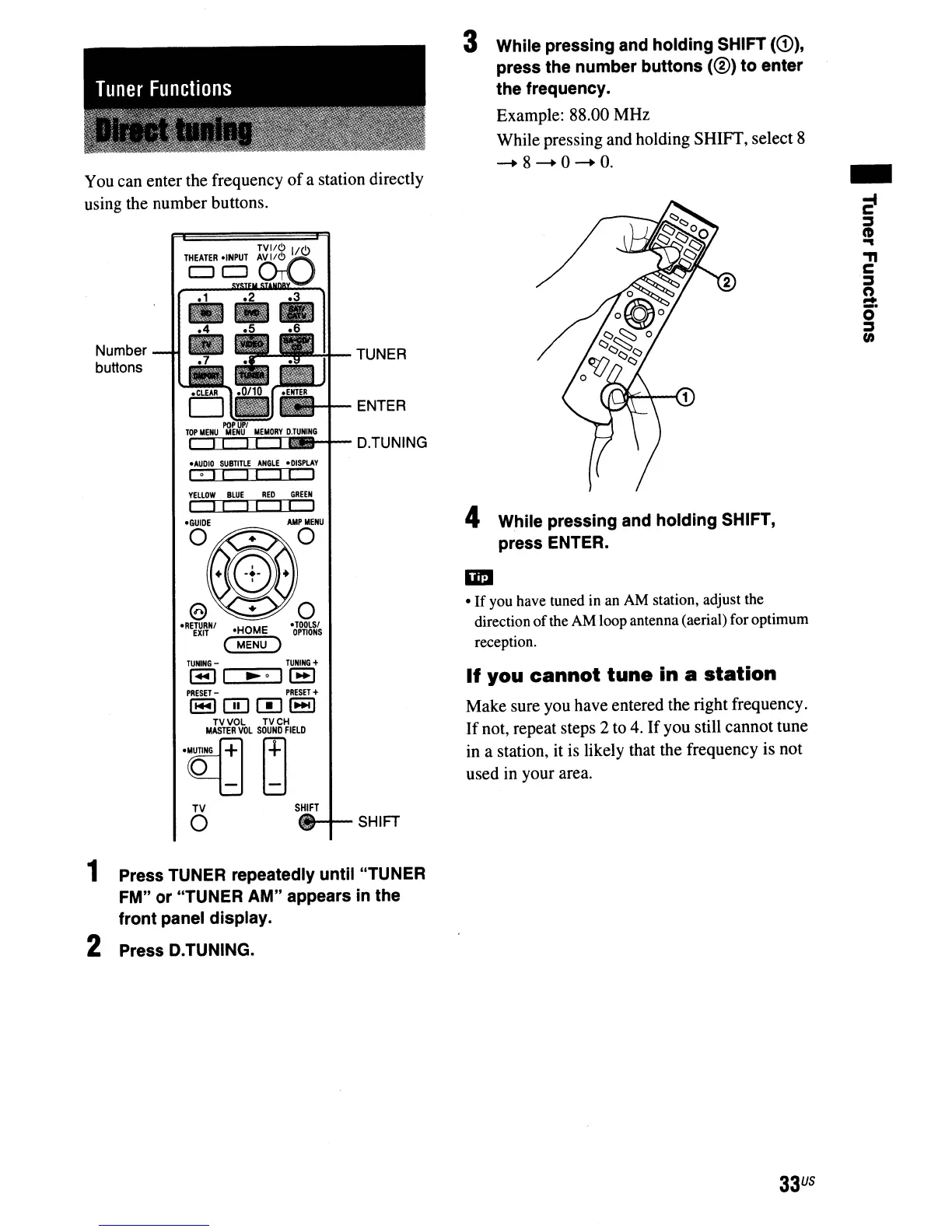
You can enter the frequency
of
a station directly
using the number buttons.
3 While pressing and holding SHIFT
(CD),
press the number buttons
(0)
to
enter
the frequency.
Example: 88.00 MHz
While pressing and holding
SHIff,
select 8
--+
8
--+
0
--+
o.
4 While pressing and holding SHIFT,
press
ENTER.
•
If
you have tuned in an AM station, adjust the
direction
of
the AM loopantenna(aerial) for optimum
reception.
TUNER
ENTER
·TOOLSI
OPTIONS
DtCTI=t_~-
D.TUNING
.AUDIO
SUBTiTlE
ANGLE
.DISPLAY
I 0
II
I I I I I
YELLOW
BLUE
RED
GREEN
I
II II
TVI/Cl
lie!>
THEATER
.INPUT
~~
CJCJ~
·GUIDE
Number
buttons
TUNING
-
TUNING
+
1.-.11
~o
II-I
PRESl:T
-
PRESET
+
1-10001-1
TV
VOL
TVCH
MASTER
VOL
SOUND
fiELD
~~
If
you
cannot
tune
in a
station
Make sure you have entered the right frequency.
If
not, repeat steps 2 to
4.
Ifyou still cannot tune
in a station, it is likely that the frequency is not
used in your area.
TV
o
SHIFT
feo-+--
SHIFT
1 Press TUNER repeatedly until "TUNER
FM"
or
"TUNER AM" appears in the
front panel display.
2 Press D.TUNING.
33
US



 To Next Page