Tune
in
to an AM broadcast.
Press
1/6.
4 Press
1'/.J,
repeatedly until "NAME IN"
appears
in
the front panel display.
J
;1
5 Press
8.
6 Create a name by using +-/1'/.J,H.
Press 1'/-J-
to
select a character. then press
-+
to move the cursor to the next position.
Letters. numbers. and other symbols can be
input for a radio station name.
If
you
enter
a
wrong
character
Press
+-H
repeatedly until the character to
be changed flashes, then press
1'/-J- to select
the desired character.
To delete the character, press
+-1-+
repeatedly until the character to be deleted
flashes, then press
CLEAR
while pressing
and holding SHIFT.
7 Press
8.
"COMPLETE"
appears in the front panel
display, and the station name is stored.
TUNED
Sf
i
I!
.::
f!
, .
8 Press MENU.
in
• You
can
check
the
frequency
in the front panel display
by pressing
DISPLA
Y repeatedly.
When the system is set to
"TUNER
FM"
or
"TUNER
AM," you can
check
the frequency
using the front panel display.
36
US
TVI/CJ
1/6
THEATER
.INPUT
~CJ~O
CJCJ
Y::U
SYSTEM
STANDBY
.1
.2
.3
r;;I
~
fSATIl
L..::-J L.:.:.:J
~
.4
.5 .6
G IVIDEO I I
s'cg
OI
r
.7
.8
.9
I
DMPORl
I I
TUNER
I 0
.CLEAR .0/10
.ENTER
CJDD
pop
UP!
TOP
MENU MENU
MEMORY
D.TUNING
I
II II
I I I
CEtEIt5EEH-
DISPLAY
YElLOW
BLUE
REO
GREEN
1111111
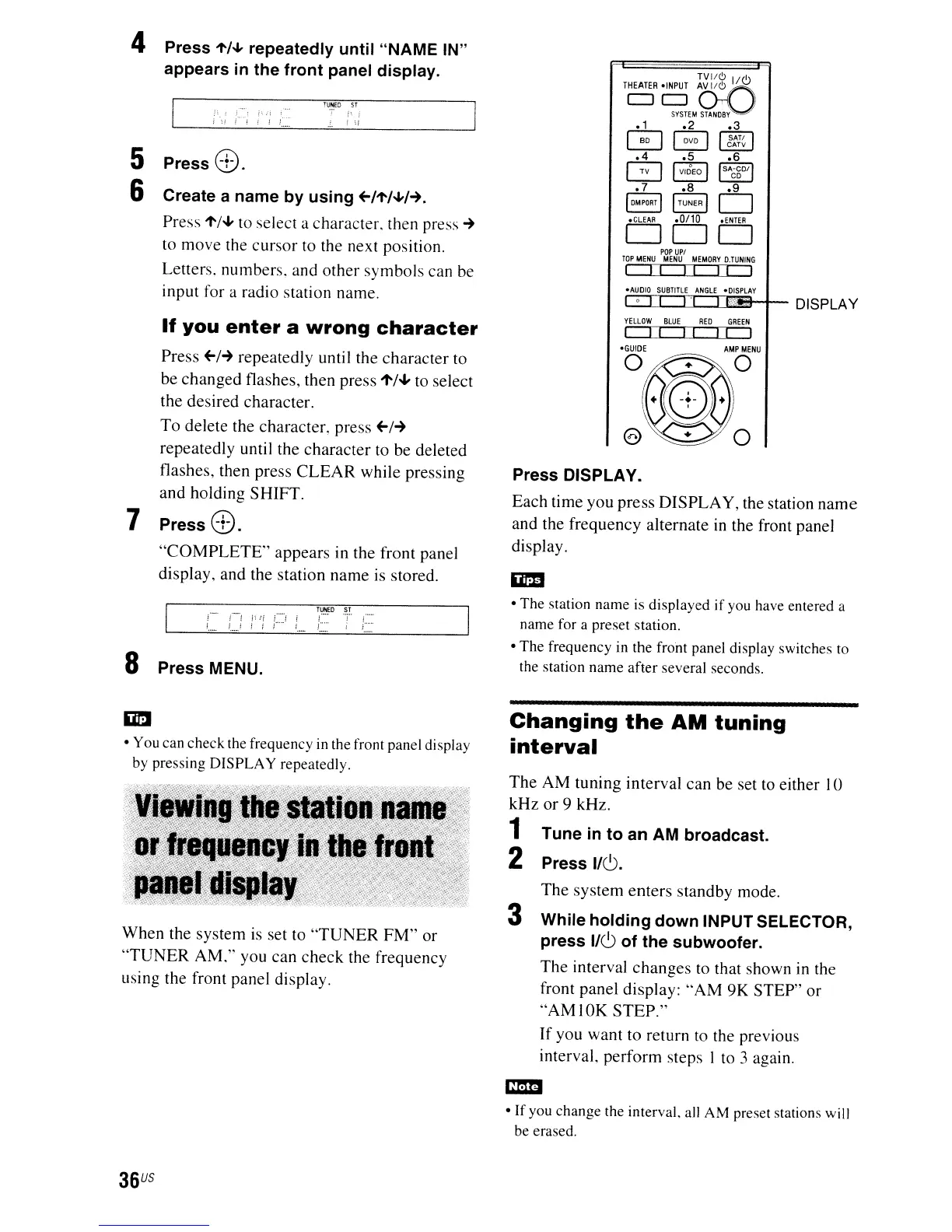
Press DISPLAY.
Each time you press DISPLAY, the station
name
and the frequency alternate
in
the front panel
display.
iii!!
•
The
station
name
is displayed
if
you have entered a
name
for a
preset
station.
•
The
frequency in
the
front panel display switches to
the station
name
after
several
seconds.
Changing
the
AM
tuning
interval
The AM tuning interval can be set to either
10
kHz
or
9 kHz.
1
2
The
system enters standby mode.
3 While holding down INPUT SELECTOR,
press
1/6
of the subwoofer.
The interval changes to that shown
in
the
front panel display:
"AM
9K STEP" or
"AMIOK
STEP."
If
you want to return to the previous
interval. perform steps I to 3 again.
em
•
If
you
change
the interval. all
AM
preset stations will
be
erased.


 To Next Page