Selecting
the
sound
field
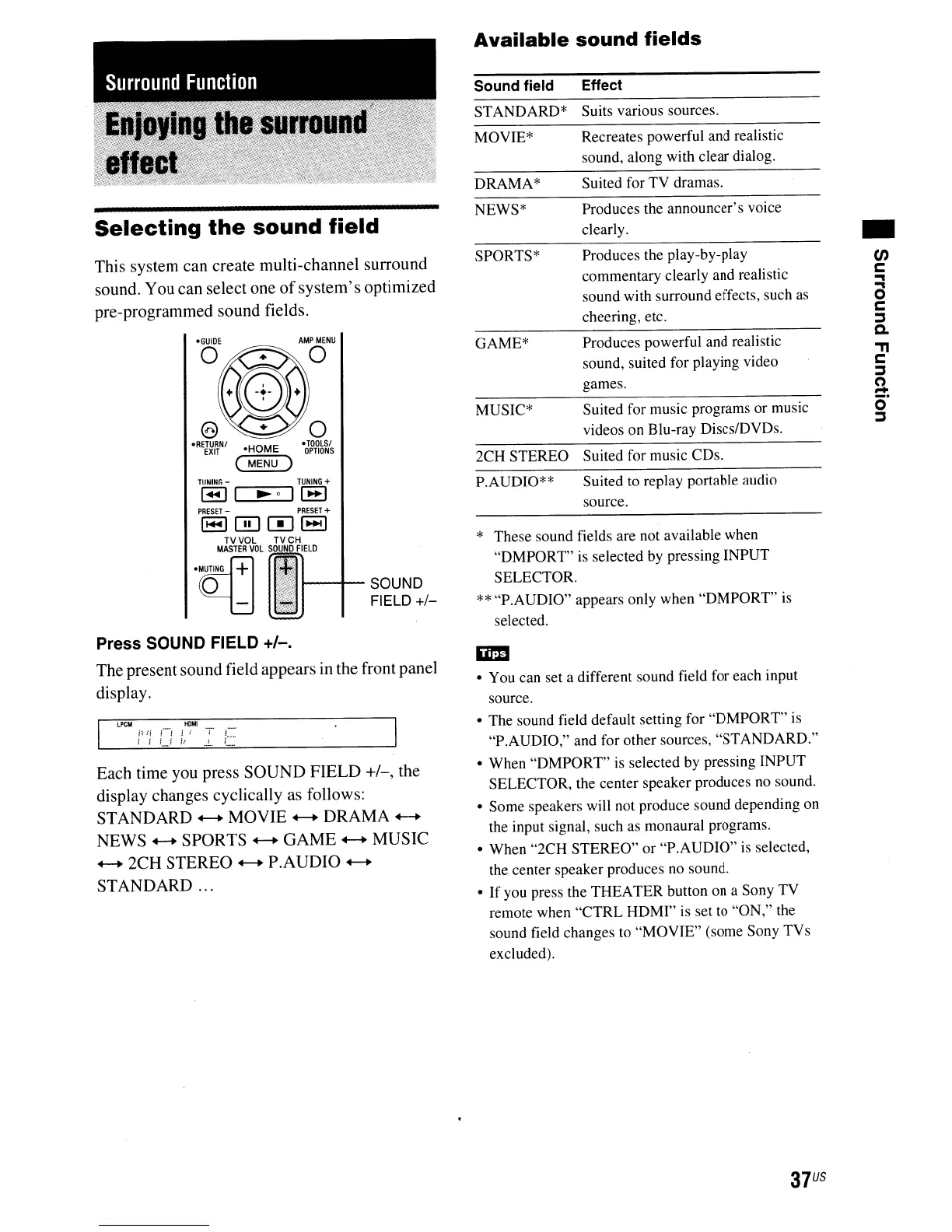
This system can create multi-channel surround
sound. You can select one
of
system's
optimized
pre-programmed sound fields.
•
en
c:
..,
a
c:
j
C.
"T1
c:
j
2-
o·
j
Produces the announcer's voice
clearly.
Suits various sources.
Recreates powerful and realistic
sound, along with clear dialog.
Suited for TV dramas.
Effect
Produces the play-by-play
commentary clearly and realistic
sound with surround effects, such
as
cheering, etc.
Suited for music programs or music
videos on Blu-ray DiscslDVDs.
Produces powerful and realistic
sound, suited for playing video
games.
Suited for music CDs.
MOYIE*
NEWS*
Sound field
DRAMA*
STANDARD*
SPORTS*
GAME*
MUSIC*
2CH STEREO
Available
sound
fields
·TOOlSI
OPTIONS
AMP
MENU
o
·HOME
(
MENU)
* These sound fields are not available when
"DMPORT"
is
selected by pressing INPUT
SELECTOR.
** "P.AUDIO" appears only when "DMPORT" is
selected.
,.....-~---.
TUNING
+
~~I--SOUND
FIELD
+/-
P.AUDIO**
Suited
to
replay portable audio
source.
Press SOUND FIELD +/-.
The presentsound field appears in the front panel
display.
Each time you press
SOUND
FIELD
+/-,
the
display changes cyclically as follows:
STANDARD
+-+
MOVIE
+-+
DRAMA
+-+
NEWS
+-+
SPORTS
+-+
GAME
+-+
MUSIC
+-+
2CH STEREO
+-+
P.AUDIO
+-+
STANDARD
...
• You can set a different sound field for each input
source.
• The sound field default setting for "DMPORT" is
"P.AUDIO," and for other sources, "STANDARD."
• When "DMPORT"
is
selected by pressing INPUT
SELECTOR, the center speaker produces no sound.
• Some speakers will not produce sound depending on
the input signal, such as monaural programs.
• When "2CH STEREO" or "P.AUDIO" is selected,
the center speaker produces no sound.
•
If
you press the THEATER button on a Sony TV
remote when
"CTRL
HDMI" is set to "ON," the
sound field changes to "MOVIE" (some Sony TVs
excluded).
37
US


 To Next Page