..
TOP
MENU
P~~~&I
MEMORY
D.TUNING
I
II
II
II
I
(HDMI SIGNAL PASS THRU)
em
• Depending on the status, the connected components
may not be turned off. For details, refer
to
the
operating instructions
of
the connected components.
When using "BRAVIA" Sync, you can enjoy
image and sound from a Blu-ray Disc, etc., on
the TV, even
if
the system
is
in standby mode.
Power consumption in standby mode
is
also
reduced automatically when the TV
is
turned
off
if
"PASS THRU" is set
to
"AUTO."
The default setting is "AUTO."
em
• This function is available only when "CTRL HDMI"
is set to "ON."
r.-t-r+----tr-+-
AV
1/(')
THEATER
'INPUT
DO
SYSTEM
STANDBY
.1
.2
.3
o B
Ig:i~1
.4 .5
.6
G IVIDEO I I
SAC&D/I
.7
.8 .9
I
aMPORT
I I
TUNER
I 0
.CLEAR
.0/10
.ENTER
DOD
(System
Power
Off)
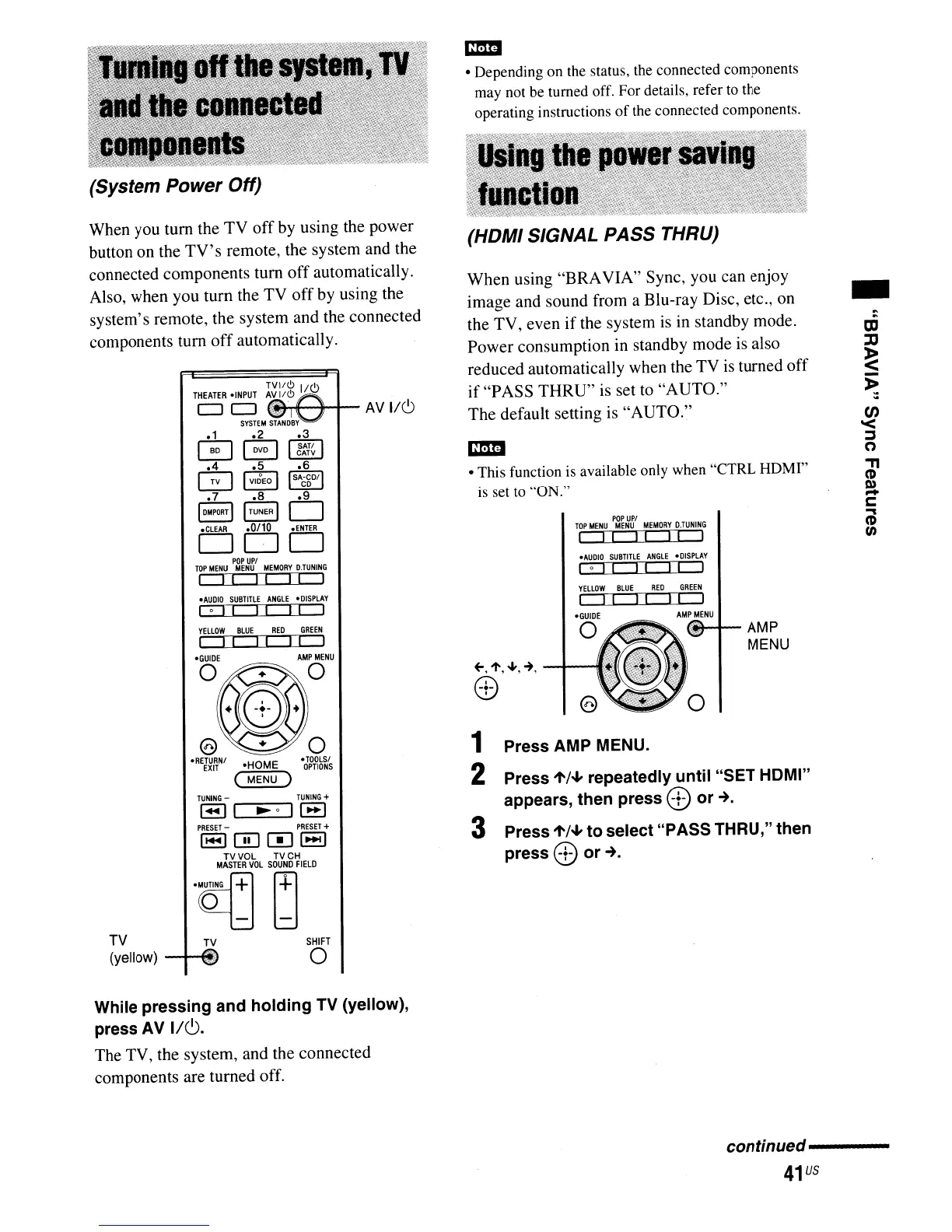
When you tum the
TV
off by using the power
button on the
TV's
remote, the system and the
connected components
tum
off
automatically.
Also, when you turn the TV
off
by using the
system's remote, the system and the connected
components tum
off
automatically.
TOP
MENU
"a~~&1
MEMORY
D.TUNING
I I I I I
II
I
-AUDIO
SUBTITLE
ANGLE
'DISPLAY
I 0 I I I I
II
I
o
•
TOOLSI
OPTIONS
TUNING
-
TUNING
+
I_II
~o
11_1
PRESET
-
PRESET
+
1-1001-1
TVVOL
TVCH
MASTER
VOL
SOUND
FIELD
"CQ{]
~
'AUDIO
SUBTITLE
ANGLE
'DlSPLAY
I 0 I I I I
II
I
YELLOW
BLUE
REO
GREEN
II
II
I I I
Am~
[M-+-
AMP
MENU
~,
1',
....
,~,
-.f---'
8)
1 Press AMP
MENU.
2 Press
1'/+
repeatedly until "SET HOMI"
appears, then press
8)
or-+.
3 Press
1'/+
to select "PASS THRU," then
press
8)
or
-+.
TV
TV
(yellow)
~~if~
SHIFT
o
While pressing and holding
TV
(yellow),
press AV
I/C).
The TV, the system, and the connected
components are turned off.
conunued--------
41
us



 To Next Page