15
US
Playback Options
To set night mode to ON
Press and hold SURROUND until the
COAXIAL indicator on the Sound Bar
flashes twice.
To set night mode to OFF
Press and hold SURROUND until the
OPTICAL indicator on the Sound Bar
flashes twice.
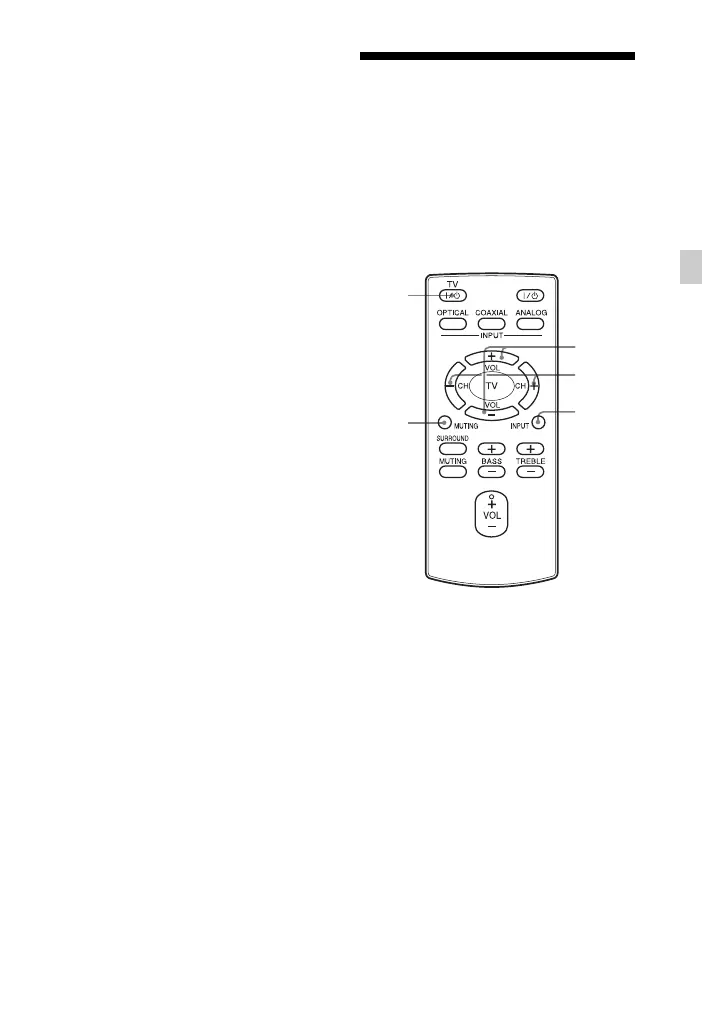
Controlling a connected
TV
If you use a Sony TV only without using
this system, you can control the Sony TV
connected to the system, using the
buttons with yellow printing on the
remote control.
1 Press TV ?/1 to turn on the TV.
2 Press INPUT to select input.
3 Press TV CH +/– to select a
channel.
4 Press TV VOL +/– to adjust the
volume.
Press MUTING to turn off the TV
sound.
TV VOL
+/–
TV CH
+/–
INPUT
TV ?/1
MUTING



 To Next Page