Note: If the error only occurs when trying to access one particular online website or service, that
particular site may be temporarily down for maintenance purposes. In these rare cases, access the
desired online content at a later time.
5. Reset the cable modem or router. Unplug its power cord from the wall outlet for a minute.
6. Refresh the internet content.
7. Change the Primary Domain Name Server (DNS) to a Public DNS 8.8.8.8., and the Secondary
DNS to 8.8.4.4. in the Network Setup menu.
8. Reset the device to the factory default settings.
For TVs
Blu-ray Disc players manufactured on or after 2014
For Blu-ray Disc players and Blu-ray Disc home theater systems manufactured on or before
2013
For Network Media players
Note: It may take up to three attempts for a full reset to occur.
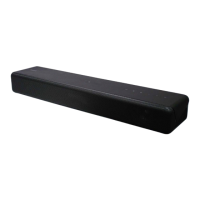
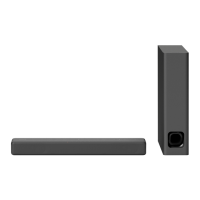
Can't Hear the TV Sound from the
Sound Bar, Home Theater System, or
Home Audio System
Applicable Products and Categories of This Article
IMPORTANT: This article applies only to specific products and/or operating systems.
Check the Applicable Products and Categories section of this article before starting
these steps.
Select the symptom of your device and follow the steps to resolve the issue. Check
your manual for model-specific information. Manuals are posted on your model support
page.
No sound from the home theater system or home audio system.
Disconnect the cables between your TV and the home theater system or home audio system, and
then reconnect them securely.
Verify whether your TV has an ARC label on the HDMI port.
Verify that the audio output setting of your TV is set to audio system. Check your TV manual for
more information.
If the issue still occurs, try the following additional troubleshooting steps:
Turn off your audio device and wait for one minute, then turn it on again.


 To Next Page