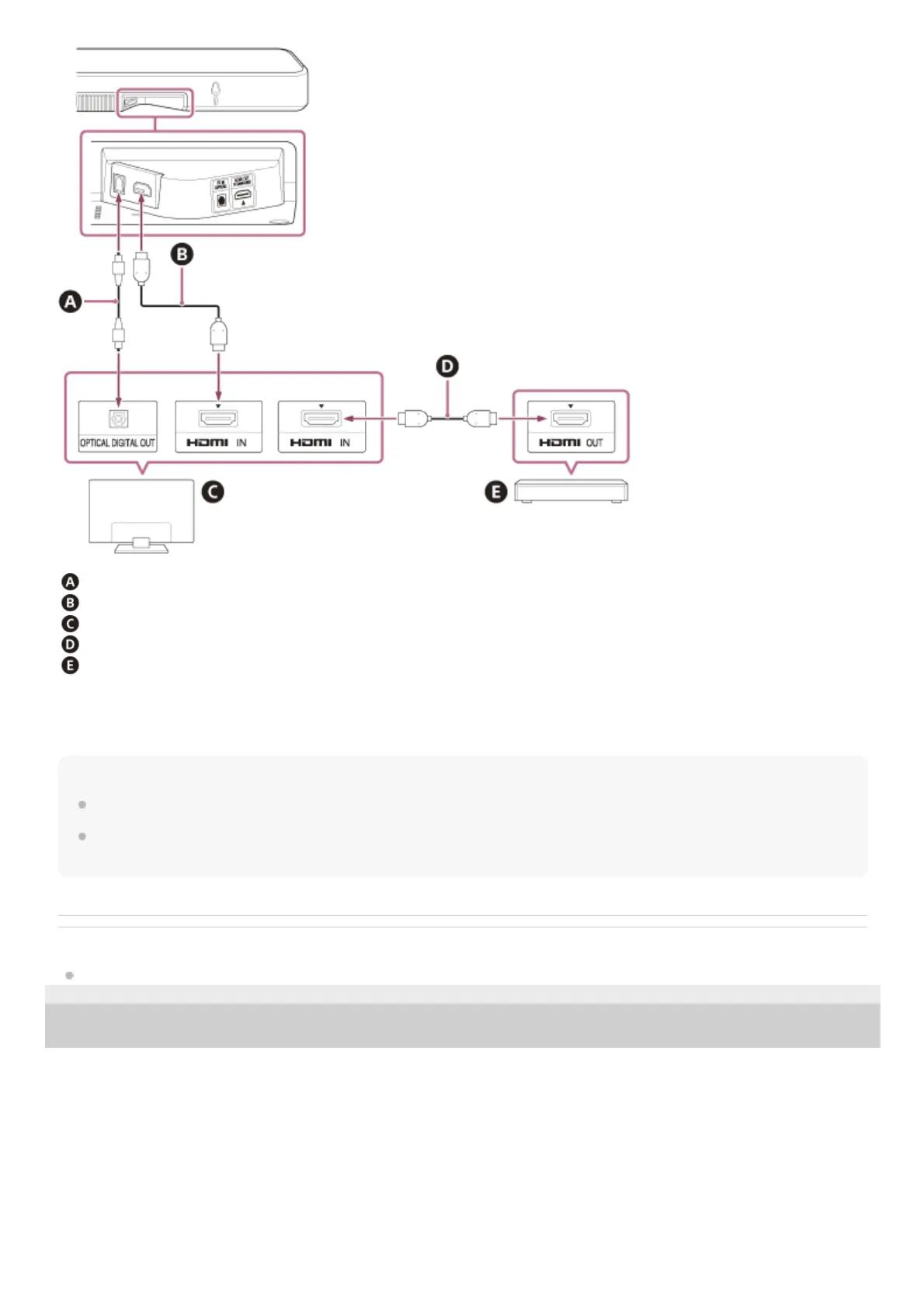
Optical digital cable (not supplied)
HDMI cable (supplied)
TV
HDMI cable (not supplied)
Blu-ray Disc™ player, set-top box, cable box, satellite box, gaming console, etc.
Connect external devices (such as Blu-ray Disc player, set-top box, cable box, satellite box, gaming console, etc.) to the
TV with an HDMI cable (not supplied).
Note
Make sure that the connectors are firmly inserted.
Insert the plug of the optical digital cable in the correct direction by checking the shape of the plug and connector on the speaker
system and TV. If the plug is forcibly inserted in the wrong direction, the connector and plug may be damaged.
Related Topic
[HDMI Settings]
5-045-382-11(1) Copyright 2022 Sony Corporation



 To Next Page