30
Overview
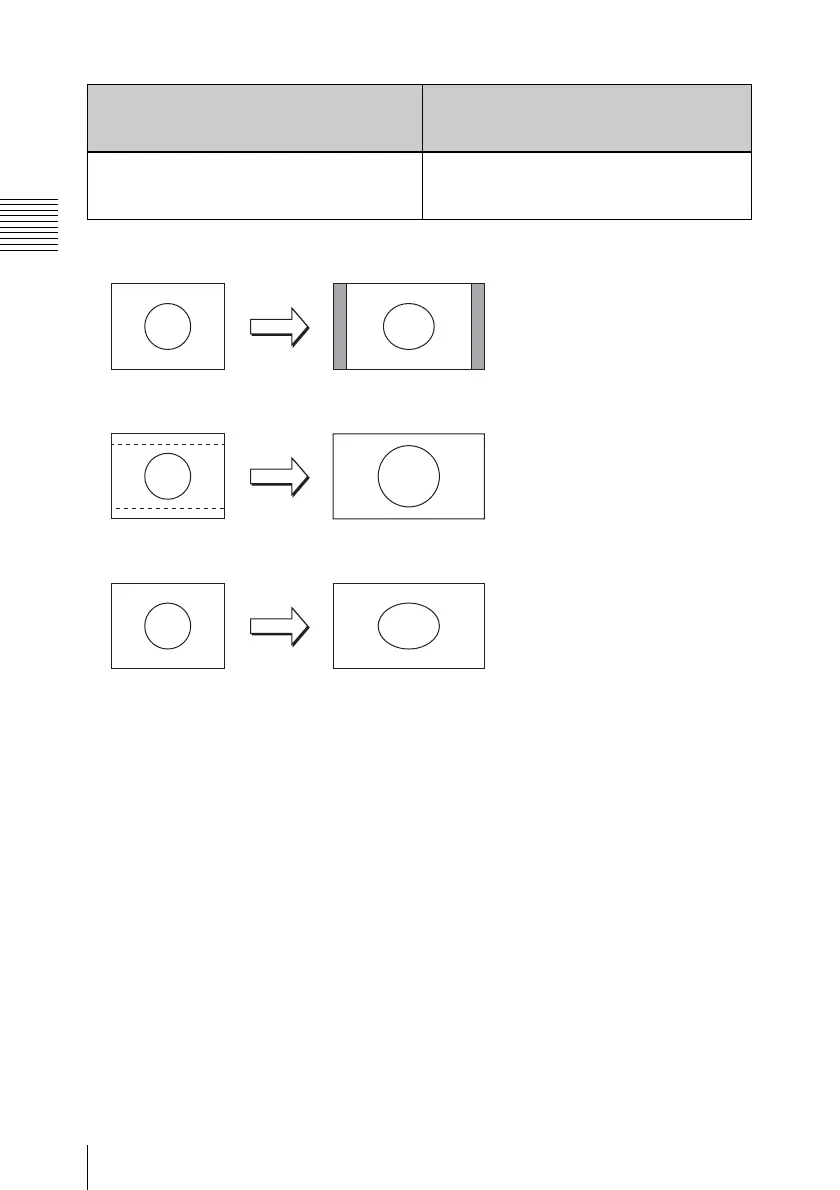
a) EDGE-CROP
b) LETTER BOX
c) SQUEEZE
BACKGROUND COL [> BG Color]: Set
the color of the background (where
there is no image).
*BLACK [>> BLACK]: Set to black.
GRAY [>> GRAY]: Set to gray.
BLUE [>> BLUE]: Set to blue.
UP/CROSS CONVERTER [Up/Cross]:
Settings relating to the up-conversion/
cross-conversion function
Description of settings
16: 94: 3
4: 3
16: 9
4: 3
16: 9



 To Next Page