44
Installation
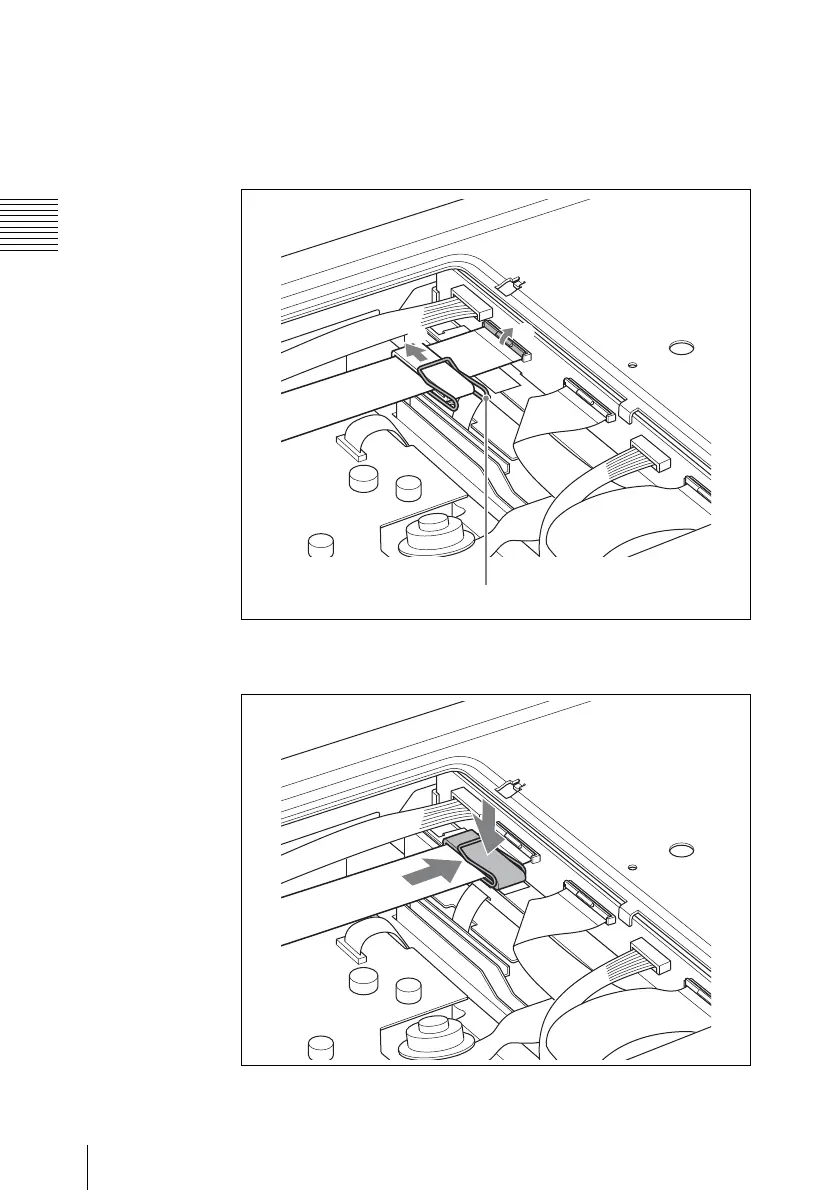
5 Fix the ferrite core with the supplied clip, and reconnect the ribbon
cable as follows.
Insert the ribbon cable into the connector (1), and lock the
connector (2).
6 Position the ferrite core over the double-sided tape applied in step
3, and press the ferrite core against the tape.
7 Replace the cover on the bottom, and fasten the screws.
1
2
Clip



 To Next Page