EasyManua.ls Logo

Sony HVR-DR60 - 60GB Hard Disk Recorder - User Manual

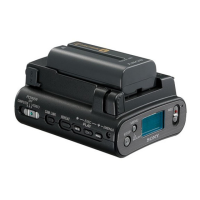
Sony HVR-DR60 - 60GB Hard Disk Recorder
30 pages
Print Icon
To Next Page IconTo Next Page
Loading...
2006 Sony Corporation
2-898-341-11(1)
Hard Disk
Recording Unit
HVR-DR60
Owner’s record
The model number and the serial number are located at the name plate on the left of the
unit. Record the serial number in the space provided below. Refer to these numbers
whenever you call upon your Sony dealer regarding this product.
Model No. HVR- Serial No. ______________________
Operating Instructions

Questions and Answers

  • C
    Christopher BlevinsJul 31, 2025
    Why does the remaining battery time indicator not indicate the correct time on my Sony HVR-DR60 - 60GB Hard Disk Recorder?
    • K
      Kristin SantiagoJul 31, 2025
      If the remaining battery time indicator on your Sony Camcorder Accessories doesn't show the correct time, it could be due to the ambient temperature being too high or too low, or the battery pack not being fully charged. Try fully charging the battery pack again. If the problem continues, the battery pack may be worn out and need replacement.
  • V
    vparkerAug 9, 2025
    Why does the battery pack discharge too quickly on my Sony HVR-DR60 - 60GB Hard Disk Recorder Camcorder Accessories?
    • B
      Brandon TaylorAug 9, 2025
      If the battery pack on your Sony Camcorder Accessories discharges too quickly, it could be because the ambient temperature is too high or too low, or the battery pack hasn't been charged sufficiently. Try fully charging the battery pack again. If the issue persists, the battery pack might be worn out and require replacement.
  • R
    Rodney ChapmanAug 18, 2025
    What to do if Sony HVR-DR60 - 60GB Hard Disk Recorder Camcorder Accessories REC switch does not record images?
    • S
      Sandra JohnsonAug 18, 2025
      If your Sony Camcorder Accessories fail to record images when sliding the REC switch, there are several possible reasons. First, ensure that the POWER switch is set to VIDEO. If it's set to COMPUTER, recording will not be possible; slide the POWER switch to VIDEO. Also, if the unit is full, delete any unnecessary images to free up space. If the temperature of the unit is extremely high, turn it off and leave it in a cool place for a while. Conversely, if the temperature is extremely low, leave the unit on for a while. Lastly, if the folder number shows 999 and the file number shows 9999, delete unrequired images or format the unit.

Summary

Sony HVR-DR60 Hard Disk Recording Unit: Operating Instructions

Product Overview and Features

Names of Parts and Controls

Getting Started: Power Supply Preparation

Charging the Battery Pack

Instructions for charging the InfoLITHIUM battery pack using the AC adaptor/charger.

Using the Unit in VIDEO Mode

Connecting the Unit to a Camcorder

Steps for physically connecting the HVR-DR60 to a compatible camcorder.

Recording Images from Camcorder to Unit

Simultaneous Recording with Camcorder

Methods for recording video simultaneously on the unit and a connected camcorder.

Playback Operations from Camcorder

Standard and Trick Playback Methods

How to perform standard playback and fast playback at triple speed.

Integrated Functions with HVR-V1 U Series

Tapeless External Record Control

Using camcorder's REC/STOP to control unit recording without tape.

Using the Unit in COMPUTER Mode

Connecting the Unit to a Computer

Steps to connect the HVR-DR60 to a computer for data transfer via i.LINK.

Troubleshooting Common Issues

Power Source and Camcorder Warmth

Resolving issues related to power supply, battery life, and unit temperature.

Recording and Folder Number Problems

Solutions for when the REC switch doesn't record or folder limits are reached.

Computer Connection and Playback Errors

Addressing problems with computer connection, file extensions, and playback issues.

Warning Indicators and Error Messages

Important Notes for Hard Disk Drive Usage

Technical Specifications

General Precautions for Use and Care

Maximizing Battery Pack Performance

Sony HVR-DR60 - 60GB Hard Disk Recorder Specifications

General IconGeneral
BrandSony
ModelHVR-DR60 - 60GB Hard Disk Recorder
CategoryCamcorder Accessories
LanguageEnglish

Related product manuals