3
Close
the
battery
compartment
lid
and
secure
it
with
the
screw
(see
Fig. @),
4
Press
iPod
&
iPhone
HI,
RADIO
BAND, AUDIO
IN
or
SNOOZE/DATE/
SLEEP OFF
to
turn
"co"
off
in
the
display.
Note
When
you replace
the
battery,
do
not
disconnect
the
plug from
the
AC outlet. Otherwise,
the
calendar.
current
time,
alarm
and
station presets
will
be
initialized.
If
the
time
in
the
display
is
incorrect
after
the
battery
is
changed
(Reset)
Press
the
reset
button
with a
pointed
device.
The
reset
button
is in
the
small hole located in
the
battery compartment (see
Fig,
0),
®
®
To keep accurate time, this
unit
contains a
CR2032 battery as a
backup
power
source.
The battery keeps the clock and the alarm
operating in
the
event
of
a
power
interruption.
Tip
Adjust
the
direction
of
the
AM
loop
antenna
for
best AM
broadcast
sound.
Pull
the
AM
antenna
terminal
while
pushing
up
the
terminal
clamp.
Replacing
the
battery
1
Keep
the
AC
plug
connected
to
the
AC
outlet, remove
the
screw
that
secures
the
battery
compartment
lid
at
the
bottom
of
the unit using a screwdriver, and open
the
lid
(see
Fig.
CD).
2
Insert
a
new
battery
in
the
battery
compartment
with
the
0
side
facing
up
(see
Fig. ®).
Adjusting
the
AM
loop
antenna
Find a place
and
an
orientation
that
provide
good
reception.
•
Do
not
place
the
AM loop
antenna
near
the
unit
or
other
AV
equipment, as noise
may
result.
Notes
•
Do
not
attempt
to charge
the
battery.
•
If
you are
not
going
to
use
the
remote
commander
for a long time, remove
the
battery
to
avoid any
damage
that
may
be
caused by
leakage
and
corrosion.
Knowing
when
to
replace
the
battery
When
the
battery
becomes weak, "6\J" appears
in
the display.
If
a
power
interruption
occurs
while
the
battery is
weak,
the
current
time
and
alarm will
be
initialized.
Replace the battery with a Sony CR2032 lithium
battery. Use
of
another
battery
may
cause a fire
or
explosion.
Note
If"AM 12:00" flashes in
the
display
when
the
unit
is
connected
to
an
AC outlet for
the
first time,
the
battery
may
be
weak. In this case, consult
your
Sony dealer.
CR202S
~
Before using
the
card
remote
commander
for
the
first time, remove
the
insulation film.
About
the
backup
battery
Preparing
the
remote
commander
When
to
replace
the
battery
With normal use, the battery (CR2025) should
last for
about
six months.
When
the
remote
commander
no
longer operates
the
unit. replace
the
battery with a
new
one.
~~
~
To
remove
the
AM
loop
antenna
Channel
step
Frequency
530 - 1 710 kHz
10
kHzAM
Band
General
Speaker
Approx. 5.7
em
(2
1/
4
inches) dia. 6 n
Input
AUDIO IN jack (0
35
mm
stereo minijack)
Power
output
3.5 W + 3.5 W (at 10%
harmonic
distortion)
Power requirements
120 V
AC,
60 Hz
For clock back up; 3V DC, CR2032 battery
(I)
Dimensions
Approx.
2905
x 152.0 x
1395
mm
(w/h/d)
(11
3
/
8
x 5
15/
16
X 5
1/
2
inches) including projecting
parts
and
controls
Mass
Approx. 1.94
kg
(4
Ib
4 oz) including power
supply unit
Supplied accessories
Remote
commander
(1)
AM loop antenna (1)
Audio
connecting
cable (1)
Universal
dock
adapter for
iPhone
(1)
Universal dock adapter for iPhone 3G
(I)
Design
and
specifications are subject
to
change
without
notice.
Connecting
the
antenna
3
Insert
the
AM
antenna
terminal
into
the
AM
ANTENNA
jack
on
the
rear
of
the
unit.
When Daylight SavingTime (summer time)
begins.
the
clock
does
not
employ
the
Daylight SavingTime automatically.
• Make sure
the
clock is set correctly.
• Press and hold
CLOCK
and
SNOOZE/DATE!
SLEEP
OFF
simultaneously for at least
2 seconds
to
activate
the
Automatic DST
function.
FM
875
- 108 MHz
0,1
MHz
To
connect
the
AM
loop
antenna
The
shape
and
the
length
of
the
antenna
is
designed
to
receive AM signals.
Do
not dismantle
or
roll up
the
antenna.
1
Remove
only
the
loop
part
from
the
plastic
stand.
2
Set
up
the
AM
loop
antenna,
§-.~
Specifications
AUDIO POWER SPECIFICATIONS
POWER OUTPUT AND TOTAL HARMONIC
DISTORTION:
With 6
ohm
loads
both
channels driven, from
150 -10,000
Hz;
rated 3 watts
per
channel
minimum
RMS power, with
no
more
than
10
%
total
harmonic
distortion.
Time
display
12-hour system
iPod
section
DC out: 5V
MAX:500mA
Radio
section
Frequency
range
(---I
iF'11
r--··...-.,
'1-----'
P~li
1,"::-,1
II
Ii
I
_--'I
II
II
6)JJ
I@I
II
II
L_...
:::J
! L '
iPod
nano
1~~6
J
4th generation
iPoo
touch
(video)
iPhone
3G
2nd
generation
FC=l'
~~
i!
...
t.11
i~1
IL-~
..
JI
l~;)j
L@J
iPod nano
3rd
generation (video)
iPod touch
iPoddassic
rr
TI
rFiooli
.....
!,
11_~JI
-'I
'Wi
l~cvl
[OJ
I-
__
...J
iPod nano 2nd
generation iPodSth
iPhone
(aluminum)
generation (video)
rroFn
r;=-==1'
rr-::;)
1~'''''J
I
L"'~
JI
dil
j
--I
10
1
!O!
101
! I
l----.J
iPod nano
lst
L_
.
.....!
L
__
J
generation iPod
4th
generation
iPod4th
(color display)
g~n~ration
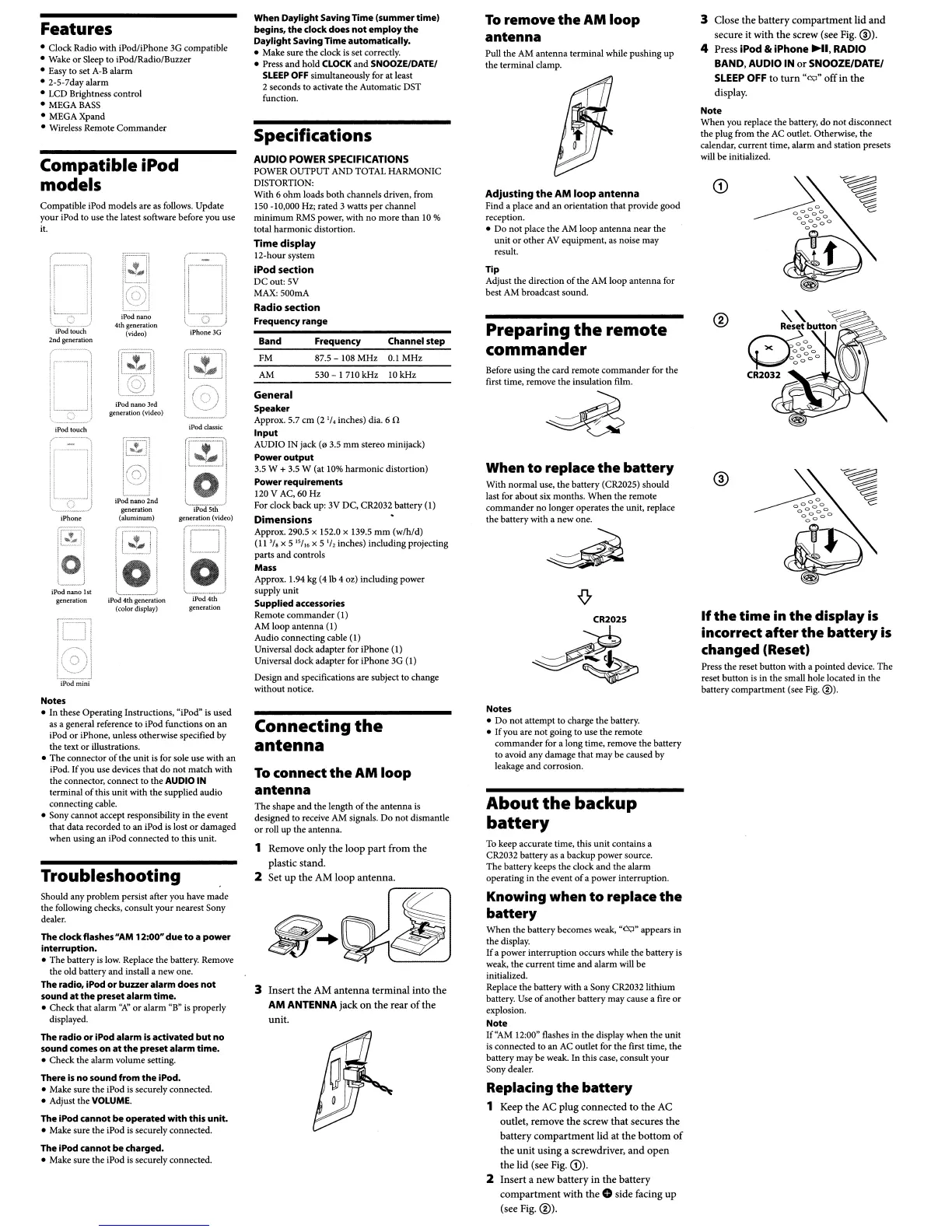
Compatible iPod models are as follows. Update
your
iPod to use the latest software before you use
it.
Should any problem persist after you have
made
the
following checks, consult
your
nearest Sony
dealer.
Notes
•
In
these
Operating
Instructions, "iPod" is
used
as a general reference
to
iPod functions
on
an
iPod
or
iPhone, unless otherwise specified by
the text
or
illustrations.
•
The
connector
of
the unit is for sole use with an
iPod.
If
you use devices
that
do
not
match
with
the
connector,
connect
to
the
AUDIO IN
terminal
of
this
unit
with
the
supplied
audio
connecting cable.
• Sony
cannot
accept responsibility in
the
event
that
data
recorded to an iPod is lost
or
damaged
when
using
an
iPod connected to this unit.
n==Yl
l
,
I
~--~
: I
~'-~'
iPodmini
The clockflashes
"AM
12:00"
due
to
a
power
interruption.
• The battery is low. Replace the battery. Remove
the
old
battery
and
install a
new
one.
The radio. IPod
or
buzzeralarm
does
not
sound
at
the
preset
alarm time.
• Check that alarm
''1\'
or
alarm
"B" is properly
displayed,
The radio
or
IPod alarm
is
activated
but
no
sound
comes
on
at
the
preset
alarm time.
•
Check
the
alarm volume setting.
There
Is
no
sound
from
the
IPod.
• Make sure the iPod is securely connected.
• Adjust the
VOLUME,
The IPod
cannot
be
operated
with this unit.
• Make sure the iPod is securely connected.
Troubleshooting
The IPod
cannot
be
charged.
• Make sure
the
iPod is securely connected.
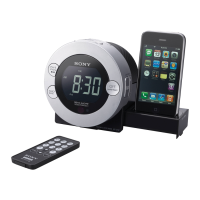
Features
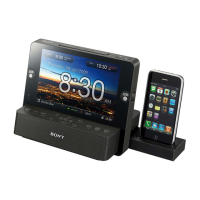
• Clock Radio with iPod/iPhone 3G compatible
• Wake
or
Sleep to iPod/Radio/Buzzer
• Easy to set A-B alarm
•
2-5-7dayalarm
• LCD Brightness control
• MEGA
BASS
• MEGAXpand
• Wireless Remote
Commander
Compatible iPod
models


 To Next Page
 Loading...