displayed image is sent to the smartphone.
[232] Using wireless functions Connecting this product and a Smartphone
Controlling the camera using an Android smartphone
(QR code)
You can control this product using your smartphone by connecting your smartphone to the
camera using the QR code.
Set [Ctrl w/ Smartphone] to [On] beforehand by selecting MENU →
(Wireless) → [Ctrl w/
Smartphone].
MENU →
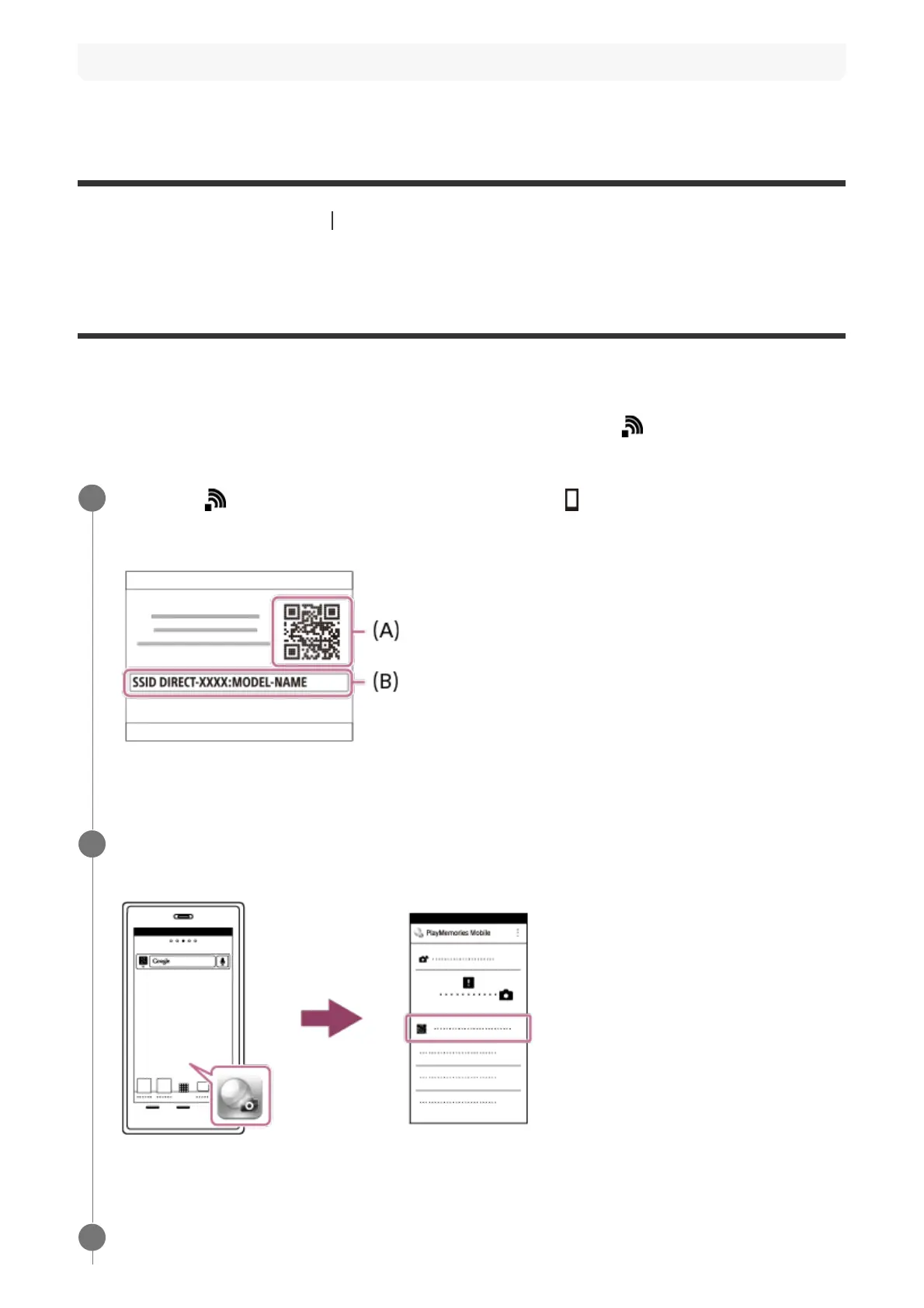
(Wireless) → [Ctrl w/ Smartphone] → [ Connection Info.].
QR code (A) and the SSID (B) are displayed on the monitor of this product.
1
Launch PlayMemories Mobile on your smartphone and select [Scan QR Code of the
Camera].
2
Select [OK] on the smartphone screen.
3



 To Next Page