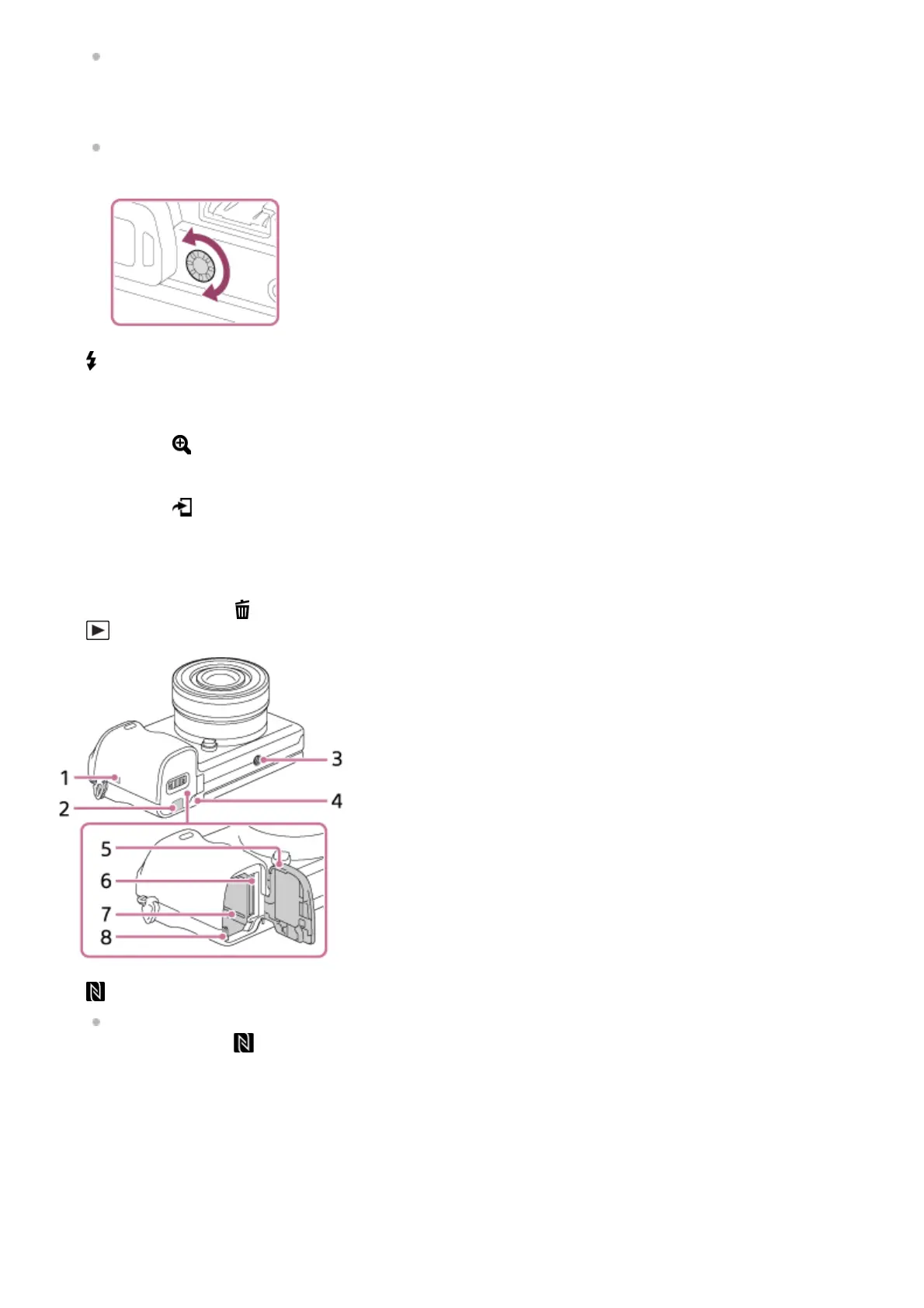
You may not be able to adjust the monitor angle depending on the type of a tripod you use. In such a case,
release the tripod screw once to adjust the monitor angle.
Diopter-adjustment dial
Adjust the diopter-adjustment dial to your eyesight until the display appears clearly in the viewfinder. If it is difficult
to turn the diopter-adjustment dial, remove the eyepiece cup and then adjust the dial.
5.
(Flash pop-up) button6.
MENU button7.
AF/MF/AEL switch lever8.
For shooting: AF/MF button/AEL button
For viewing: (Enlarge) button
9.
MOVIE (Movie) button10.
For shooting: Fn (Function) button
For viewing: (Send to Smartphone) button
You can display the screen for [Send to Smartphone]
by pressing this button.
11.
Control wheel12.
Center button13.
C2 (Custom 2) button/
(Delete) button14.
(Playback) button15.
(N mark)
Touch the mark when you connect the camera to a smartphone equipped with the NFC function. For details on
the location of the
(N mark) on your Smartphone, refer to the operating instructions of the Smartphone.
1.



 To Next Page