Help Guide
Interchangeable Lens Digital Camera
ILCE-6400 α6400
Inserting/removing a memory card
Explains how to insert a memory card (sold separately) to the product.
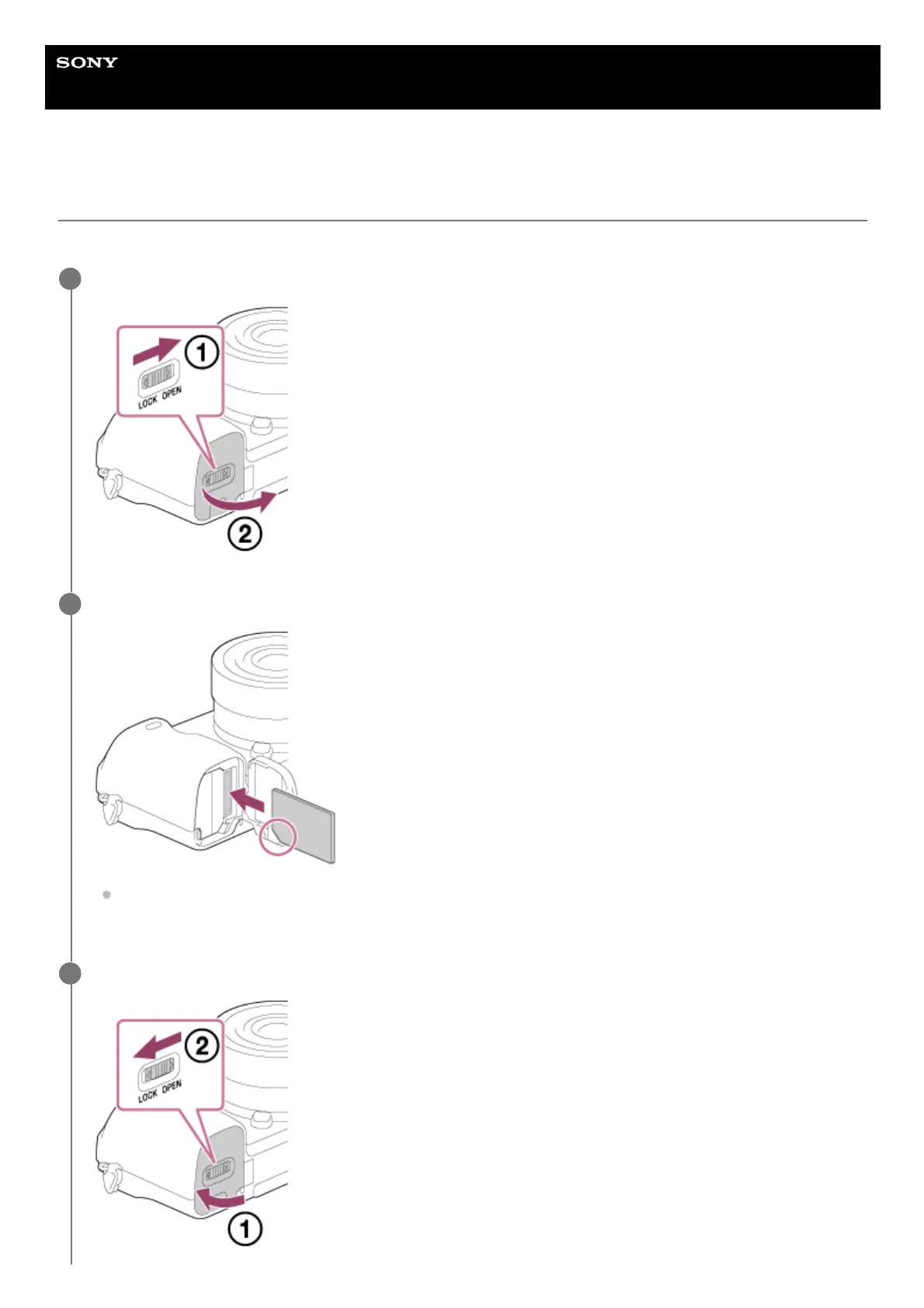
Open the battery/memory card cover.
1
Insert the memory card.
With the notched corner facing in the direction illustrated, insert the memory card until it clicks into place. Insert
the memory card correctly. Not doing so may cause a malfunction.
2
Close the cover.
3



 To Next Page