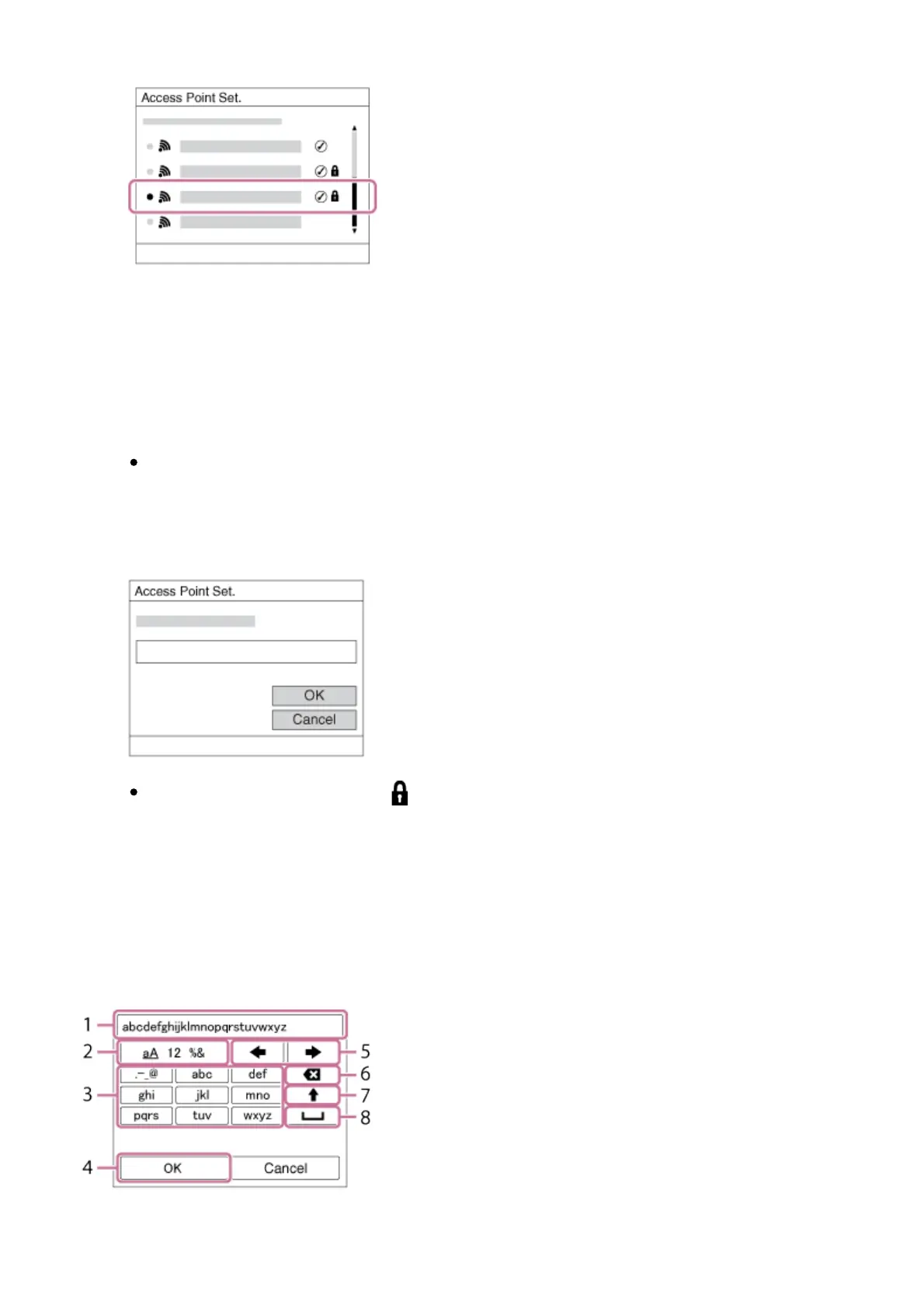
2. Select the access point you want to register.
When the desired access point is displayed on the screen: Select the
desired access point.
When the desired access point is not displayed on the screen: Select
[Manual Setting] and set the access point.
*
For the input method, refer to “How to use the keyboard.”
If you select [Manual Setting], input the SSID name of the access point,
then select the security system.
3. Input the password, and select [OK].
Access points without the mark do not require a password.
4. Select [OK].
How to use the keyboard
When manual character entry is required, a keyboard is displayed on the screen.
1. Input box The characters you entered are displayed.



 To Next Page