ILCE-7RM4
5-007-325-41(2)
PL
19
C:\01_Compose\5007325412\5007325412ILCE7RM4CEC\08PL-ILCE7RM4CEC\020PRE.indd
DTP data saved: 2019/06/24 12:26
PDF file created: 2019/06/24 12:39
PL
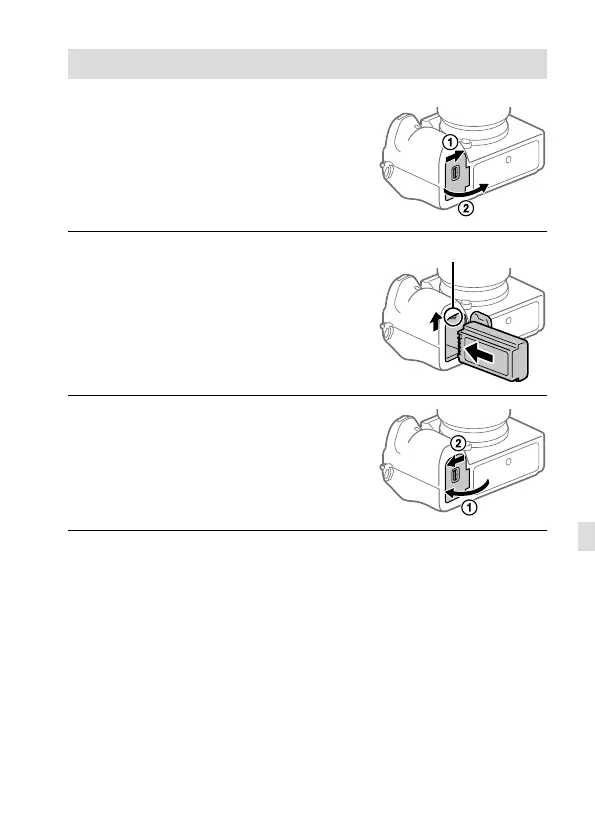
Etap 2: Wkładanie akumulatora do aparatu
1
Otwórz pokrywę akumulatora.
2
Wsuń akumulator, naciskając
końcem akumulatora
dźwignię blokady, aż
akumulator wskoczy na swoje
miejsce.
Dźwignia blokady
3
Zamknij pokrywę.



 To Next Page