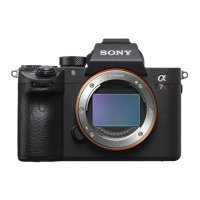
ILCE-7SM3
5-021-320-11(1)
GB
13
Startup guide
\\win-473\CAMERA\CX85000(OT)_IM\JPGB\01_Compose\5021320111_OT_GB_100p\5021320111ILCE7SM3UC2\01GB-ILCE7SM3UC2\020PRE.indd
DTP data saved: 2020/07/02 17:56
PDF file created: 2020/07/02 17:58
6: Shooting images
Shooting still images (Intelligent Auto)
This section describes how to shoot still images in the [Intelligent Auto]
mode. In the [Intelligent Auto] mode, the camera automatically focuses
and automatically determines the exposure based on the shooting
conditions.
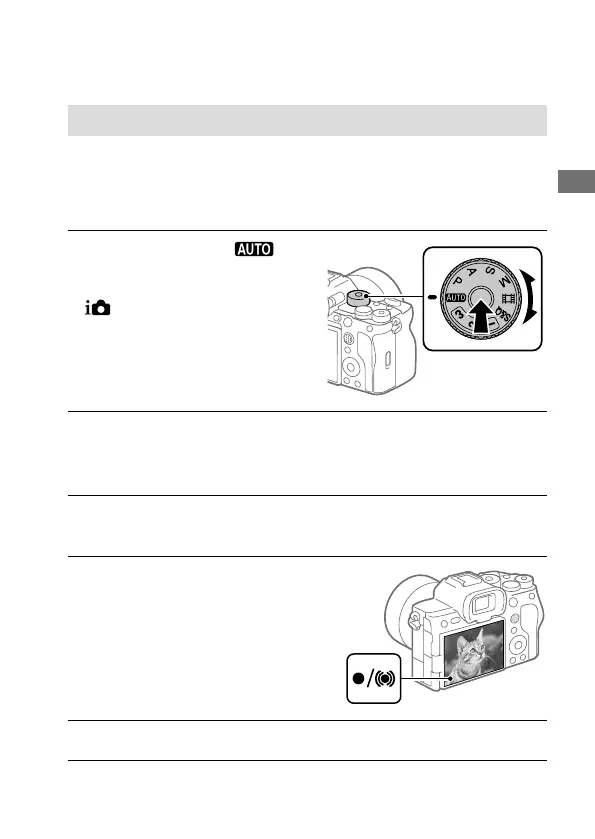
1
Set the mode dial to
(Auto Mode).
The shooting mode will be set to
(Intelligent Auto).
• Turn the mode dial while
pressing the mode dial lock
release button in the center of
the mode dial.
2
Adjust the monitor to an easily viewable angle, and hold the
camera. Alternatively, look through the viewfinder and hold the
camera.
3
When a zoom lens is mounted, enlarge the appearance of
subjects by rotating the zoom ring.
4
Press the shutter button
halfway down to focus.
When the image is in focus, a
beep sounds and the indicator
(such as) lights up.
5
Press the shutter button fully down.


 To Next Page