1
2
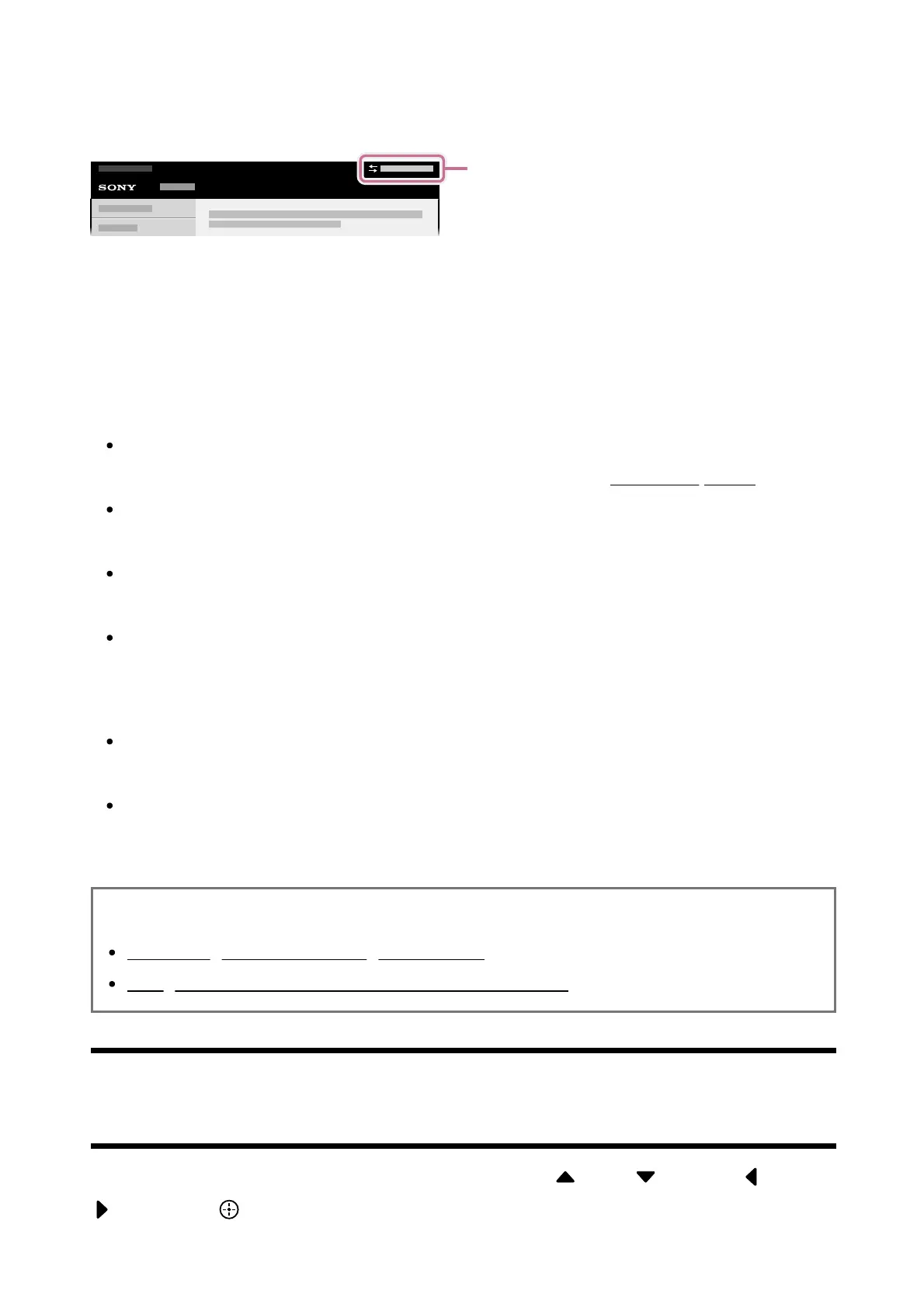
Internet. To switch between the Built-in and Online versions, use the switch button (A) at
the top of the screen. You can check which Help Guide is currently displayed by looking at
the title at the top of the screen.
Connect the TV to the Internet.
Select (A) to switch the Help Guide version.
Note
To use the latest features described in the Help Guide, you may need to update the
TV’s software. For details about software updates, see the Software updates page.
The names of settings in the Help Guide may differ from those displayed on the TV
depending on the TV’s release date or your model/country/region.
The images and illustrations used in the Help Guide may differ depending on your
TV model.
Design and specifications are subject to change without notice.
Hint
To see if your TV is equipped with one of the functions described in the Help Guide,
refer to the paper manual or a Sony product catalogue.
This Help Guide is written for all regions/countries. Some descriptions contained in
this Help Guide do not apply to some regions and countries.
Related topics
Connecting to a network using a LAN cable
Using Wi-Fi to connect the TV to the Internet/Network
[3] Getting Started
Using the remote control
You can operate many of the TV’s features by using the (Up) / (Down) / (Left) /
(Right) and (Enter) buttons.



 To Next Page