Add Sony HD to your oce, dorm or anywhere in the house.
Sporting a long list of image-enhancing features and a space-
saving slim design, this LED HDTV makes any room more
entertaining. Smartphone ready - video, photos and apps on the
phone are re-sized and scaled to t the larger TV screen while
charging
1
.
Bullets
• Amazing picture quality with impressive 720p HD clarity
• Direct LED for a bright picture and slim design
• Smooth movement with Motionow™ XR 120
• See your smartphone’s screen on TV while charging
1
• Crisp detail & contrast w/ Clear Resolution Enhancer
• Share your pictures on the big screen via USB input
• Three HD inputs for a cable box, PS3™ and more
2
Features
Impressive Clarity
Perfect for the bedroom or oce, 720p image resolution delivers pristine picture quality wherever
you need it. Watch movies, sports and primetime HD television broadcasts with robust detail that
is optimized for 16:9 widescreen panels (1366 x 768) and modest screen sizes.
Bright and slim
Powerful yet thin LEDs deliver a brighter picture than conventional LCD backlighting. They also
help achieve a slimmer TV design that looks beautiful in your home. What's more, Sony's Direct
LED Backlight technology delivers outstanding contrast, rich colors and enhanced dark-scene
detail.
Silky smooth
Recreate the movement of real life. Sprinters accelerate clearly with less blur, so watching from
home feels like you're watching from the stands. By minimizing judder, Motionow™ XR 120
technology helps fast-paced action look natural for a more authentic view of the game.
Your smartphone, now on TV
Movies, music and apps from your smartphone can now be viewed big on your TV. With the
smartphone ready R400, Sony is helping you add value to the entertainment you already own.
Using a Mobile High Denition Link cable, you can connect your smartphone to the TV to literally
“mirror” what’s seen on the smartphone screen. Video, photos and apps are re-sized and scaled
to t the larger TV screen. You can then use the TV remote to navigate the phone, while it’s
charging from the TV
1
.
USB input for your camera and more
Share your vacation photos instantly on the big screen or listen to your favorite music. Simply
connect your compatible digital camera, USB-enabled MP3 player or USB storage device directly
to your HDTV's USB input. It's a fast and simple way to relive the memories without a hassle.
Clearly dierent
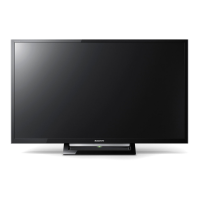
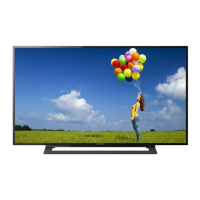
KDL-32R400A
Sony® R400 Series LED HDTV

 Need help?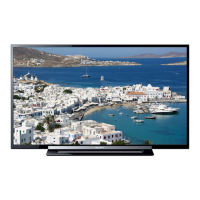



 To Next Page
 General