
 Need help?
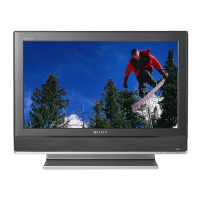
Do you have a question about the Sony KDL-37S3100 and is the answer not in the manual?
Essential safety precautions for using the TV.
Step-by-step guide for automatically tuning TV channels.
Guidelines for safe installation and setup of the TV.
Locations, environments, and situations to avoid for TV use.
Requirements for TV placement and wall installations.
Safe handling and connection of the AC power cord.
How to turn on the TV and select channels.
Detailed explanation of TV jacks and their input symbols.
Setting up and using HDMI CEC for inter-equipment control.
How to access and navigate the TV's menu system.
Options for adjusting picture settings like Mode, Reset, Backlight, Picture.
Adjustments for colour tones, white balance, picture sharpness, and noise.
Selects preset picture modes like Vivid, Standard, Cinema.
Options for adjusting sound settings like Mode, Reset, Treble, Bass, Balance.
Selects sound modes like Dynamic, Standard, Custom.
Options for adjusting screen settings like Wide Mode, Auto Wide, 4:3 Default.
Adjusts the aspect ratio for PC input.
Accesses initial setup, Cinema Drive, AV Set-up, HDMI Set-up.
Configure Video Labels, Auto S Video, Speaker, and Colour System.
Configures HDMI control for inter-equipment operations.
Sets Sleep Timer and On Timer for automatic TV operation.
Resets all settings to factory defaults.
Adjusts settings for PC input, including Wide Mode and Auto Adjustment.
Accesses 1 Digit Direct, Auto Tuning, Programme Sorting, Labels, Block.
Accesses Digital Settings, Audio Set-up, and Digital Tuning.
Performs Full Scan, Quick Scan, or Manual Scan for digital channels.
Sets parental guidance levels and manages passwords.
Diagnosing issues when the standby indicator flashes red.
Troubleshooting no picture, no menu, double images, snow, noise, and distorted pictures.
Troubleshooting no sound, noisy sound, and stereo/mono switching problems.



 To Next Page
 General