EasyManua.ls Logo

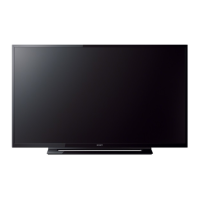
Sony KDL-40R485B - User Manual

Sony KDL-40R485B
78 pages
Print Icon
To Next Page IconTo Next Page
Loading...
Version Date Subject
1 01/2014 1
st
Issue.
2 05/2014 i) Add Software Update Procedure ( pg 76 )
ii) Correction on board name ( pg 8 , 9 , T/shooting section pg 10 ~ 51 )
LCD TV
9-888-148-02
For SM - Unique , please refer :
9-888-148-Ax ( America )
9-888-148-Cx ( China)
9-888-148-Ex ( Europe )
9-888-148-Px ( Pan Asia )
HISTORY INFORMATION FOR THE FOLLOWING MANUAL:
ITC3 CHASSIS
Segment: ME
SERVICE MANUAL (COMMON)
Question and Answer IconNeed help?

Do you have a question about the Sony KDL-40R485B and is the answer not in the manual?

Summary

SECTION 1 SAFETY NOTES

1-1. Warnings and Caution

General safety warnings and precautions for service personnel.

1-2. Caution Handling of LCD Panel

Specific safety guidelines for handling LCD panels during repair.

1-3. Caution About the Lithium Battery

Precautions regarding the handling and replacement of lithium batteries.

SECTION 2 SELF DIAGNOSTIC FUNCTION

SECTION 3 TROUBLE SHOOTING

3-2. No Power

Troubleshooting steps for diagnosing and resolving "No Power" issues.

3-3. Standby LED Blinking

Troubleshooting guide for issues indicated by Standby LED blinking codes.

3-4. No Picture

Troubleshooting steps for diagnosing and resolving "No Picture" scenarios.

3-5. Audio

Overview of troubleshooting procedures for various audio problems.

3-6. Video Problem

Troubleshooting guide for diagnosing and resolving video display issues.

SECTION 4 SERVICE ADJUSTMENTS

4-5. Accessing Serial Number Edit

Guide on how to access and edit the TV's serial number via the service menu.

4-6. Accessing Model Name Edit

Instructions for accessing and editing the TV's model name in the service menu.

Summary

SECTION 1 SAFETY NOTES

1-1. Warnings and Caution

General safety warnings and precautions for service personnel.

1-2. Caution Handling of LCD Panel

Specific safety guidelines for handling LCD panels during repair.

1-3. Caution About the Lithium Battery

Precautions regarding the handling and replacement of lithium batteries.

SECTION 2 SELF DIAGNOSTIC FUNCTION

SECTION 3 TROUBLE SHOOTING

3-2. No Power

Troubleshooting steps for diagnosing and resolving "No Power" issues.

3-3. Standby LED Blinking

Troubleshooting guide for issues indicated by Standby LED blinking codes.

3-4. No Picture

Troubleshooting steps for diagnosing and resolving "No Picture" scenarios.

3-5. Audio

Overview of troubleshooting procedures for various audio problems.

3-6. Video Problem

Troubleshooting guide for diagnosing and resolving video display issues.

SECTION 4 SERVICE ADJUSTMENTS

4-5. Accessing Serial Number Edit

Guide on how to access and edit the TV's serial number via the service menu.

4-6. Accessing Model Name Edit

Instructions for accessing and editing the TV's model name in the service menu.

Sony KDL-40R485B Specifications

General IconGeneral
Screen Size40 inches
Resolution1920 x 1080 pixels
Display TypeLCD
Backlight TypeLED
HDMI Ports2
USB Ports1
MotionflowMotionflow XR 200
Refresh Rate50 Hz
Smart TVNo
Built-in Wi-FiNo

Related product manuals