EasyManua.ls Logo

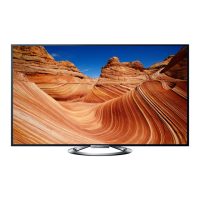
Sony KDL-55W80XA - User Manual

Sony KDL-55W80XA
16 pages
Print Icon
To Next Page IconTo Next Page
Loading...
Reference Guide
GB
Guide de référence
FR
Guía de referencia
ES
Referentiehandleiding
NL
Referenzleitfaden
DE
Guia de referência
PT
Guida di riferimento
IT
Referensguide
SE
Referencevejledning
DK
Viiteopas
FI
Referanseveiledning
NO
Instrukcja
PL
Referenční příručka
CZ
Referenčná príručka
SK
Referencia útmutató
HU
Ghid de referinţă
RO
Справочно ръководство
BG
Οδηγός αναφοράς
GR
Başvuru Kılavuzu
TR
Справочное руководство
RU
Довідник
UA
LCD TV
Reference
Guide
KDL-55W80xA / 47W80xA / 42W80xA

Questions and Answers

  • P
    Peter PerezAug 7, 2025
    What to do if my Sony KDL-55W80XA LCD TV remote does not function?
    • M
      Mr. Martin CarrilloAug 7, 2025
      If your Sony LCD TV remote isn't working, first replace the batteries. If that doesn't solve the issue, your TV might be in SYNC mode. Press the SYNC MENU button, then select “TV Control” and then select “Home (Menu)” or “Options” to regain control of the TV.
  • P
    Paul MontoyaAug 11, 2025
    What to do if my Sony KDL-55W80XA LCD TV has frozen audio or video, a blank screen, or is unresponsive?
    • J
      Janet LeonAug 11, 2025
      If your Sony LCD TV freezes, shows a blank screen, or doesn't respond to button presses, perform a simple reset. Unplug the AC power cord for two minutes, then plug it back in.
  • J
    Joseph MorganAug 15, 2025
    What to do if there is no picture and no sound on my Sony LCD TV?
    • M
      Melinda WongAug 16, 2025
      If your Sony LCD TV screen is dark and there's no sound, first check the antenna or cable connection. Then, ensure the TV is connected to AC power and press the power button on the TV or remote.
  • M
    Michael SolisAug 20, 2025
    What to do if some programs cannot be tuned on Sony LCD TV?
    • N
      Norman DorseyAug 20, 2025
      If some programs cannot be tuned on your Sony LCD TV, check the antenna or dish. Also, inspect the satellite cable for short circuits or connection problems; check the cable connection, turn the TV off with the Mains power On/Off switch, and then turn it back on again. If you entered the frequency, it may be out of range. Consult the received satellite broadcasting company.
  • B
    Brittany LyonsAug 25, 2025
    What to do if the illumination LED is flashing in red on my Sony KDL-55W80XA?
    • C
      Cindy CampbellAug 25, 2025
      Press "/1 on the TV to turn it off, disconnect the AC power cord (mains lead), and inform your dealer or Sony service centre of how the indicator flashes (number of flashes).
  • A
    Amanda KingAug 28, 2025
    What to do if I forgot the Parental Lock password on my Sony KDL-55W80XA LCD TV?
    • V
      Valerie SchneiderAug 28, 2025
      If you've forgotten the “Parental Lock” password on your Sony LCD TV, enter 9999 as the PIN code. This PIN code is always accepted.
  • P
    Peggy LeeSep 1, 2025
    What to do if there are no Cable TV services found on my Sony KDL-55W80XA?
    • E
      Eric BradySep 1, 2025
      If your Sony LCD TV isn't finding any Cable TV services, check the cable connection and tuning configuration. You can also try the “Digital Auto Tuning” feature by selecting “Antenna” instead of “Cable.”

Sony KDL-55W80XA Specifications

General IconGeneral
Screen Size55 inches
Display TypeLCD
Backlight TypeLED
HDMI Ports4
USB Ports2
Smart TVYes
3DYes
Wi-FiYes
Operating SystemAndroid TV
BluetoothYes
Resolution1920 x 1080

Related product manuals