
 Need help?
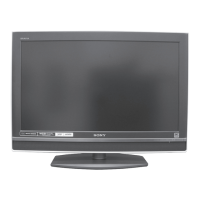
Do you have a question about the Sony KDL-V26XBR1 and is the answer not in the manual?
Key features of the TV including WEGA GATE, WEGA Engine, Integrated HDTV, Wide Screen Mode, S-master Full Digital Amplifier, CineMotion®, Parental Control.
Measures to prevent the TV from toppling over and causing injury during installation.
Details of the controls and indicators on the front panel of the TV.
Description of controls and input/output jacks on the left and right side panels.
Diagram and description of the input/output jacks on the rear panel of the TV.
Instructions for connecting various video sources like antenna, cable box, satellite receiver, HDMI, DVI, and digital audio.
Information on using a CableCARD device instead of a set-top box for digital cable TV.
Steps to insert and activate the CableCARD device for service with your cable provider.
How to perform Initial Setup to create a list of available analog and digital channels.
Connecting a VCR and cable TV without a cable box.
Connecting a DVD player with component video jacks to the TV.
Connecting a personal computer to the TV for display.
Detailed descriptions of each button on the TV remote control.
Steps to program the TV remote control to operate other video equipment.
How to use the Program Guide to review program information and select channels.
How to use the WIDE button to select various wide screen modes for 4:3 broadcasts.
How to jump back and forth between the current channel and the last selected channel.
WEGA GATE provides one-button access for controlling your TV intuitively via an on-screen control panel.
Lets you select programs from a list of up to 16 favorite channels.
Lets you select equipment connected to your TV, assign labels, or skip unused inputs.
How the Photo/Video Viewer Index displays thumbnail images of files stored on USB media.
Controls for viewing photos, including navigating files, hiding/displaying menu, and playing voice memos.
Controls for playing movies, including enlarging the window, play/pause, and navigating files.
Options for adjusting picture mode, reset, backlight, brightness, color, hue, and sharpness.
Options for adjusting sound mode, reset, treble, bass, balance, steady sound, volume offset, effect, and BBE.
Options for screen settings, including wide mode, game picture, 4:3 default, display area, vertical center, and vertical size.
Options for channel management: favorites, digital channels, auto program, and showing/hiding channels.
Options for parental control: turn on/off, select rating system, change password, and select country.
Setup options include caption vision, info banner, game mode, labels, language, video inputs, menu color, power saving, and light sensor.
Options for clock/timers and sleep settings.
Customer Information Services Center phone numbers for US and Canadian residents.
Solutions for common problems with remote control operation and channel selection.
Troubleshooting problems using the CableCARD device or services.
Troubleshooting issues related to picture (no picture, dark, color incorrect) and screen noise.
Troubleshooting audio issues like no sound, audio noise, low volume, or weak sound.
Troubleshooting issues related to receiving upper channels, all channels, or digital channels.
Troubleshooting problems with USB device recognition, file display, editing, and image quality.
Troubleshooting general TV issues like factory resets, lost passwords, timer LEDs, and digital cable box problems.
 General
| Screen Size | 26 inches |
|---|---|
| Resolution | 1366 x 768 |
| Display Type | LCD |
| Aspect Ratio | 16:9 |
| Response Time | 8 ms |
| HDMI Ports | 2 |
| Component Video Inputs | 1 |
| S-Video Inputs | 1 |
| Audio Output | 2 x 10W |
| Viewing Angle | 178° |
| RF Input | 1 |
| Brightness | 500 cd/m² |
| PC Input | 1 (D-Sub) |



 To Next Page
