10
GB
Installing the
Windows 98
Device Driver
This section explains how to install the
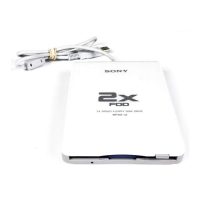
USB Floppy Disk Drive device driver on
a system running Windows 98.
To install the device driver
1 Insert USB Floppy Disk Drive
Device Driver CD-ROM into the
CD-ROM drive of your
computer.
2 Connect the USB connector of
the USB Floppy Disk Drive to
the USB port of your computer.
The Add New Hardware wizard
starts and the following dialog box
appears.
3 Click [Next].
The following dialog box appears.
4 Select “Search for the best
drivers for your device
(Recommended)”, and then
click [Next].
The following dialog box appears.
5 Select the “Specify a location”
check box and type “X:\Win98”
(where X is your CD-ROM drive
letter) in the box, and then click
[Next].
The following dialog box appears.



 To Next Page