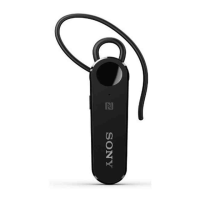
8.
Multi-function
key
Short press to:
• Answer or end a call.
• Play or pause the current music track.
• Attempt to reconnect.
Long press for 1 second to:
• Reject incoming calls.
• Mute or unmute the microphone during a call.
• Initiate voice assistant with Google/Siri.
Quickly double-tap to:
• Switch between calls.
• Skip to the next music track.
Quickly triple-tap to:
• Transfer audio content between your headset and the
paired Android or iOS device.
• Skip to the previous music track.
4
This is an internet version of this publication. © Print only for private use.



 To Next Page