EasyManua.ls Logo

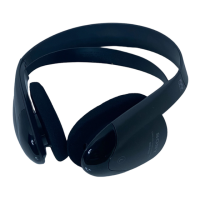
Sony MDR-IF5000 - User Manual

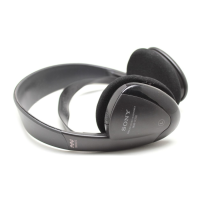
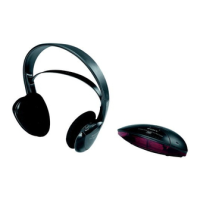
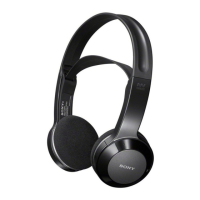
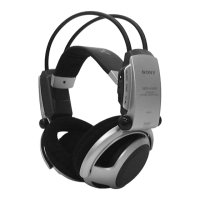
Sony MDR-IF5000
6 pages
Print Icon
To Next Page IconTo Next Page
Loading...

Other manuals for Sony MDR-IF5000

Question and Answer IconNeed help?

Do you have a question about the Sony MDR-IF5000 and is the answer not in the manual?

Summary

Setting up the Headphones

Open Battery Compartment Lid

Locate and open the battery compartment lid on the top of the left housing.

Insert AA Batteries

Insert two R6 (size AA) batteries into the compartment correctly.

Close Battery Compartment Lid

Close the battery compartment lid securely after inserting batteries.

Listening to a Programme

Power On Audio;Video Equipment

Ensure the connected audio/video equipment is powered on before proceeding.

Power On Transmitter;Processor

Power on the infrared transmitter or Digital Surround Processor unit.

Wear Headphones for Auto Power On

Wear the headphones; power turns on automatically and indicator glows red.
Precautions

Technical Specifications

Summary

Setting up the Headphones

Open Battery Compartment Lid

Locate and open the battery compartment lid on the top of the left housing.

Insert AA Batteries

Insert two R6 (size AA) batteries into the compartment correctly.

Close Battery Compartment Lid

Close the battery compartment lid securely after inserting batteries.

Listening to a Programme

Power On Audio;Video Equipment

Ensure the connected audio/video equipment is powered on before proceeding.

Power On Transmitter;Processor

Power on the infrared transmitter or Digital Surround Processor unit.

Wear Headphones for Auto Power On

Wear the headphones; power turns on automatically and indicator glows red.

Precautions

Technical Specifications

Sony MDR-IF5000 Specifications

General IconGeneral
BrandSony
ModelMDR-IF5000
CategoryHeadphone
LanguageEnglish

Related product manuals