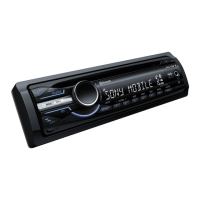
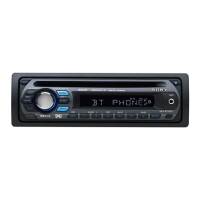
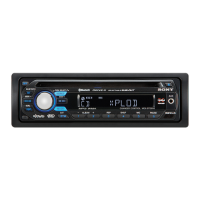
[§] Display window
[l]
AUX input jack page 16
To connect a portable audio device.
[ID
~
(eject) button
To eject the disc.
rnJ
~
(front panel release) button page 7
I1QI
DSPL (display)/SCRL (scroll) button
page 10
To change display items (press); scroll the
display item (press
and
hold).
[j] SEEK
-/+
buttons
CD:
To skip tracks (press); skip tracks
continuously (press, then press again within
about
I second and hold); reverse/fast-
forward a track (press
and
hold).
Radio:
To tune in stations automatically (press); find
a station manually (press
and
hold).
Bluetooth audio device*2:
To skip tracks (press).
1121
MODE button page 10
To select the radio
band
(FM/AM)*1.
~
BTM/CAT button page 10
To start the
BTM
function (press
and
hold).
IHI
Number buttons
CD:
CD/®:
ALBUM _/+*3
To
skip albums (press); skip albums
continuously (press
and
hold).
@:
REP page 10
0:
SHUF page 10
@:PAUSE*4
To
pause playback
of
a
CD
on
this unit.
To
cancel, press again.
Radio:
To receive stored stations (press); store
stations (press
and
hold).
Bluetooth audio device*2:
@:
PAUSE*4
To
pause playback. To cancel, press
again.
Bluetooth
phone:
®:
MIC page 13
~
Receptor for the card remote
commander
~
RESET button (located
behind
the front
panel)
page 6
IIZI
Microphone page 13
Note
Do
not cover the microphone, the handsfree
function
may
not work properly.
The following buttons
on
the card remote
commander
have also different buttons/functions
from the unit. Remove the insulation film before
use (page 6).
1m
..
(.....)/-. (
...
)buttons
To control CD/radio, the same
as
(
SEEK)
-/+
on
the unit.
Setup, sound setting, etc.,
can
be
operated by
..
-..
III
DSPL (display) button
To change display items.
IG
VOL (volume)
+/-
button
To adjust volume.
II
ATT (attenuate) button
To attenuate the sound. To cancel, press
agam.
~
SEL
(select)/\./c
(handsfree) button
The same as the select button
on
the unit.
PI]
t
(+)/.
(-)
buttons
To control
CD,
the same as
CD/®
(ALBUM
-/+)
on
the unit.
Setup, sound setting, etc., can
be
operated
by
t
•.
gJ SCRL (scroll) button
To scroll the display item.
~
Number buttons
To receive stored stations (press); store
stations (press and hold).
*1
In the case
of
a CD/MD changer, HD radio tuner
or
SAT tunerbeing connected; when
(SOURCE)
is
pressed, the connected device ("MD", "HD,"
'XM"
or
"SR") will
appear
in the display, depending on
which device is connected. Furthermore,
if
CMQQSl
is pressed, you can switch the changer,
HD radio tuner
band
or
SAT tuner band.
*2 When
a Bluetooth audio device (supports AVRCP
of
Bluetooth technology) is connected. Depending
on the device, certain operations
may
not
be
available.
*3 When
an
MP3IWMA is played.
*4 When playing back on this unit.
Note
If
the unit is turned
off
and
the display disappears,
it
cannot be operated with the card remote commander
unless
(SOURCE)
on the unit is pressed,
or
a disc is
inserted to activate the unit first.




 To Next Page