EasyManua.ls Logo

Sony MEX-BT3600U - User Manual

Sony MEX-BT3600U
88 pages
Print Icon
To Next Page IconTo Next Page
Loading...
©
2008 Sony Corporation
Operating Instructions
Manual d e instr uc c i o nes
3-299-319-42 (1)
GB
ES
MEX-BT3600U
To cancel the demonstration (DEMO) display, see page 18.
Para cancelar la pantalla de demostración (DEMO), consulte la página 20.
Bluetooth
Audio System

Table of Contents

Other manuals for Sony MEX-BT3600U

Question and Answer IconNeed help?

Do you have a question about the Sony MEX-BT3600U and is the answer not in the manual?

Summary

Laser Product Safety Information

Sony Support Website Information

Getting Started with Your Audio System

Resetting the Unit

Procedure to reset the audio system to its initial state.

Prepare Card Remote Commander

Instructions for removing insulation film before first use.

Setting the Clock

Guide to adjust the 12-hour digital clock display.

Adjusting Volume Level Per Device

Adjusting volume for connected Bluetooth or AUX devices.

Detaching the Front Panel

Instructions for removing the front panel to prevent theft.

Attaching the Front Panel

Control Locations and Basic Operations

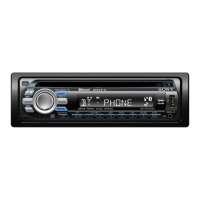
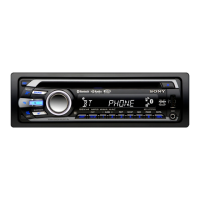
Main Unit Controls Overview

Identification and function of buttons and controls on the main unit.

Card Remote Commander RM-X304

Overview of buttons and functions on the card remote control.

Searching Tracks with Quick-BrowZer

How to use Quick-BrowZer to search for tracks on CD/USB.

CD Operations

CD Display Items

Information displayed during CD playback.

CD Repeat and Shuffle Play

How to set repeat and shuffle modes for CD playback.

Radio Operations

Storing and Receiving Radio Stations

Methods for storing, receiving, and tuning radio stations.

USB Device Operations

USB Device Playback

Connecting and playing music from USB devices.

USB Display Items

Information displayed during USB playback.

Listening to Mass Storage Class Audio Devices

Playing music from Mass Storage Class USB devices.

Listening to ATRAC Audio Devices (Walkman)

Playing music from ATRAC Audio Devices like Walkman.

Bluetooth Functionality

Bluetooth Operations Overview

General steps for using the Bluetooth function.

Understanding Bluetooth Icons

Explanation of icons used for Bluetooth status indicators.

Bluetooth Connection Procedures

Enable Bluetooth Signal Output

How to turn on the Bluetooth signal output.

Connecting an Audio Device via Bluetooth

Steps to connect Bluetooth audio devices.

Connecting a Cellular Phone via Bluetooth

Steps to connect a cellular phone via Bluetooth.

Reconnect Last Connected Phone

How to reconnect the previously paired cellular phone.

Reconnect Last Connected Audio Device

How to reconnect the previously paired audio device.

Handsfree Calling Operations

Instructions for making and receiving calls using handsfree.

Bluetooth Call Management

Call Transfer Procedures

How to transfer calls between the unit and a cellular phone.

Voice Dial Activation

Steps to activate voice dialing via cellular phone.

Bluetooth Music Streaming

Streaming Music from Audio Devices

How to stream audio from connected Bluetooth devices.

Adjusting Bluetooth Audio Volume Level

Adjusting the input level for Bluetooth audio devices.

Operating Paired Audio Devices

Delete All Paired Bluetooth Devices

Procedure to remove all registered Bluetooth devices.

Additional System Functions

Changing Sound Settings

Overview of adjustable sound settings.

Adjusting Sound Characteristics

Adjusting EQ, Balance, Fader, Subwoofer, AUX, BTA levels.

Customizing EQ3 Equalizer Curve

How to create custom equalizer settings for EQ3.

Adjusting Setup Items (SET)

Guide to adjusting various system setup items.

Using Optional Equipment

Connecting Auxiliary Audio Equipment

Connecting external audio devices via AUX input.

Connecting Portable Audio Device to AUX

Steps for connecting a portable audio device to the AUX jack.

Adjusting AUX Input Volume Level

Setting the volume level for AUX input sources.

Rotary Commander RM-X4 S

Overview of the rotary commander accessory.

Rotary Commander Control Locations

Diagram showing controls on the rotary commander.

Additional Information and Precautions

General Precautions

Important safety and operational precautions.

Moisture Condensation Warning

Information on condensation and its effects on operation.

Maintaining High Sound Quality

Tips for preserving optimal audio quality.

Important Notes on Discs

Guidelines for handling and using discs.

Notes on CD-R;CD-RW Discs

Specific notes regarding compatibility and playback of CD-R/RWs.

Copyright Protected Music Discs

Information on playback of discs with copyright protection.

Note on DualDiscs

Details regarding the compatibility of DualDiscs.

About USB Device Compatibility

Information on compatible USB devices and limitations.

MP3;WMA;AAC Playback Order

Understanding the playback order for MP3/WMA/AAC files.

About MP3 File Format

Technical details about the MP3 audio compression format.

About WMA File Format

Technical details about the WMA audio compression format.

About AAC File Format

Technical details about the AAC audio compression format.

About ATRAC File Format

Technical details about the ATRAC audio compression format.

About Bluetooth Technology

Explanation of Bluetooth wireless technology and its applications.

What is Bluetooth Technology?

Explanation of Bluetooth wireless technology and its applications.

Bluetooth Communication Range and Interference

Factors affecting Bluetooth communication range and signal quality.

System Maintenance

Replace Card Remote Battery

Instructions for replacing the battery in the card remote commander.

Fuse Replacement Procedure

Guide for replacing the unit's fuse.

Cleaning Unit Connectors

Removing the Main Unit

Technical Specifications

Troubleshooting Common Issues

General Operation Problems

Solutions for power, sound, memory, display, and demo mode issues.

CD Playback Troubleshooting

Resolving issues related to CD loading, playback, and disc errors.

Radio Reception Troubleshooting

Solutions for poor radio reception and tuning problems.

USB Playback Troubleshooting

Resolving problems with USB device connection and playback.

Bluetooth Connectivity and Sound Issues

Troubleshooting Bluetooth connection, call, and audio streaming problems.

Error Displays and Messages

Explanation of error messages and troubleshooting steps.

Summary

Laser Product Safety Information

Sony Support Website Information

Getting Started with Your Audio System

Resetting the Unit

Procedure to reset the audio system to its initial state.

Prepare Card Remote Commander

Instructions for removing insulation film before first use.

Setting the Clock

Guide to adjust the 12-hour digital clock display.

Adjusting Volume Level Per Device

Adjusting volume for connected Bluetooth or AUX devices.

Detaching the Front Panel

Instructions for removing the front panel to prevent theft.

Attaching the Front Panel

Control Locations and Basic Operations

Main Unit Controls Overview

Identification and function of buttons and controls on the main unit.

Card Remote Commander RM-X304

Overview of buttons and functions on the card remote control.

Searching Tracks with Quick-BrowZer

How to use Quick-BrowZer to search for tracks on CD/USB.

CD Operations

CD Display Items

Information displayed during CD playback.

CD Repeat and Shuffle Play

How to set repeat and shuffle modes for CD playback.

Radio Operations

Storing and Receiving Radio Stations

Methods for storing, receiving, and tuning radio stations.

USB Device Operations

USB Device Playback

Connecting and playing music from USB devices.

USB Display Items

Information displayed during USB playback.

Listening to Mass Storage Class Audio Devices

Playing music from Mass Storage Class USB devices.

Listening to ATRAC Audio Devices (Walkman)

Playing music from ATRAC Audio Devices like Walkman.

Bluetooth Functionality

Bluetooth Operations Overview

General steps for using the Bluetooth function.

Understanding Bluetooth Icons

Explanation of icons used for Bluetooth status indicators.

Bluetooth Connection Procedures

Enable Bluetooth Signal Output

How to turn on the Bluetooth signal output.

Connecting an Audio Device via Bluetooth

Steps to connect Bluetooth audio devices.

Connecting a Cellular Phone via Bluetooth

Steps to connect a cellular phone via Bluetooth.

Reconnect Last Connected Phone

How to reconnect the previously paired cellular phone.

Reconnect Last Connected Audio Device

How to reconnect the previously paired audio device.

Handsfree Calling Operations

Instructions for making and receiving calls using handsfree.

Bluetooth Call Management

Call Transfer Procedures

How to transfer calls between the unit and a cellular phone.

Voice Dial Activation

Steps to activate voice dialing via cellular phone.

Bluetooth Music Streaming

Streaming Music from Audio Devices

How to stream audio from connected Bluetooth devices.

Adjusting Bluetooth Audio Volume Level

Adjusting the input level for Bluetooth audio devices.

Operating Paired Audio Devices

Delete All Paired Bluetooth Devices

Procedure to remove all registered Bluetooth devices.

Additional System Functions

Changing Sound Settings

Overview of adjustable sound settings.

Adjusting Sound Characteristics

Adjusting EQ, Balance, Fader, Subwoofer, AUX, BTA levels.

Customizing EQ3 Equalizer Curve

How to create custom equalizer settings for EQ3.

Adjusting Setup Items (SET)

Guide to adjusting various system setup items.

Using Optional Equipment

Connecting Auxiliary Audio Equipment

Connecting external audio devices via AUX input.

Connecting Portable Audio Device to AUX

Steps for connecting a portable audio device to the AUX jack.

Adjusting AUX Input Volume Level

Setting the volume level for AUX input sources.

Rotary Commander RM-X4 S

Overview of the rotary commander accessory.

Rotary Commander Control Locations

Diagram showing controls on the rotary commander.

Additional Information and Precautions

General Precautions

Important safety and operational precautions.

Moisture Condensation Warning

Information on condensation and its effects on operation.

Maintaining High Sound Quality

Tips for preserving optimal audio quality.

Important Notes on Discs

Guidelines for handling and using discs.

Notes on CD-R;CD-RW Discs

Specific notes regarding compatibility and playback of CD-R/RWs.

Copyright Protected Music Discs

Information on playback of discs with copyright protection.

Note on DualDiscs

Details regarding the compatibility of DualDiscs.

About USB Device Compatibility

Information on compatible USB devices and limitations.

MP3;WMA;AAC Playback Order

Understanding the playback order for MP3/WMA/AAC files.

About MP3 File Format

Technical details about the MP3 audio compression format.

About WMA File Format

Technical details about the WMA audio compression format.

About AAC File Format

Technical details about the AAC audio compression format.

About ATRAC File Format

Technical details about the ATRAC audio compression format.

About Bluetooth Technology

Explanation of Bluetooth wireless technology and its applications.

What is Bluetooth Technology?

Explanation of Bluetooth wireless technology and its applications.

Bluetooth Communication Range and Interference

Factors affecting Bluetooth communication range and signal quality.

System Maintenance

Replace Card Remote Battery

Instructions for replacing the battery in the card remote commander.

Fuse Replacement Procedure

Guide for replacing the unit's fuse.

Cleaning Unit Connectors

Removing the Main Unit

Technical Specifications

Troubleshooting Common Issues

General Operation Problems

Solutions for power, sound, memory, display, and demo mode issues.

CD Playback Troubleshooting

Resolving issues related to CD loading, playback, and disc errors.

Radio Reception Troubleshooting

Solutions for poor radio reception and tuning problems.

USB Playback Troubleshooting

Resolving problems with USB device connection and playback.

Bluetooth Connectivity and Sound Issues

Troubleshooting Bluetooth connection, call, and audio streaming problems.

Error Displays and Messages

Explanation of error messages and troubleshooting steps.

Sony MEX-BT3600U Specifications

General IconGeneral
MP3 playbackYes
Tuner typeSSIR-EXA
Supported radio bandsFM, LW, MW, SW
Preset stations quantity18
Product colorBlack
Ready for iPodNo
Frequency range10 - 20000 Hz
Audio output channels4.0 channels
Equalizer bands quantity3
Maximum power per channel52 W
Signal-to-Noise Ratio (SNR)120 dB
Display typeFluorescent
I/O portsUSB 2.0 Pre-amp Out: Front / Rear Audio AUX Front In
Key illumination colorBlue
Weight and Dimensions IconWeight and Dimensions
Dimensions (WxDxH)178 x 179 x 50 mm

Related product manuals