36
Using optional
equipment
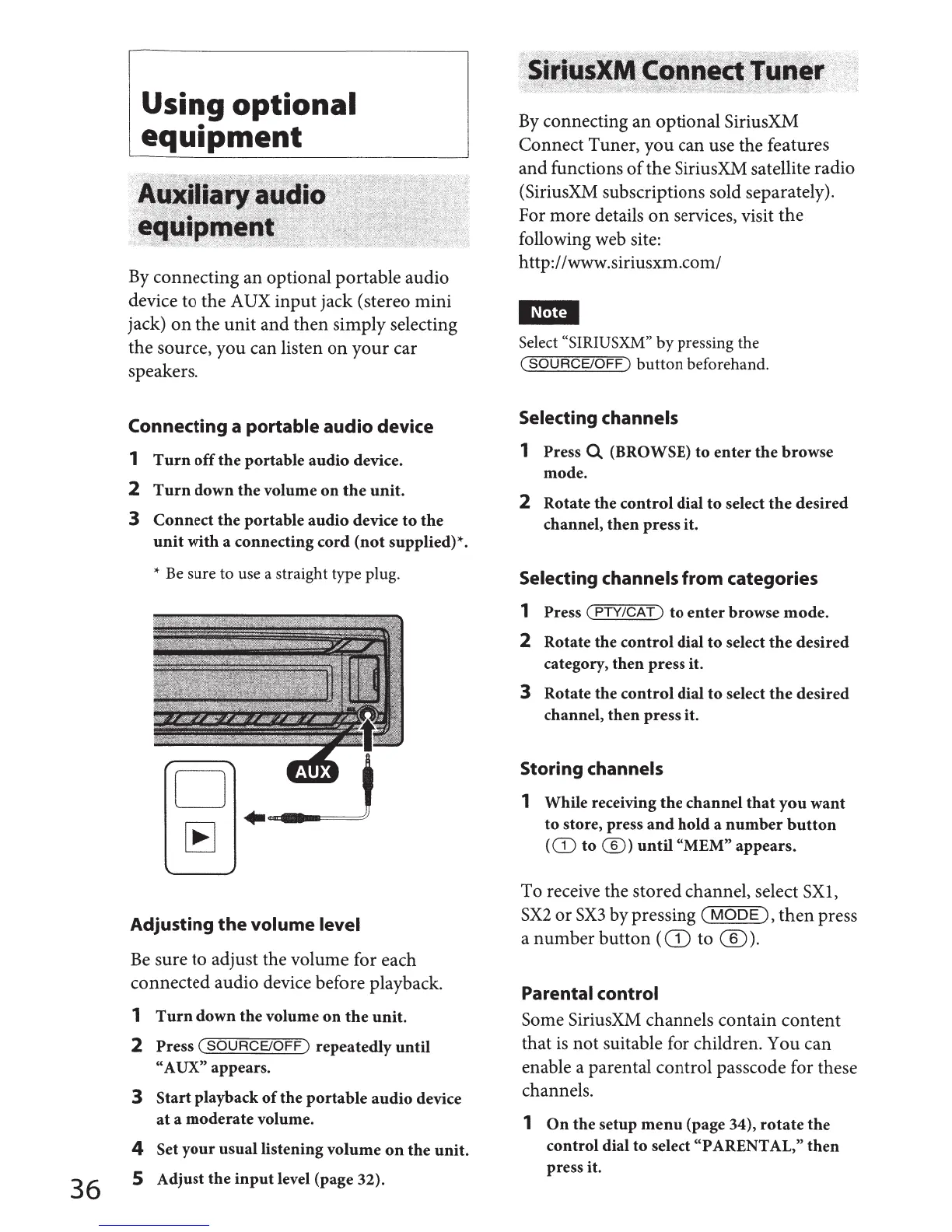
By
connecting an optional portable audio
device to the AUX input jack (stereo mini
jack)
on
the unit and then simply selecting
the source, you can listen
on
your car
speakers.
Connecting a portable audio device
1
Turn
off
the
portable
audio
device.
2
Turn
down
the
volume
on
the
unit.
3
Connect
the
portable
audio
device
to
the
unit
with
a connecting
cord
(not
supplied)*.
* Be sure
to
use a straight type plug.
Adjusting
the
volume level
Be
sure to adjust the volume for each
connected audio device before playback.
1
Turn
down
the
volume
on
the
unit.
2 Press
(SOURCE/OFF)
repeatedly
until
"A
UX" appears.
3
Start
playback
of
the
portable
audio
device
at
a
moderate
volume.
4 Set
your
usual
listening
volume
on
the
unit.
5 Adjust
the
input
level (page 32).
By
connecting an optional SiriusXM
Connect Tuner, you can use the features
and functions
of
the SiriusXM satellite radio
(SiriusXM subscriptions sold separately).
For more details
on
services, visit the
following web site:
http:/ /www.siriusxm.com/
I~Mtj
Select "SIRIUSXM"
by
pressing the
(SOURCE/OFF)
button
beforehand.
Selecting channels
1 Press Q (BROWSE)
to
enter
the
browse
mode.
2 Rotate the
control
dial
to
select
the
desired
channel,
then
press it.
Selecting channels from categories
1 Press (
PTY/CAT)
to
enter
browse
mode.
2 Rotate the
control
dial
to
select
the
desired
category,
then
press it.
3 Rotate the
control
dial
to
select
the
desired
channel,
then
press it.
Storing channels
1 While receiving
the
channel
that
you
want
to
store, press
and
hold
a
number
button
((D
to@)
until
"MEM" appears.
To receive the stored channel, select SXl,
SX2
or
SX3
by pressing
(MODE),
then
press
a number button
(CD
to ®
).
Parental control
Some SiriusXM channels contain content
that
is
not suitable for children. You can
enable a parental control passcode for these
channels.
1
On
the
setup
menu
(page 34),
rotate
the
control dial
to
select "PARENTAL,"
then
press it.



 To Next Page