13
CD
Playing a disc
This unit can play CD-DA (also containing
CD TEXT) and CD-R/CD-RW (MP3/
WMA/AAC files (page 40)).
1 Insert the disc (label side up).
Playback starts automatically.
To eject the disc, press .
Notes
• When ejecting/inserting a disc, keep any USB
devices disconnected to avoid damage to the
disc.
• Corresponding codec is MP3 (.mp3), WMA
(.wma) and AAC (.m4a).
Changing display items
Press .
Displayed items may differ depending on
the disc type, recording format and settings.
USB devices
• MSC (Mass Storage Class)-type USB
devices (such as a USB flash drive, digital
media player, Android phone) compliant
with the USB standard can be used.
Depending on the digital media player or
Android phone, setting the USB
connection mode to MSC is required.
• Backup of data to a USB device is
recommended.
Notes
• Connect the USB device after starting the
engine.
Depending on the USB device, malfunction or
damage may occur if it is connected before
starting the engine.
• Corresponding codec is MP3 (.mp3), WMA
(.wma), AAC (.m4a) and AAC (.mp4).
• For details on the compatibility of your USB
device, visit the support site on the back cover.
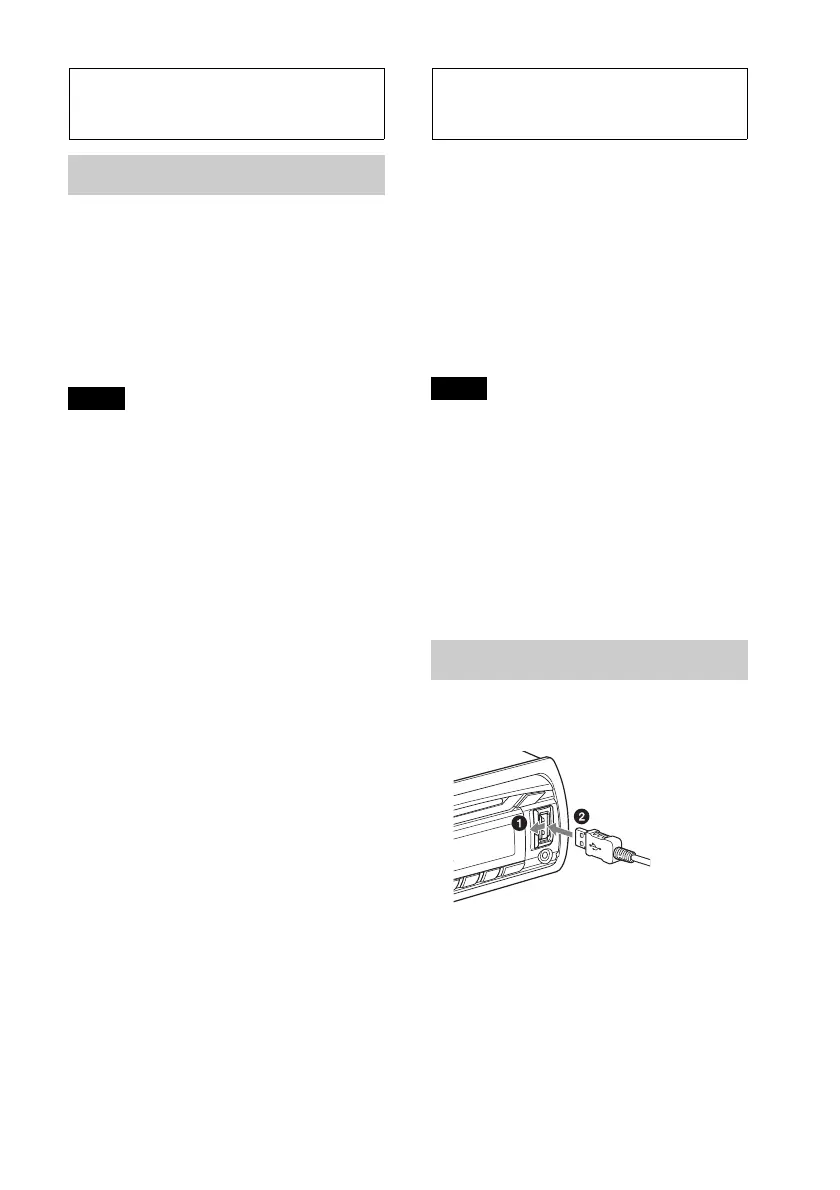
Playing back a USB device
1 Open the USB cover, then connect the
USB device to the USB port.
Playback starts.
If a USB device is already connected, to start
playback, press repeatedly
until “USB” appears.
To stop playback, press and hold
for 1 second.
To remove the USB device, stop the USB
playback, then remove the USB device.



 To Next Page