12
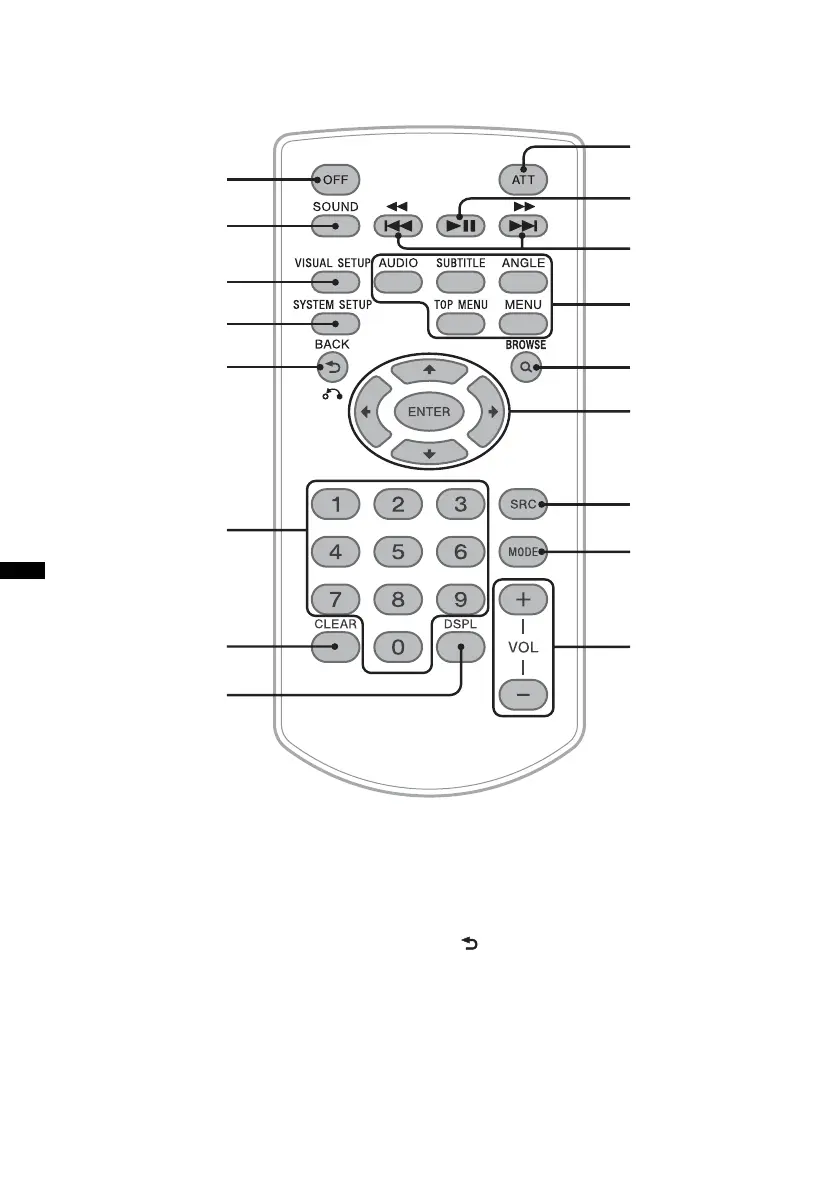
Card remote commander RM-X168
Refer to the pages listed for details.
Remove the insulation film before use (page 14).
A OFF button page 16, 18, 22
To power off/stop the source (press); shut off
completely (press and hold).
B SOUND button page 35
To open the sound menu.
C VISUAL SETUP button page 22, 25,
26, 27, 28, 30, 31, 36
To open the play mode/visual setup menu.
D SYSTEM SETUP button page 26, 32,
40, 43, 44
To open the system setup menu.
E (Back)/O button page 22, 23, 28,
29, 36
To return to the previous display; return to
the menu on a VCD*
1
.
qs
1
2
3
4
5
6
7
8
qd
qf
qg
qj
qh
9
0
qa



 To Next Page