Need help?
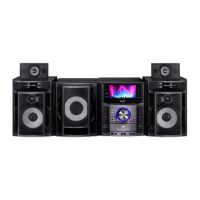
Do you have a question about the Sony MHC-GZR999DA and is the answer not in the manual?
Connects speakers, subwoofer, antenna, and power cord to the main unit.
Procedures for carrying the system and connecting it to a TV via video cord.
Loads and plays discs, including handling of multiple discs.
Uses PBC menus for interactive playback on VIDEO CDs (Version 2.0).
Searches for titles, tracks, scenes, files, or folders using unique numbers.
Searches by time code or selects folders/files via on-screen display.
Plays back folders, MP3 files, and JPEG image files.
Plays video files and performs other disc operations like page navigation.
Plays MP3 and JPEG files as a slide show with sound.
Sets playback priority and creates custom programs (Program Play).
Plays tracks or files in random order.
Limits disc playback based on user age and predefined levels.
Tune in to radio stations via preset or manual tuning.
Copies music from AUDIO CD or DATA CD/DVD to a USB device.
Deletes audio files or folders from the connected USB device.
Records analog audio sources to a USB device as MP3 files.
Plays audio, image, and video files stored on a USB device.
Provides solutions for system issues, errors, and message displays.
Resets the system to factory default settings.
Diagnoses system malfunctions and displays service numbers.
Addresses disc handling, cleaning methods, voltage, and safety measures.
 General
| Type | Mini Hi-Fi System |
|---|---|
| Audio Formats | MP3 |
| Preset Stations | 30 |
| Remote Control | Yes |
| USB Port | Yes |
| Bluetooth | No |
| FM Radio | Yes |
| CD Player | Yes |
| AUX Input | Yes |
| Karaoke Function | Yes |
| LED Display | Yes |
| Functions | CD, Radio, USB |
| Playable Media | CD-R, CD-RW |
| Tuner Bands | FM |
| Speakers | Yes |
| Speaker System | 2-way |

 To Next Page