20
GB
MHC-M80D/MHC-M60D/MHC-M40D.GB.4-731-977-16(1)
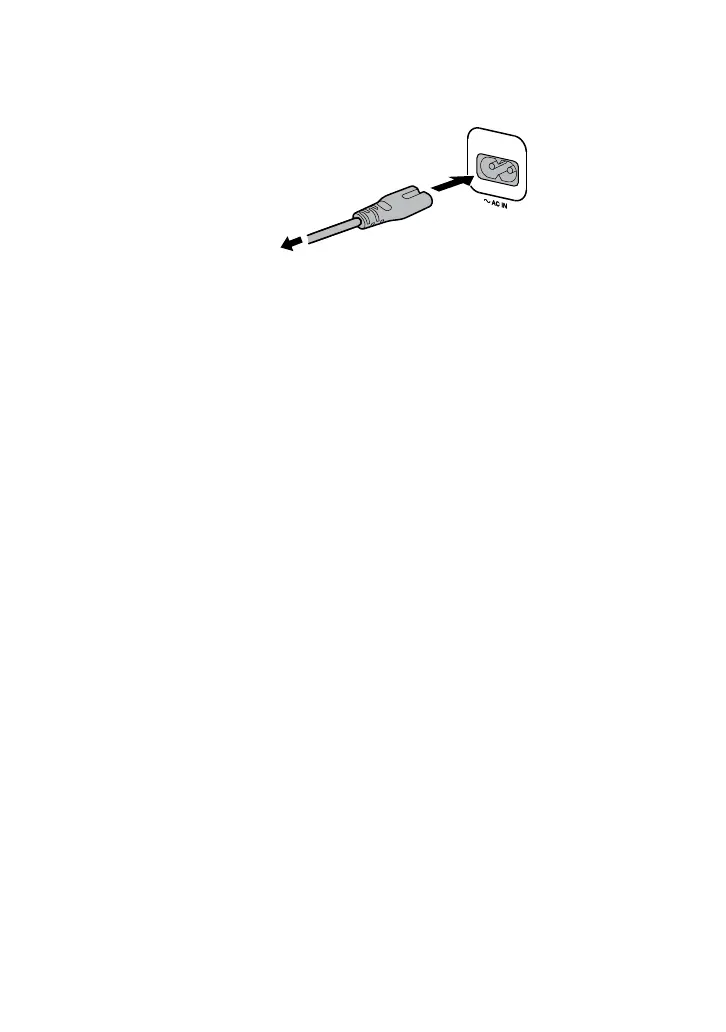
AC power cord (mains lead)
Connect the AC power cord (mains lead) (supplied) to the unit, then plug it
into a wall outlet.
AC power cord
(mains lead)
(supplied)
To the wall outlet
When the AC power cord (mains lead) is connected, the demonstration
(page 25) starts automatically. If you press (power) to turn on the
system, the demonstration ends.


 To Next Page