34
GB
MHC-M80D/MHC-M60D/MHC-M40D.GB.4-731-977-16(1)
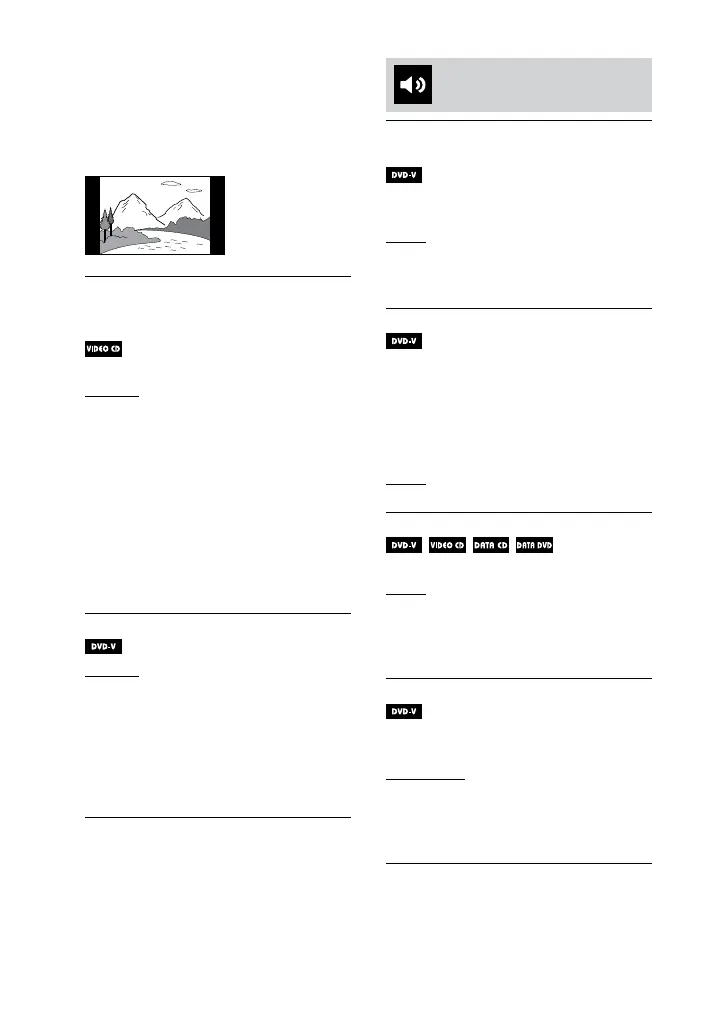
[NORMAL]: Changes the picture
size to fit the screen size with the
original picture aspect ratio. This
setting displays black bands on the
left and right side if you display a 4:3
screen picture.
[COLOR SYSTEM(VIDEO CD)]
(Except for Latin American,
European, and Russian models)
Sets the color system (PAL or NTSC).
[AUTO]: Outputs the video signal
according to the color system of the
disc. Select this setting if your TV
uses a DUAL system.
[PAL]: Changes the video signal of
an NTSC disc and output it in PAL
system.
[NTSC]: Changes the video signal
of a PAL disc and output it in NTSC
system.
For details, see “Changing the color
system” (page 24).
[PAUSE MODE]
[AUTO]: The picture, including
subjects that move dynamically, is
output with no jitter. Normally select
this setting.
[FRAME]: The picture, including
subjects that do not move
dynamically, is output in high
resolution.
Setting the audio options
– [AUDIO SETUP]
[AUDIO DRC]
(Dynamic Range Compression)
Useful for watching movies at low
volume late at night.
[OFF]: Off.
[STANDARD]: The dynamic range
is compressed as intended by the
recording engineer.
[TRACK SELECTION]
Gives priority to the sound track
which contains the highest number
of channels when you play back a
DVD VIDEO on which multiple audio
formats (PCM, MPEG audio, or Dolby
Digital) are recorded.
[OFF]: No priority given.
[AUTO]: Priority given.
[A/V SYNC]
(Video files only)
[OFF]: Does not adjust.
[ON]: Adjusts the delay between
picture and sound when the sound
does not synchronize with the
displayed picture.
[DOWNMIX]
Selects the audio output signal for
playing a multi-channel audio.
[NORMAL]: Outputs multi-channel
audio into a 2-channel stereo signal.
[DOLBY SURROUND]: Outputs
multi-channel audio into a
2-channel surround signal.


 To Next Page