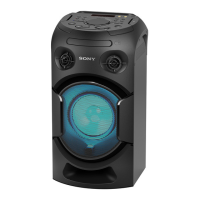
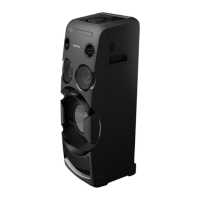
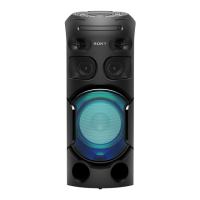
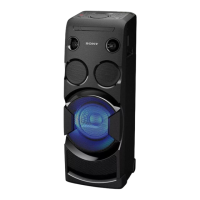
MHC-V21/V21D
5
Model Part No.
V21D : LA9
4-734-059-0[]
V21D : AR
4-734-059-1[]
V21D : E4
4-734-059-2[]
V21D : EA
4-734-059-3[]
V21D : E12
4-734-059-4[]
V21D : MY
4-734-059-5[]
V21D : AUS
4-734-059-6[]
V21D : TH
4-734-059-7[]
V21D : AEP, UK
4-734-059-8[]
V21D : RU
4-734-059-9[]
V21 : US, CND
4-734-060-0[]
V21D : BR
4-734-060-1[]
DESTINATION ABBREVIATIONS
The following abbreviations for model destinations are used in this
service manual.
• Abbreviation
AR : Argentina model
AUS : Australian model
BR : Brazilian model
CND : Canadian model
E4 : African model
E12 : 220-240 V AC area in E model
EA3 : Saudi Arabia model
LA9 : Latin-American model
MY : Malaysia model
RU : Russian model
TH : Thai model
DESTINATION SETTING METHOD
The destination information isn’t written in the MOTHERBOARD
board for the service.
Therefore, when the MOTHERBOARD board is replaced, be sure
to perform the destination setting (Important work).
Note 1: The initial setting destination of the MOTHERBOARD board for
the service is temporary set as “LATIN”. The message “LATIN
(T)” is displayed on the screen display panel.
Note 2: When distinguishing the destination of the product, refer to the
“MODEL IDENTIFICATION” on page 4.
Note 3: If destination setting isn’t performed, it is possibility to occur the
defect to each operation of this unit.
Note 4: Destination would be locked if it has been changed for 5 times.
Procedure:
1. Press two buttons of the [VOICE CHANGER] and
[TUNING + >] simultaneously for 10 seconds during the
demo mode.
2. It enters the destination setting mode, the message
“D XXXXX” is displayed on the screen display panel.
Note 5: If the message “DESTLOCK” is displayed on the screen display
panel, press the [N] button to release from this mode. Because
the destination is locked, and it cannot change the destination.
3. Press [ +] / [ ―] button to select the destination based on the
set’s country.
Screen
display
Destination
code
Country
“D ASIA
” SP6, TH1 Southeast Asia countries
“D INDIA
” E12 India
“D ME AFC” E3, E93, E4,
SA2, EA3
Middle East & Africa countries
“D OCEANI” AU1 Australia & New Zealand
“D JAPAN” J1 Japan
“D BRAZIL
” BR1 Brazil
“D N AME” UC2, CA2 America & Canada
“D LATIN
” LA9, AR2 Central & South America
countries (except Brazil)
“D RUSSIA
” RU1 Russia & CIS countries
“D EUROPE” CEL, CEK Europe countries
(except CIS country)
4. Press [
N] button to confi rm the selection.
5. “RESET” appears on the screen display panel. After that,
“SONY” appears on the screen display panel. The system
automatically turn on and off once. Please be sure that the
system stay at demo mode fi nally before switch off the power
supply.
6. Mode in “MODEL, DESTINATION AND VERSION
DISPLAY MODE” on page 21 again to confi rm on the model
& destination.
PLAYABLE DISCS
• DVD VIDEO
• DVD-R/DVD-RW in DVD VIDEO format or video mode
• DVD+R/DVD+RW in DVD VIDEO format
• VIDEO CD (Ver. 1.0, 1.1, and 2.0 discs)
• Super VCD
• CD-R/CD-RW/CD-ROM in VIDEO CD format or super VCD
format
• AUDIO CD
• CD-R/CD-RW in AUDIO CD format
PLAYABLE FILES ON DISCS
• Music: MP3 fi les
(.mp3)
1)2)
• Video: MPEG4 fi les (.mp4/.m4v)
2)3)
, Xvid fi les (.avi)
PLAYABLE FILES ON USB DEVICE
• Music: MP3 fi les
(.mp3)
1)2)
, WMA fi les (.wma)
2)
, AAC fi les
(.m4a/.mp4/.3gp)
2)
, WAV fi les (.wav)
2)
• Video: MPEG4 fi les (.mp4/.m4v)
2)3)
, Xvid fi les (.avi)
1)
MP3 (MPEG 1 Audio Layer 3) is a standard format defi ned by
ISO/MPEG for compressed audio data. MP3 fi les must be in
MPEG 1 Audio Layer 3 format.
2)
Files with copyright protection (Digital Rights Management)
cannot be played back by the system.
3)
MPEG4 fi les must be recorded in MP4 fi le format. Supported
video codec and audio codec are as follows:
– Video codec: MPEG4 Simple Profi le (AVC is not supported.)
– Audio codec: AAC-LC (HE-AAC is not supported.)
Ver. 1.1
SYSSET
2018/08/2821:56:45(GMT+09:00)


 To Next Page