Playing back transferred tracks
SEARCH/
MENU
/
+
/–
Jog lever
1
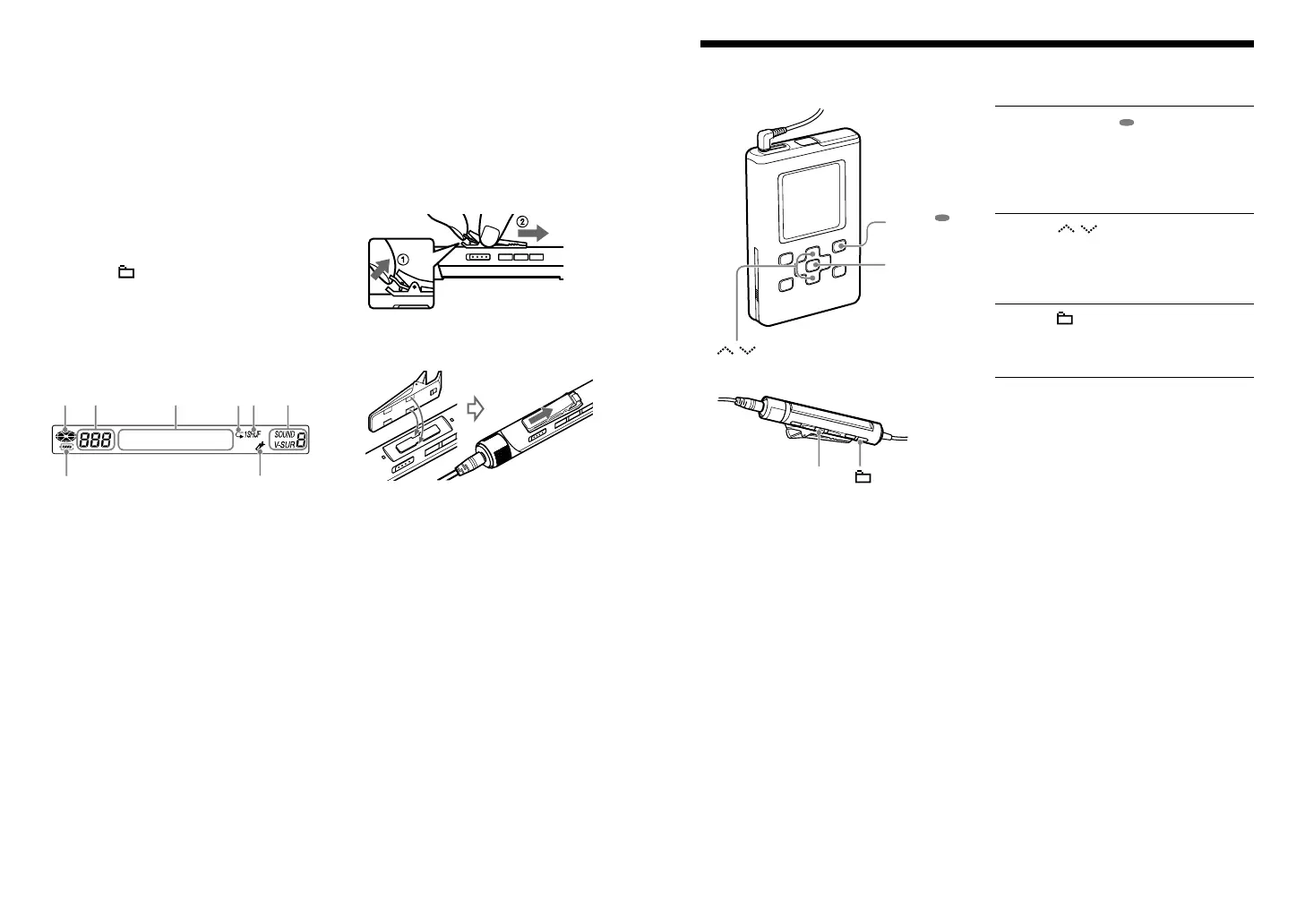
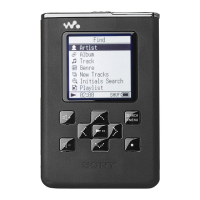
Press SEARCH/ MENU.
The Find display appears.
(
“Selecting Tracks to Playback (Artist,
Album, Genre, etc.)” in the PDF of the
Operating Instructions)
2
Press / to select “Artist,”
“Album,” or “Genre” in the Find
display on the player, and then
press .
3
Press +/– to select an album. Or
move the jog lever toward /
to select a track.
4
Press the jog lever.
Playback starts from the first track of the
item (artist, album, etc.) you selected.
When the indicators do not appear
properly
Remove and insert the remote again, or
remove the battery from the player and
reinsert it.
To change the direction of the clip
1 Remove the clip on the back of the
remote.
2 Reinsert the clip in the opposite direction,
left to right or right to left.
Adjusting treble and bass emphasis
(Digital Sound Preset)
1 Press SOUND repeatedly to select
“Sound 3” or “Sound 4,” and then press
and hold it until the display changes.
2 Move the jog lever to select “Custom
3” or “Custom 4,” and then press the
jog lever.
“3” or “4” appears to the right of
SOUND.
3 Move the jog lever to select the
frequency range (flashing), and then
press +/– or turn the VOL+/–
control to select the sound level.
4 Press the jog lever to enter the setting.
Press to cancel set up.
Display
Playing status
Track number
Character information display
Repeat indicator
Play mode indicator
Sound indicator
Remaining power of the battery indicator
Bookmark indicator
RM-MC35ELK.GB.2-636-080-11(1)


 To Previous Page