EasyManua.ls Logo

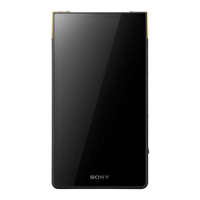
Sony NW-ZX2 - User Manual

Sony NW-ZX2
169 pages
Print Icon
To Next Page IconTo Next Page
Loading...
Digital Media Player NW-ZX2
How to Use
Getting Started
Customer Registration Website
Customer registration website [1]
Before Use
Before first use [2]
Walkman instruction manuals [3]
About the operating explanations in this Help Guide [4]
Parts and Controls
Parts and controls [5]
Do you need professional PDFs? Try PDFmyURL!

Table of Contents

Other manuals for Sony NW-ZX2

Question and Answer IconNeed help?

Do you have a question about the Sony NW-ZX2 and is the answer not in the manual?

Summary

Walkman Parts and Controls

Powering and Charging Your Device

Turning the Walkman On

Steps to power on your Walkman and unlock the screen.

Charging the Battery

Instructions on how to charge the Walkman battery using a computer.

Basic Walkman Operations

Google Account Setup and Management

Location Information Features

Connecting to a Computer

Connecting Your Walkman via USB

Steps to connect the Walkman to a computer via USB for charging or data transfer.

Bluetooth Functionality

Connecting Bluetooth Audio Devices

How to connect the Walkman to Bluetooth audio devices.

Wi-Fi Connectivity

Connecting to a Wi-Fi Network

Steps to connect the Walkman to a Wi-Fi network.

Important Precautions

Handling and Safety Warnings

Important safety warnings and handling precautions for the device.

Product Specifications and Details

Technical Specifications

Technical details including platform, display, interface, and memory.

Troubleshooting Common Issues

Solving Walkman Problems

General guide on resolving issues and where to find help.

Frequently Asked Questions (Q&A)

Frequently asked questions and answers for common problems.

Summary

Walkman Parts and Controls

Powering and Charging Your Device

Turning the Walkman On

Steps to power on your Walkman and unlock the screen.

Charging the Battery

Instructions on how to charge the Walkman battery using a computer.

Basic Walkman Operations

Google Account Setup and Management

Location Information Features

Connecting to a Computer

Connecting Your Walkman via USB

Steps to connect the Walkman to a computer via USB for charging or data transfer.

Bluetooth Functionality

Connecting Bluetooth Audio Devices

How to connect the Walkman to Bluetooth audio devices.

Wi-Fi Connectivity

Connecting to a Wi-Fi Network

Steps to connect the Walkman to a Wi-Fi network.

Important Precautions

Handling and Safety Warnings

Important safety warnings and handling precautions for the device.

Product Specifications and Details

Technical Specifications

Technical details including platform, display, interface, and memory.

Troubleshooting Common Issues

Solving Walkman Problems

General guide on resolving issues and where to find help.

Frequently Asked Questions (Q&A)

Frequently asked questions and answers for common problems.

Sony NW-ZX2 Specifications

General IconGeneral
EqualizerYes
Built-in speaker(s)No
Internal storage capacity128 GB
Display diagonal4 \
Display resolution854 x 480 pixels
Battery recharge time4.5 h
Continuous audio playback time60 h
Audio formats supportedMP3, HE-AAC, FLAC, AIFF
Image formats supportedJPG, PNG
Video formats supportedMPEG4
TypeMP4 player
Operating system installedAndroid
Player media typeFlash memory
Compatible memory cardsMicroSD (TransFlash)
Product colorBlack
Headphone connectivity3.5 mm
InterfaceUSB 2.0
Weight and Dimensions IconWeight and Dimensions
Depth18.5 mm
Width235 mm
Height131.2 mm
Weight65.1 g

Related product manuals