To add the Timescape™ Friends widget to your Home screen
1
From your Home screen, press .
2
Tap Add > Widgets.
3
Tap Timescape™ Friends.
To remove the Timescape™ Friends widget from your Home screen
1
From your Home screen, touch and hold the Timescape™ Friends widget.
2
Drag the widget to .
Timescape™ Share widget
Share your status through one of the services that you have logged into from your
phone. For example, you can post updates on Facebook™ or Twitter™.
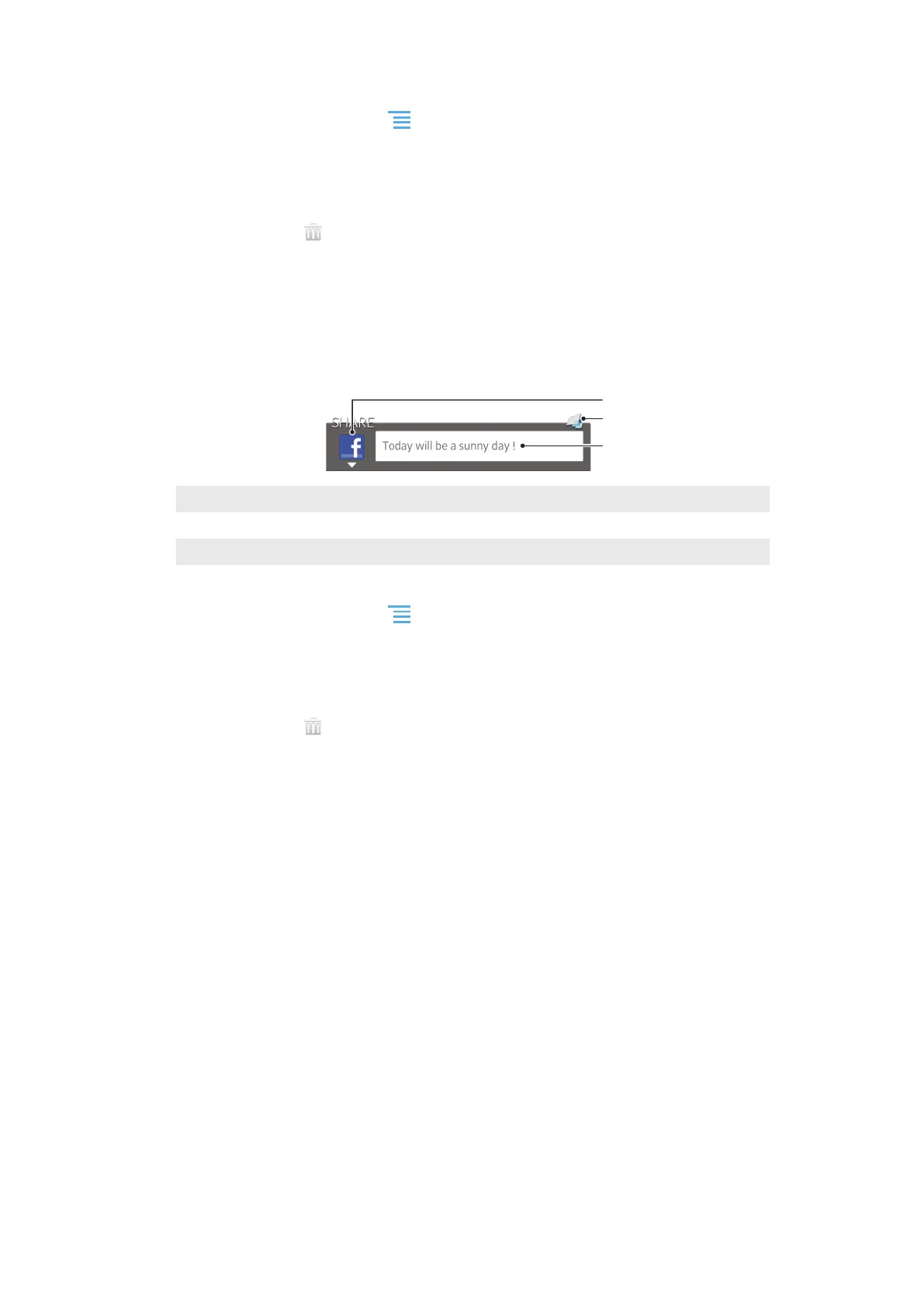
Timescape™ Share widget view
1
Icon showing the service currently used to send posts
2 Shortcut to the Timescape™ main view
3 Enter new posts here
To add the Timescape™ Share widget to your Home screen
1
From your Home screen, press .
2
Tap Add > Widgets.
3
Tap Timescape™ Share.
To remove the Timescape™ Share widget from your Home screen
1
From your Home screen, touch and hold the Timescape™ Share widget.
2
Drag the widget to
.
57
This is an Internet version of this publication. © Print only for private use.










 To Next Page