CAMERA CHECKLIST - AUTOMATIC
Adjustments to check
✓
Auto Lock switch to top position
✓
Menu settings adjusted
✓
D Zoom off
✓
16:9: on / off
✓
Rec mode: DVcam or SP
✓
Audio Set : auto, manual, partial
✓
ND filter turned off ?
Basics
✓
battery charged
✓
lens clean
✓
tripod level and sturdy
✓
tape rewound or at proper position
✓
20 seconds of colour bars or black at
beginning of tape
Focusing
✓
Focus switch to manual
✓
eyepiece adjusted for operators eye
✓
critical focus done before shooting
Logging
✓
tape labelled with date and camera #
✓
tape box labelled with camera #, date
and producers last names
✓
Timecode display selected with TC/ U-bit
button ( 00:00:00:00 on LCD display )
✓
camera log neatly written and accurate
CAMERA CHECKLIST - MANUAL
✓
Auto Lock to middle position
✓
Gain set to 0dB
✓
Shutter set to 30 - 125
✓
Iris adjusted with zebra at 100
✓
White balance set with lighting change
✓
Auto Lock to Hold position once all
manual settings are done
✓
Audio levels adjusted for each mic
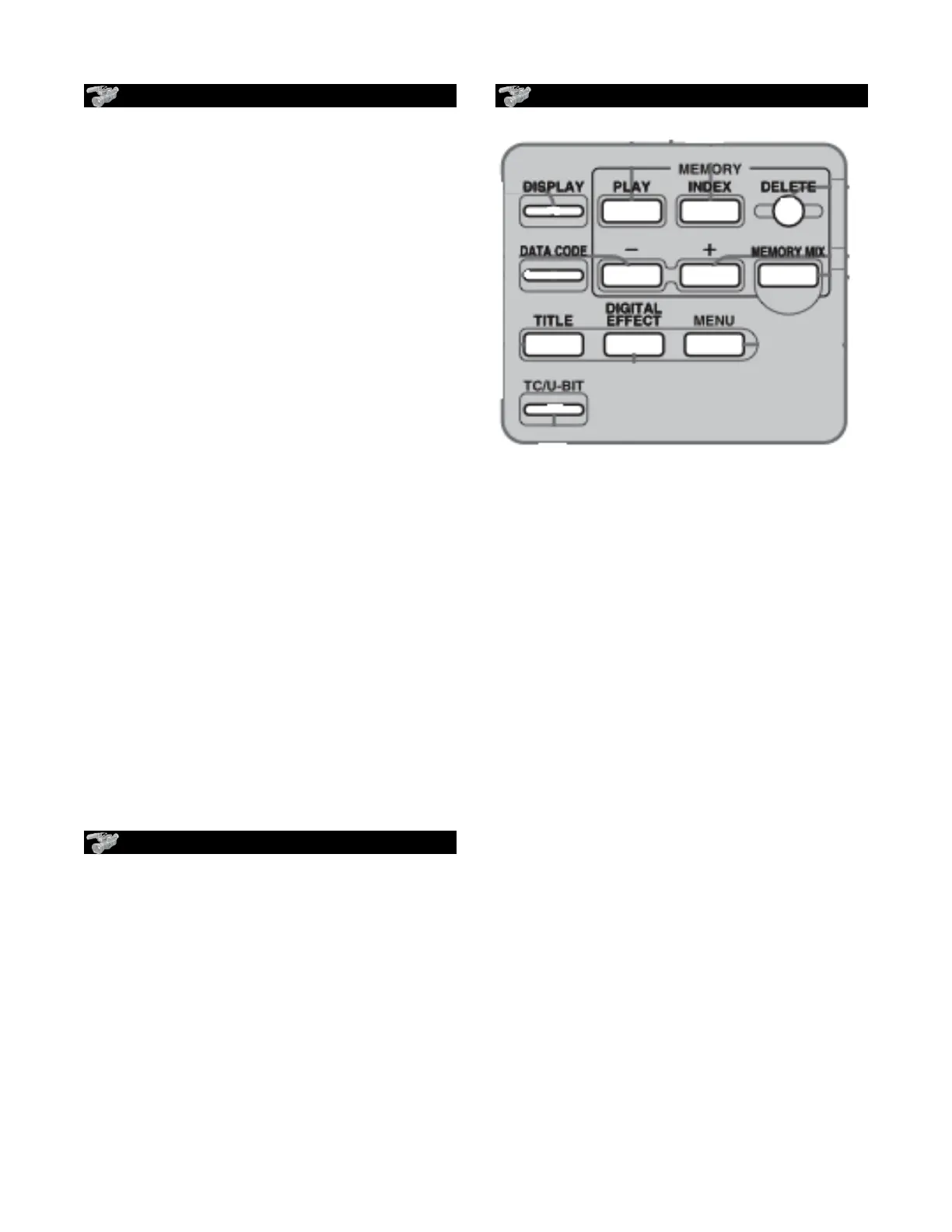
BUTTONS
•
memory-play-index-delete : used for
memory card
•
•
DIGITAL EFFECT ( page 40 )
"STILL -
" FLASH -
"LUMI-
"TRAIL -
"OLD MOVIE
•
TITLE used with memory card
•
DATA CODE: to see data on screen
•
DISPLAY: to see date/time on screen
•
END SEARCH : to go to end of last
recorded scene - won’t work if tape is
ejected
• ZEBRA : shows brightest spots of image:
" 70= skin tone, 100 = pure white
PD 170 Orientation











 To Previous Page