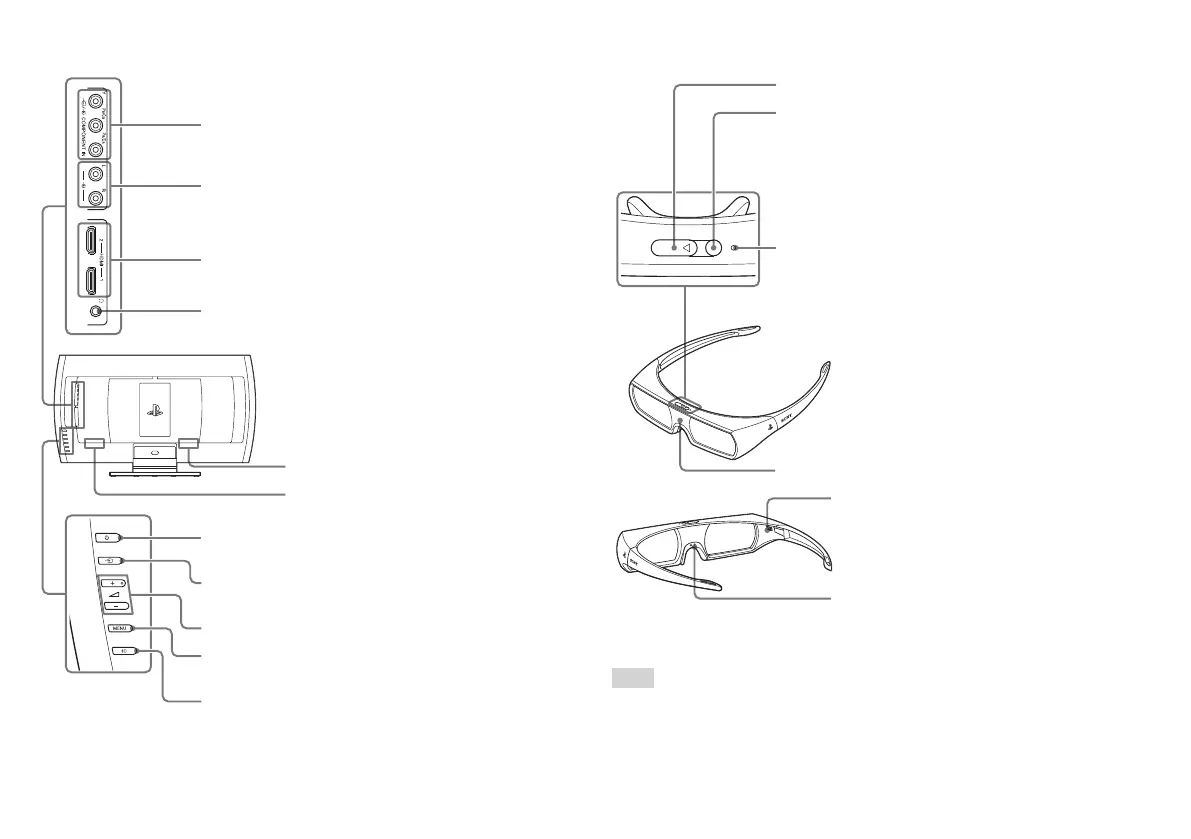
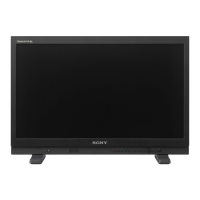
Rear
Power button
Turns the power on and off (standby).
Input selector button
Switches between input signals.
Volume + button/ volume – button
MENU button
Displays and hides the menu.
3D button
Press the 3D button to display video images in 3D.
AC IN connector
Service connector
Component video input connectors
Audio input jacks
HDMI™ input connectors
Headphone jack
3D glasses
Infrared receiver
Power button
Power on/off: press and hold for at least 2 seconds.
Switching players when using SimulView™:
with the power on, press and release quickly.
Power indicator
Flashes: 3D mode
Flashes two times repeatedly: SimulView™ mode (2P)
Flashes slowly: SimulView™ mode (1P)
Flashes quickly: low battery charge
USB connector
BATTERY switch
When you start using the 3D glasses, be sure
toput the battery switch in the On position.
Nose pad
You can adjust the nose pad to fit the shape of
your nose.
Hint
Be careful not to pinch yourself in the hinges of the 3D glasses.


 To Next Page