
 Need help?
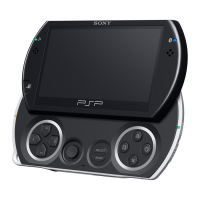
Do you have a question about the Sony PSP-1001 and is the answer not in the manual?
Important safety advice to prevent hazards like electric shock and injury.
Details on compliance with FCC and IC radiation exposure limits.
Warnings about potential effects of flashing lights and radio waves on users.
Verifying all items are included in the product packaging upon receipt.
Detailed identification and explanation of system components and buttons.
Steps to insert battery, charge the system, and perform initial setup.
Instructions for connecting audio accessories to the system.
Procedures for powering the PSP™ system on, off, and managing sleep mode.
Guide on how to correctly insert and eject UMD discs and Memory Stick Duo media.
Explanation of how to use sound and display buttons for system adjustments.
Information on checking battery level, duration, charging, and pack life.
Steps to start and play games on the PSP™ system using UMDs or digital data.
How to copy, delete, or view saved game data using the utility.
Instructions for playing UMD™VIDEO and video files saved on Memory Stick Duo™.
Using the on-screen control panel and accessing video playback options.
Methods for saving video files onto a Memory Stick Duo™ for playback.
Guide to playing UMD™MUSIC and music files from Memory Stick Duo™.
Using the on-screen control panel and accessing music playback options.
Steps to import music from audio CDs or downloads to Memory Stick Duo™.
Instructions for viewing photos saved on Memory Stick Duo™.
Using the on-screen control panel and accessing photo viewing options.
How to set up and play image slideshows from stored photos.
Methods for saving image files onto a Memory Stick Duo™.
Connecting to the internet and browsing web pages using the PSP™ browser.
Adding and playing audio content via RSS feeds.
Setting up wireless LAN connections, including Ad Hoc and Infrastructure modes.
Adjusting UMD™VIDEO language and volume settings.
Configuring slideshow speed for photo viewing.
Changing system language, nickname, and character set.
Optimizing battery life with backlight and auto-sleep features.
Managing passwords, parental controls, and internet browser access.
Information on how to update system software for new features and patches.
Details on supported media types like UMD™ and Memory Stick Duo™.
Technical details about the PSP™ system hardware and features.
Solutions for common problems and issues encountered with the system.
Information regarding product warranty terms and conditions.
 General
| Brand | Sony |
|---|---|
| Model | PSP-1001 |
| Category | Game Console |
| Language | English |









 To Next Page