Contents
45
Section Index
F. ISO, Gain and Dual ISO
F2. Selecting gain or ISO (Custom Mode)
To select the use of gain or ISO:
(MENU: Shooting – ISO/Gain/EI – Mode).
There are several ways to change the gain/ISO of the
PXW-FX9.
You can use the ISO/Gain push button to quickly set the
gain simply by pressing the button and then using the multi-
function dial to quickly set the desired gain/ISO level.
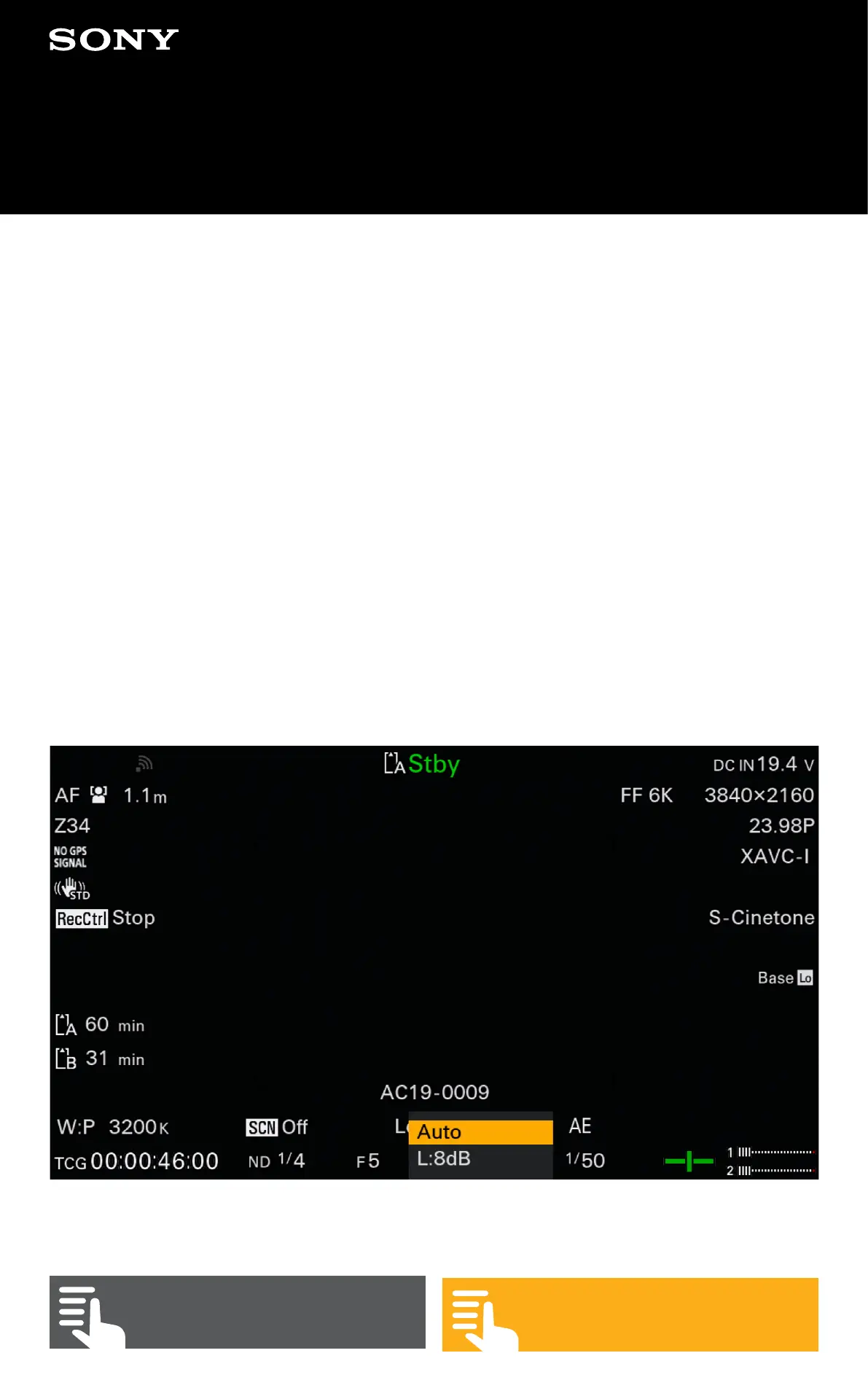
You can use direct menu to select the gain/ISO indication on
the viewfinder screen and set a new gain/ISO value or set
the gain to automatic (AGC).


 To Next Page