Contents
72
Section Index
K. Auto Focus and Focus Aids
K2. Auto Focus Detection Area
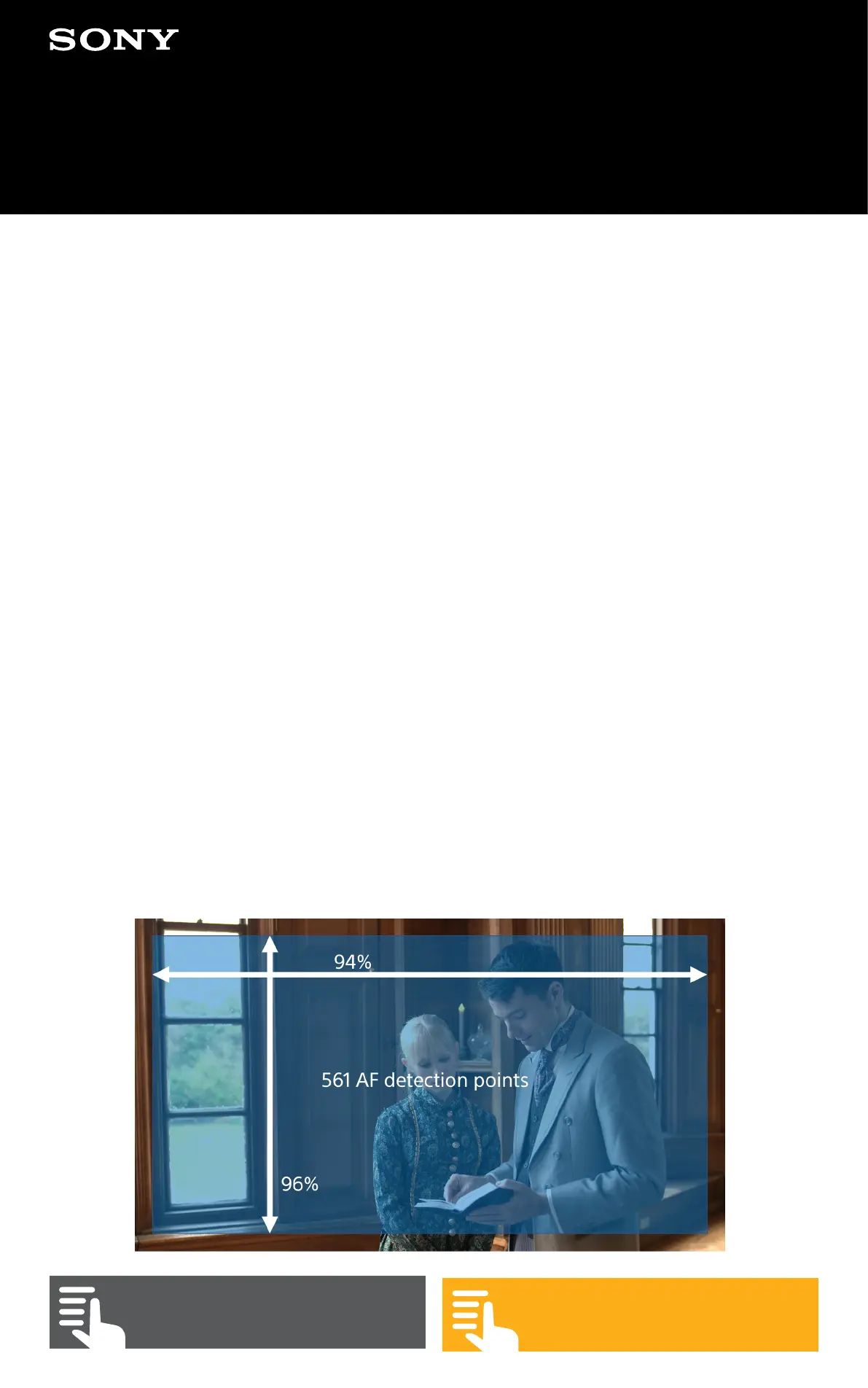
The focus detection area of the auto focus system can be
altered by going to (MENU: Shooting – Focus – Focus Area).
By default, both the Focus switch and the AF Push Auto
button will use the same focus area. But it is also possible
to set one type of focus area to the Focus switch and an
alternate focus area to the Push Auto AF button.
In order to have a dierent focus area for the AF Push Auto
button you should go to (MENU: Shooting – Focus – Push AF
Mode) and select Single-shot AF(AF-S). Now you can select
a dierent focus area for the AF Push Auto button by going to
(MENU: Shooting – Focus – Focus Area AF-S).
There are 3 dierent focus areas to choose from. When using
Face Detection or Face Priority these will only function within
the selected focus area.
Wide: Covers almost the entire sensor.


 To Next Page