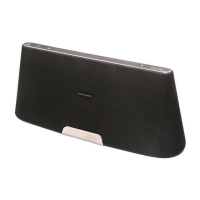
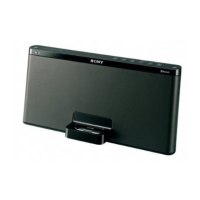
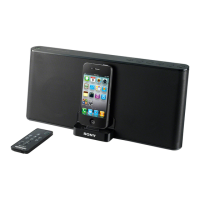
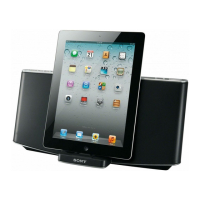
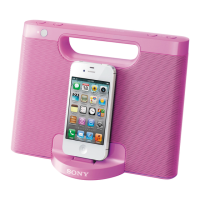
RDP-X50iP_4-199-673-32(2)_CEF/CEK/AU6
WARNING
To reduce the risk of fire or electric shock, do not
expose this apparatus to rain or moisture.
To reduce the risk of fire, do not cover the ventilation of
the apparatus with newspapers, tablecloths, curtains, etc.
And do not place lighted candles on the apparatus.
To reduce the risk of fire or electric shock, do not expose
this apparatus to dripping or splashing, and do not place
objects filled with liquids, such as vases, on the
apparatus.
Do not install the appliance in a confined space, such as
a bookcase or built-in cabinet.
Do not expose the batteries (battery pack or batteries
installed) to excessive heat such as sunshine, fire or the
like for a long time.
As the main plug is used to disconnect the unit from the
mains, connect the unit to an easily accessible AC outlet.
Should you notice an abnormality in the unit, disconnect
the main plug from the AC outlet immediately.
The unit is not disconnected from the AC power source
(mains) as long as it is connected to the wall outlet, even
if the unit itself has been turned off.
The nameplate and important information concerning
safety are located on the bottom exterior of main unit
and on the surface of AC power adaptor.
CAUTION
Danger of explosion if battery is incorrectly replaced.
Replace only with the same type.
Notice for customers: the following information is
only applicable to equipment sold in countries
applying EU directives
The manufacturer of this product is Sony Corporation,
1-7-1 Konan Minato-ku Tokyo, 108-0075 Japan. The
Authorized Representative for EMC and product safety is
Sony Deutschland GmbH, Hedelfinger Strasse 61, 70327
Stuttgart, Germany. For any service or guarantee matters
please refer to the addresses given in separate service or
guarantee documents.
The validity of the CE marking is restricted to only those
countries where it is legally enforced, mainly in the
countries EEA (European Economic Area).
Features
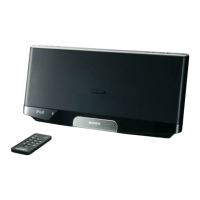
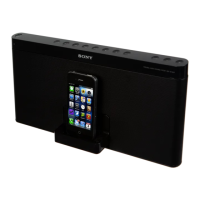
Compatible with iPod and iPhone
MEGA BASS
Audio in function
Wireless remote commander supplied
Precautions
Operate the unit on the power source specified in
“Specifications.”
To disconnect the AC power cord (mains lead), pull it
out by the plug, not the cord.
Since a strong magnet is used for the speaker, keep
personal credit cards using magnetic coding or spring-
wound watches away from the unit to prevent possible
damage from the magnet.
Do not leave the unit in a location near a heat source
such as a radiator or airduct, or in a place subject to
direct sunlight, excessive dust, mechanical vibration, or
shock.
Allow adequate air circulation to prevent internal heat
build-up. Do not place the unit on a surface (a rug, a
blanket, etc.) or near materials (a curtain) which might
block the ventilation holes.
Should any solid object or liquid fall into the unit,
unplug the unit and have it checked by qualified
personnel before operating it any further.
To clean the casing, use a soft cloth dampened with a
mild detergent solution.
If the unit is placed near a CRT-based TV or projector,
ghosting may occur on its screen. In this case, move the
unit away.
NOTES ON LITHIUM BATTERY
Wipe the battery with a dry cloth to assure a good
contact.
Be sure to observe the correct polarity when installing
the battery.
Do not hold the battery with metallic tweezers,
otherwise a short-circuit may occur.
Disposal of Old Electrical & Electronic
Equipment (Applicable in the European
Union and other European countries
with separate collection systems)
This symbol on the product or on its packaging indicates
that this product shall not be treated as household waste.
Instead it shall be handed over to the applicable
collection point for the recycling of electrical and
electronic equipment. By ensuring this product is
disposed of correctly, you will help prevent potential
negative consequences for the environment and human
health, which could otherwise be caused by
inappropriate waste handling of this product. The
recycling of materials will help to conserve natural
resources. For more detailed information about recycling
of this product, please contact your local Civic Office,
your household waste disposal service or the shop where
you purchased the product.
Applicable accessory: Remote Commander.
Disposal of waste batteries
(applicable in the European Union
and other European countries with
separate collection systems)
This symbol on the battery or on the packaging indicates
that the battery provided with this product shall not be
treated as household waste.
On certain batteries this symbol might be used in
combination with a chemical symbol. The chemical
symbols for mercury (Hg) or lead (Pb) are added if the
battery contains more than 0.0005% mercury or 0.004%
lead.
By ensuring these batteries are disposed of correctly, you
will help prevent potentially negative consequences for
the environment and human health which could
otherwise be caused by inappropriate waste handling of
the battery. The recycling of the materials will help to
conserve natural resources.
In case of products that for safety, performance or data
integrity reasons require a permanent connection with
an incorporated battery, this battery should be replaced
by qualified service staff only.
To ensure that the battery will be treated properly, hand
over the product at end-of-life to the applicable
collection point for the recycling of electrical and
electronic equipment.
For all other batteries, please view the section on how to
remove the battery from the product safely. Hand the
battery over to the applicable collection point for the
recycling of waste batteries.
For more detailed information about recycling of this
product or battery, please contact your local Civic Office,
your household waste disposal service or the shop where
you purchased the product.
If you have any questions or problems concerning your
unit, please consult your nearest Sony dealer.
Power sources
Preparing a power source
1 Connect the AC power cord (supplied) to the AC
power adaptor (supplied).
2 Connect the AC power adaptor to the DC IN 20V
jack on the back of this unit firmly and plug it into a
wall outlet.
AC power
adaptor
AC power
cord
To wall
outlet
Note on the AC power adaptor
Use the Sony supplied AC power adaptor only. The polarity of the
plugs of other manufactures may be different. Failure to use the
supplied AC power adaptor may cause the unit to malfunction.
Preparing the remote
commander
Before using the remote commander for the first time,
remove the insulation film.
To know when to replace the battery
With normal use, the battery (CR2025) should last for
about 6 months. When the remote commander no longer
operates the unit, replace the battery with a new one.
with the + side
facing up
Notes
Do not attempt to charge the battery.
If you are not going to use the remote commander for a long time,
remove the battery to avoid any damage that may be caused by
leakage and corrosion.
4-199-673-32(2)
Personal Audio
Docking System
©2010 Sony Corporation Printed in China
RDP-X50iP
Operating Instructions

 Need help?
 General
 Weight and Dimensions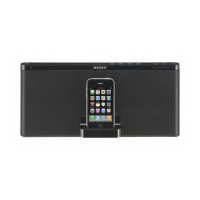

 To Next Page